
Enable Predictive LTV Calculation
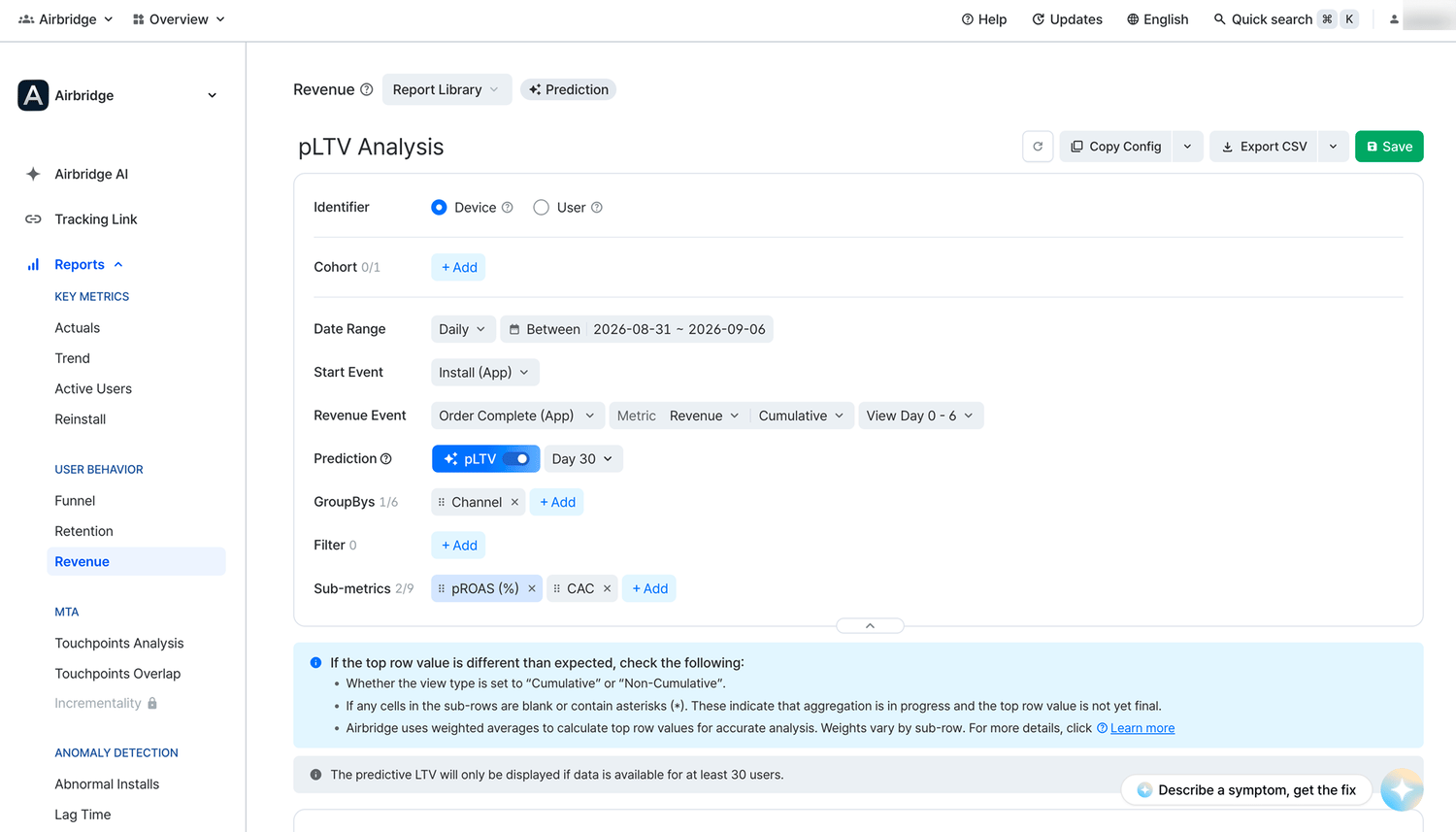
In the Revenue Report, turn on the pLTV toggle and set the calculation period to enable the pLTV calculation.How to interpret the predictive LTV
The pLTV in the Revenue Report shows the estimated revenue a user in a cohort is expected to generate for the calculation period starting from the day the Start Event was performed. For example, when the calculation period is set to Day 30, and the pLTV of a cohort is 100 USD, it means that a user in the cohort is likely to generate 100 USD for 30 days starting from the day the user performed the Start Event. Airbridge calculates the pLTV using the following formula.- pLTV = Predictive Lifetime * Average Revenue Per Daily Active User (ARPDAU)
Requirements for enabling the pLTV feature
Requirements for enabling the pLTV feature
- The calculation period must be set.
- The date range granularity must be set to Daily.
- The start date of the date range must be set at least 3 days prior to today.
- The Start Event must be set to Install (App).
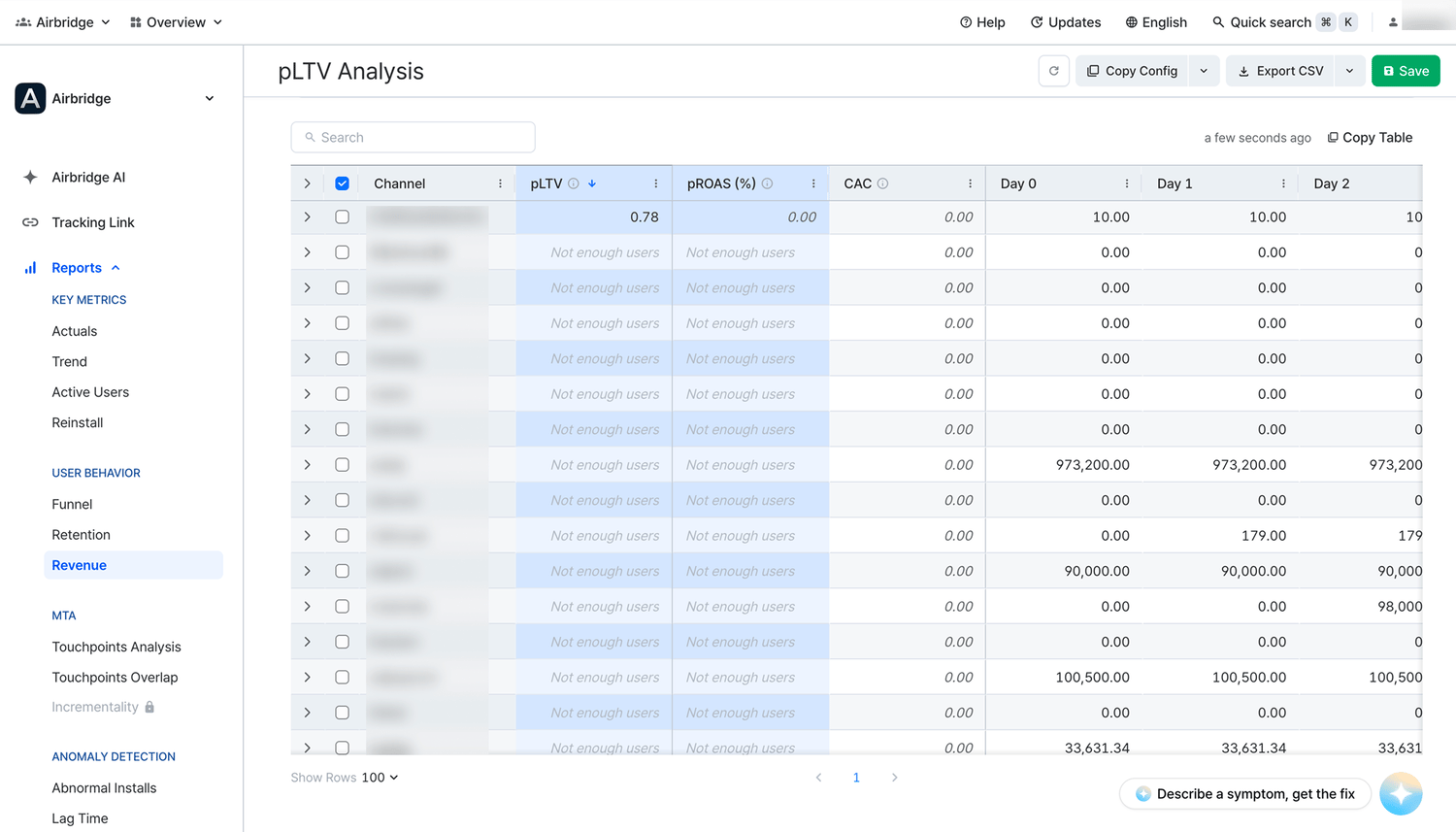
- The number of users in a cohort must be at least 30.
Calculation period
When you turn on the pLTV toggle, you can set the calculation period by entering a value between 1 and 180. For example, when you enter 30, the calculation period is set to Day 30, and the pLTV will show the revenue a user of the cohort is likely to generate using your service from Day 0 to Day 30.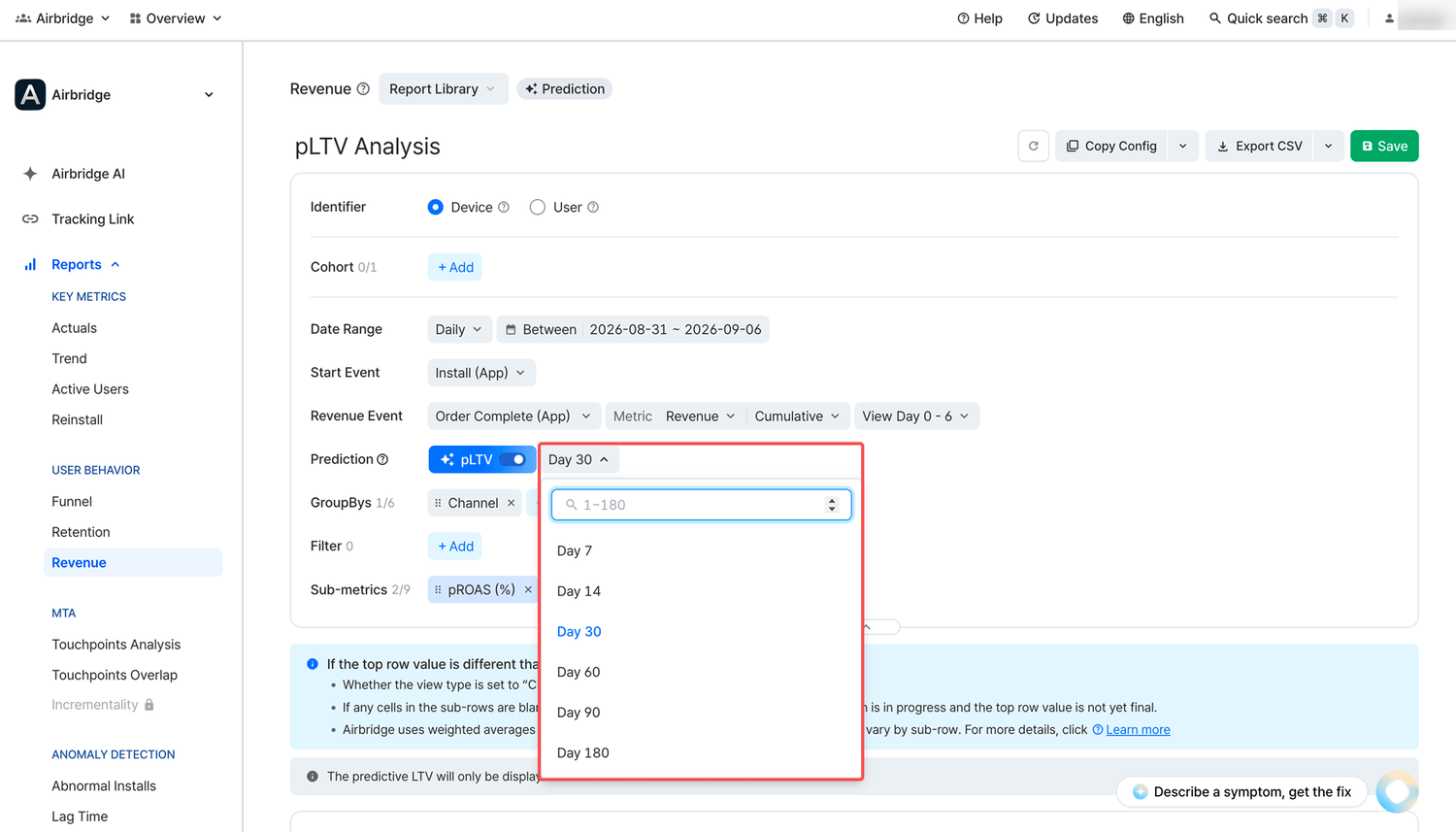
How to view the pLTV
The pLTV is displayed in the pLTV column per cohort. The cohort can be set by configuring the GroupBy.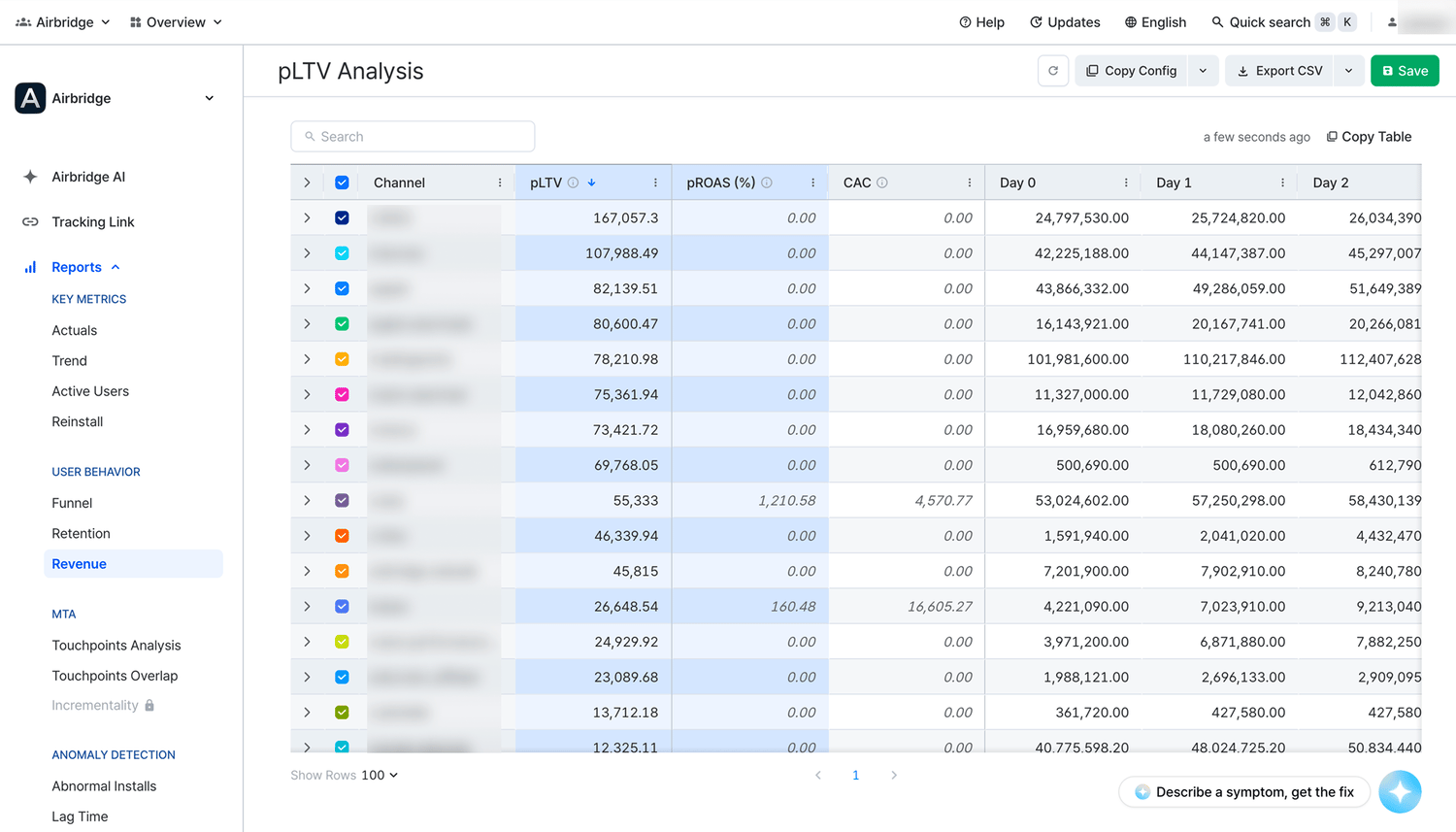
How to view the predictive lifetime of users whose installs are attributed to an ad channel
How to view the predictive lifetime of users whose installs are attributed to an ad channel
- Select Install (App) as the Start Event and Revenue as the metric. Then, turn on the pLTV toggle and set the calculation period.
- Select Channel as GroupBy.
- The pLTV of the users grouped by ad channels from which they were acquired is displayed in the pLTV column.
pROAS
The predictive return on ad spend (pROAS) submetric is the predicted total revenue from users who performed the Start Event during the selected date range, as a percentage of total ad spend. The formula is pLTV * Users / Total Cost * 100. When you enable pLTV, pROAS is selected automatically, together with another submetric, CAC. If you select pROAS while pLTV is not enabled, pLTV is enabled automatically.Advanced Use of pLTV
When analyzing data, looking at pLTV alongside Customer Acquisition Cost (CAC) can be helpful in your future campaign planning as you can easily compare the predicted revenue and the acquisition of users in a cohort.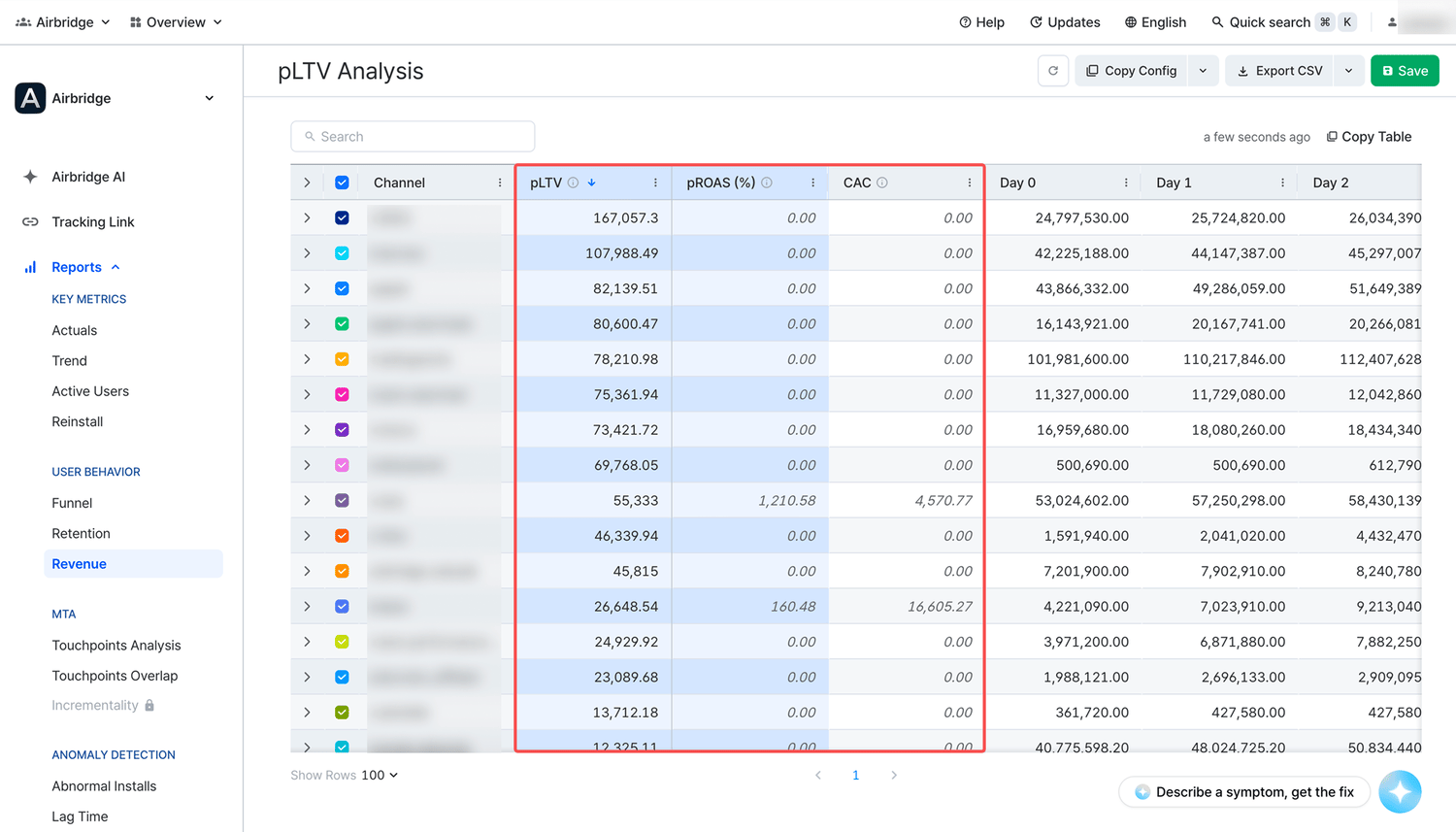
AttentionMake sure the data required for calculating the pLTV and CAC is properly collected by Airbridge. Refer to the following prerequisites for collecting data for pLTV and CAC.
- For pLTV: The event value of the event you want to set as the Revenue Event in the Revenue Report must be collected.
- For CAC: Cost integration must be completed with the ad channels where you operate your campaigns.
Caution
Requirements for enabling the predictive LTV feature
Requirements for enabling the predictive LTV feature
- The calculation period must be set.
- The date range granularity must be set to Daily.
- The start date of the date range must be set at least 3 days prior to today.
- The Start Event must be set to Install (App).
- The number of users in a cohort must be at least 30.
Meta's privacy policy
Meta's privacy policy
Following Meta’s privacy policy, Meta Ads campaign data is masked in Airbridge until you accept Meta’s Advanced Mobile Measurement (AMM) Terms, provided that both of the following conditions are met for the set date range:If Meta Ads data is still not visible after agreeing to the terms, you may try changing your report settings as follows:
- The sum of impressions and engaged views from Meta Ads campaigns is less than 1,000
- The Meta Ads campaign data is imported to Airbridge through channel integration and cost integration
NoteTo gain full visibility of your Meta ads campaign data in Airbridge reports, you need to accept Meta’s Advanced Mobile Measurement (AMM) Terms. Otherwise, Meta ads campaign data remains masked in Airbridge. For more information about Meta’s AMM terms, refer to this article.
- Change or extend the date range. Only data from periods after consent is provided in raw data.
- Change or remove some of the GroupBys and filters.
Predictive metrics
Predictive metrics
Airbridge provides predictive metrics, utilizing historical data to guide marketers in future campaign planning. It’s important to note that Airbridge’s currently available predictive metrics, including estimates for predictive lifetime and predictive LTV, may differ from actual numbers.