
Integrate TikTok For Business web campaigns
Integrate TikTok For Business web campaigns and view your attribution data in the Airbridge dashboard.Required prerequisites
Complete all prerequisites before integrating TikTok For Business web campaigns.Set up the TikTok Conversions API
The TikTok Conversions API integration sends events collected by Airbridge to TikTok for Business. To set up the integration, follow these steps:- In the TikTok Ads Manager dashboard, find your Pixel ID and Access Token. For details, see this guide.
- Decide which Airbridge events to send through the Conversions API and the TikTok event to map to each. For the list of TikTok events, see this documentation.
- Share the following information with your Airbridge CSM or through the Airbridge Help Center:
- TikTok Pixel ID
- TikTok Access Token
- Airbridge event names to send and the TikTok event name mapped to each
Optional prerequisites
If needed, refer to the TikTok For Business Help Center guide to complete the following:Enter the webpage URL in TikTok For Business settings
- Create an ad in the TikTok Ads Manager dashboard.
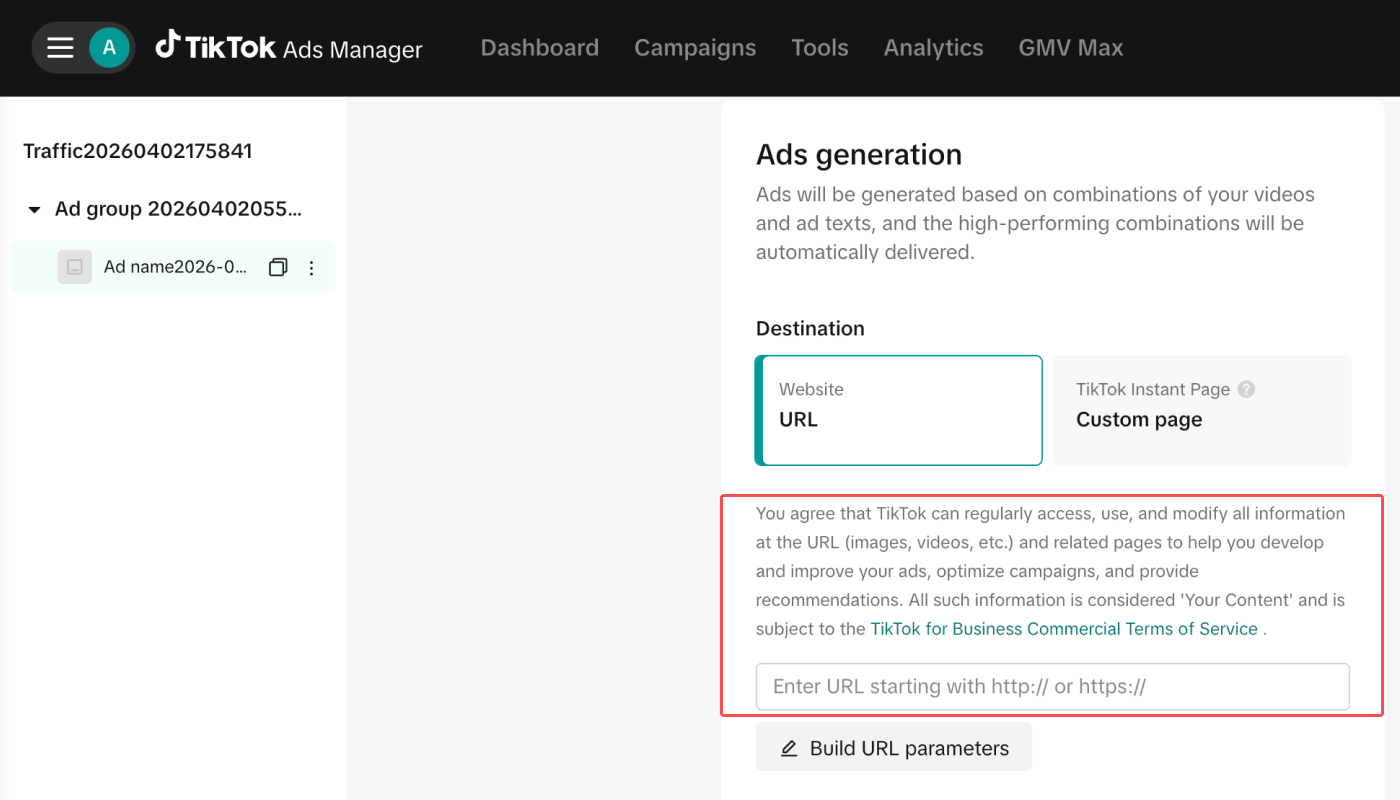
- In [Ad Details]>[Destination], select Website URL.
- In [Destination URL], enter the website URL to send users to. Use the URL that includes the UTM parameters added during the prerequisite step.
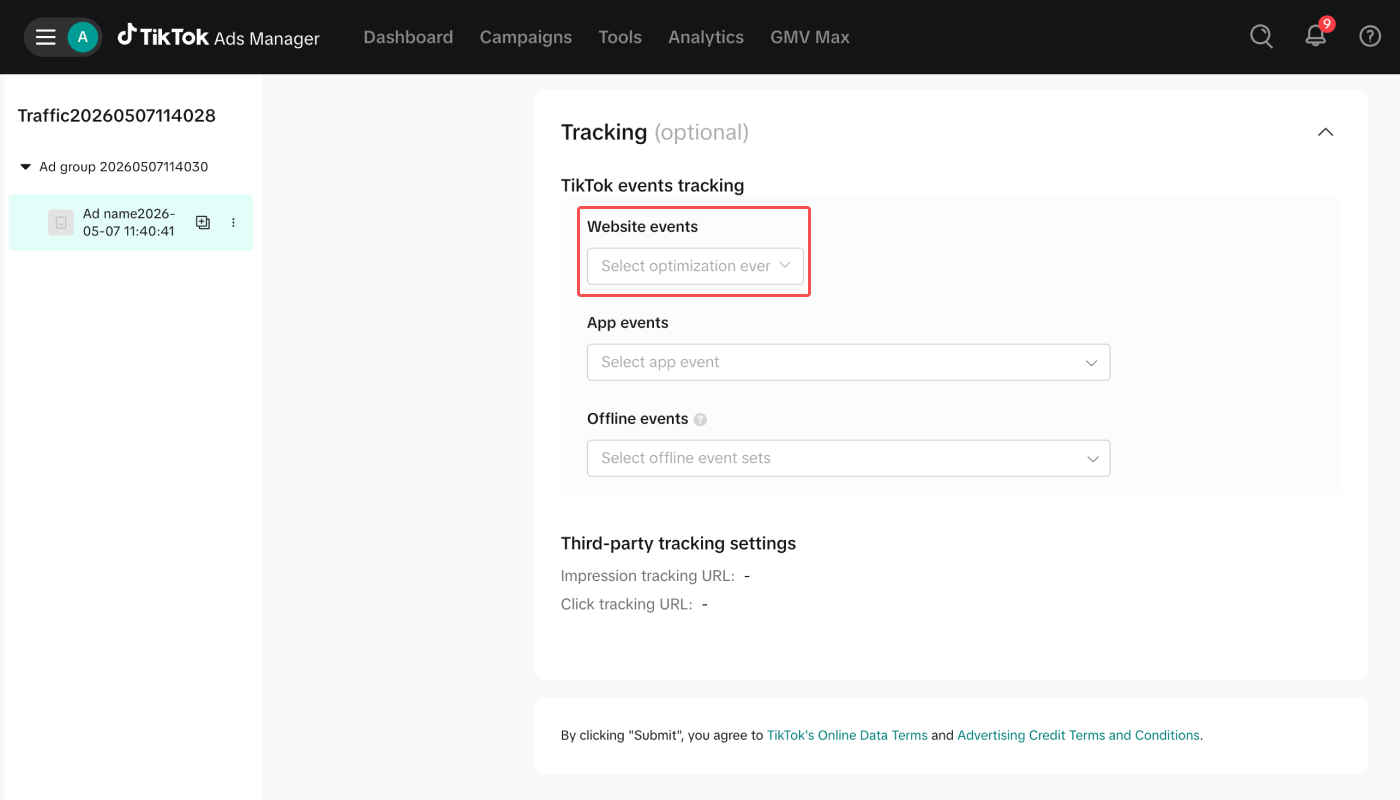
- In [Tracking], set up [Website events].
- Complete the remaining settings and save.
Set app store as the destination for TikTok For Business web campaigns
Learn how to set up app store destinations for TikTok For Business web campaigns to track app installs from your web traffic.Enter the app store URL in TikTok For Business settings
- Create an ad in the TikTok Ads Manager dashboard.
- Choose a campaign objective. Don’t select App Promotion or Awareness as you want to track conversions attributed to web campaigns.
- In [Ad Details]>[Destination], select Website URL.
- In [Destination URL], enter the app store URL where you want to send users.
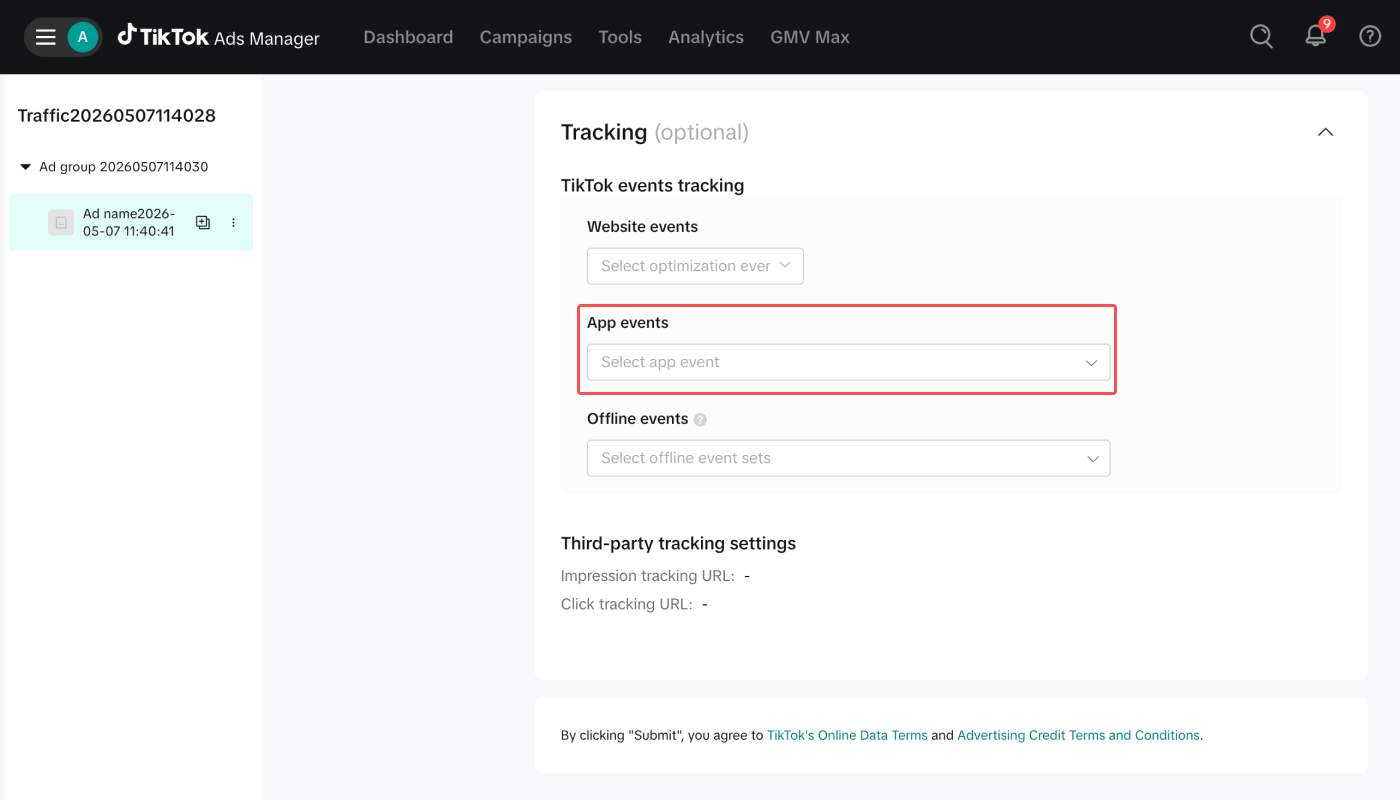
- In [Tracking], set up [App events].
- Complete the remaining settings and save.