
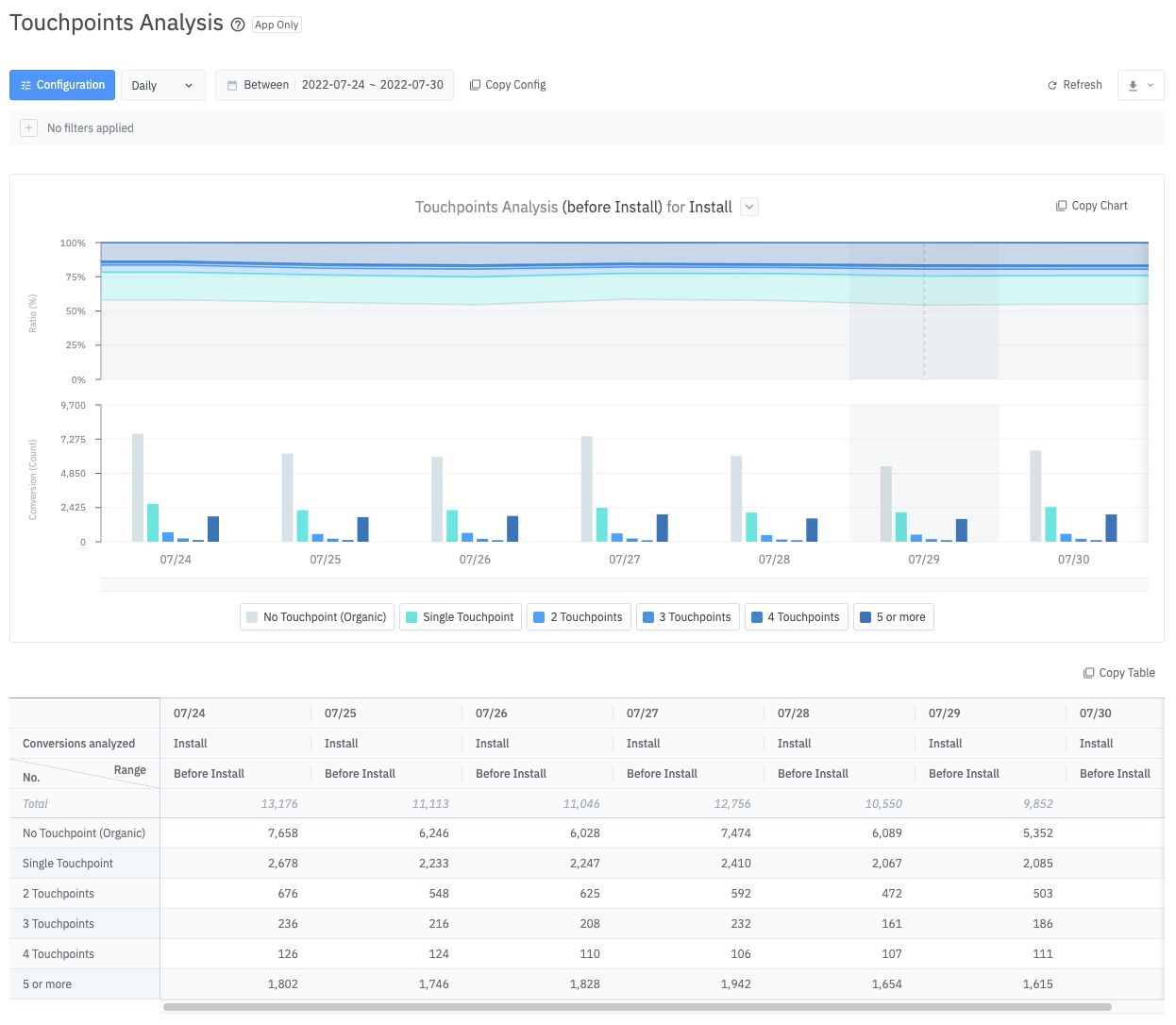
Analysis Method
Analysis Scope
It is necessary to first set the overlapping events and scope that you wish to measure. The scope is available from before Install to 2nd Purchase. When the analysis scope is set, a flag icon appears above the specific event.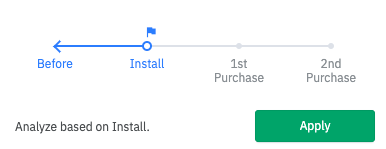
Scope
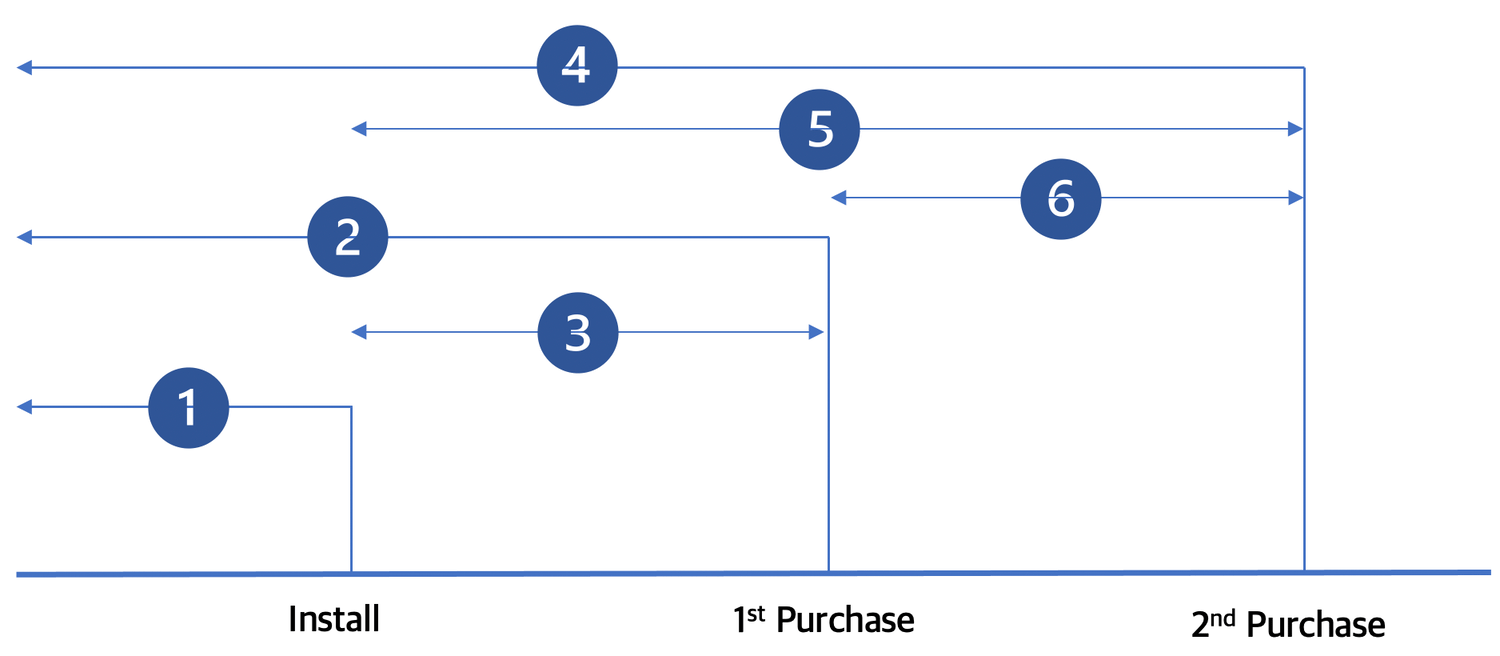
You can configure the touchpoint scope for user events that occur while using the app. Not only can the scope be set from before “Install” to “1st Purchase” and “2nd Purchase”, separate segments between those events can also be configured.Example 1: “Before” to “Install” Scope
If the scope is based on “Install,” you can see touchpoints that occurred before app installation.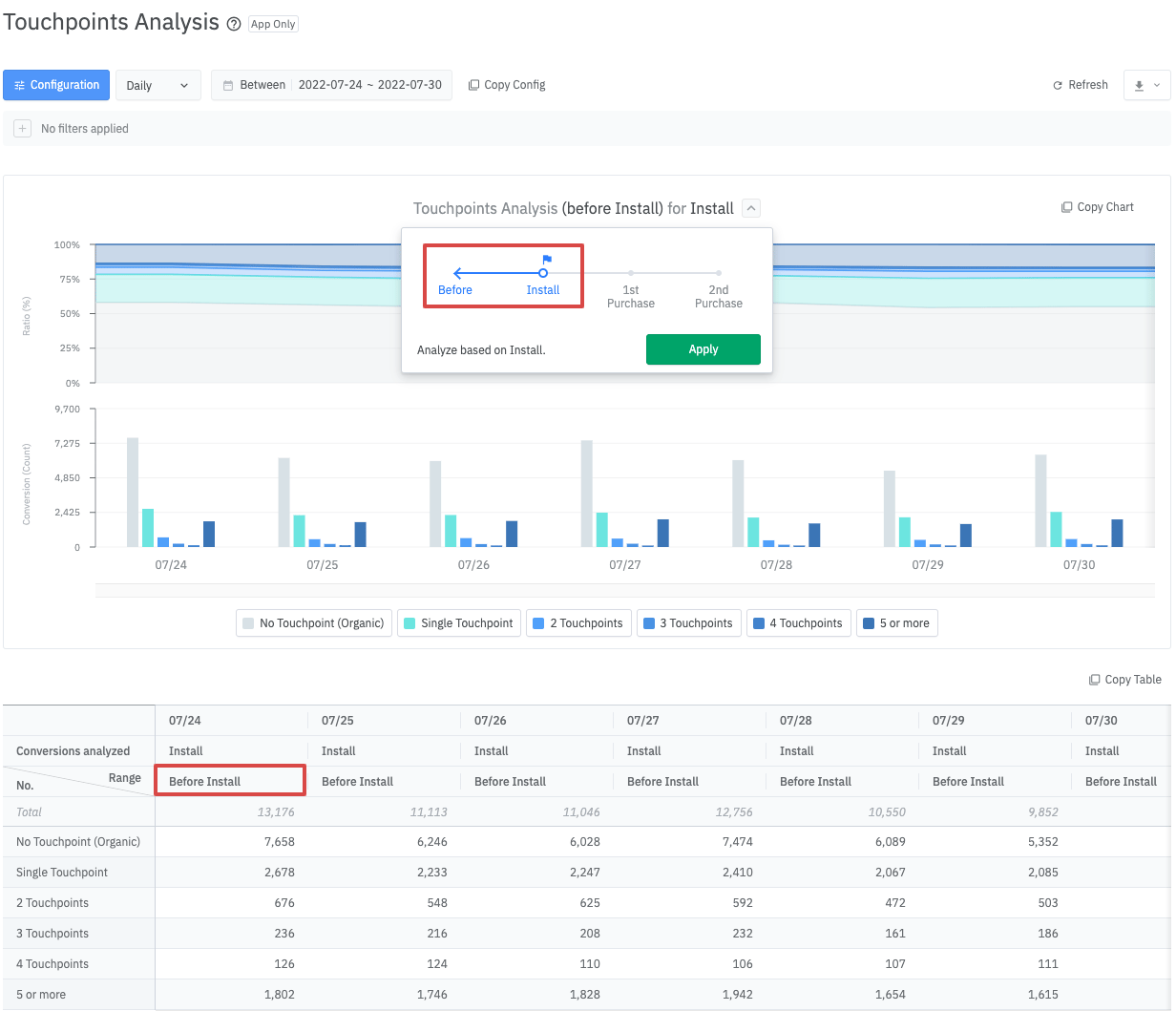
Example 2: “Before” to “2nd Purchase” Scope
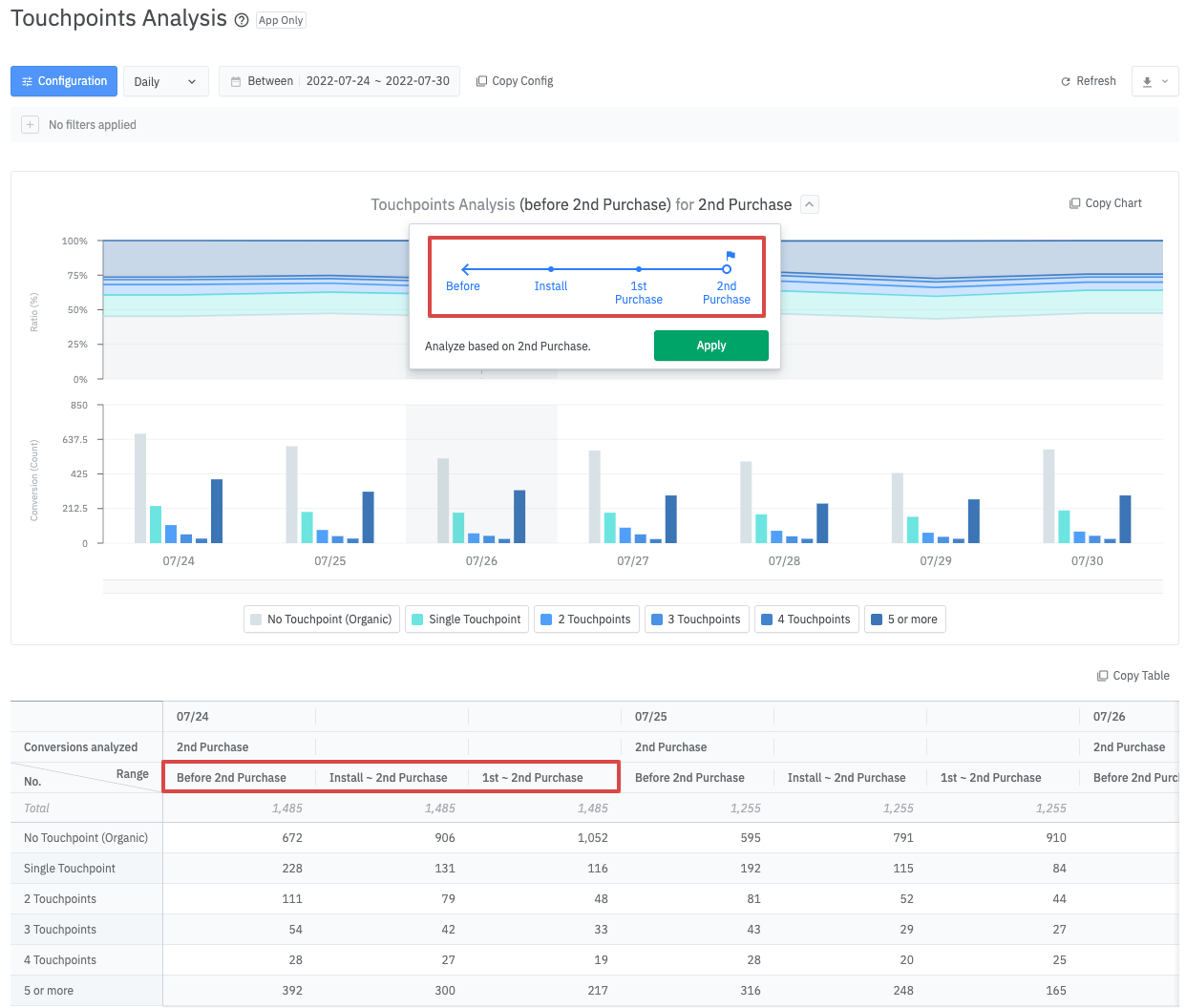
- Before 2nd Purchase: Touchpoints that occurred before the “2nd Purchase” event.
- From “Install” to “2nd Purchase”: Touchpoints that occurred before the “2nd Purchase” event and after the app Installation.
- From “1st Purchase” to “2nd Purchase”: Touchpoints that occurred before the “2nd Purchase” event and after the “1st Purchase” event.
Interval
Touchpoints Analysis allows you to analyze touchpoints by daily or weekly. If you choose “None” for the interval, the report shows the number of touchpoints for conversions during the selected period.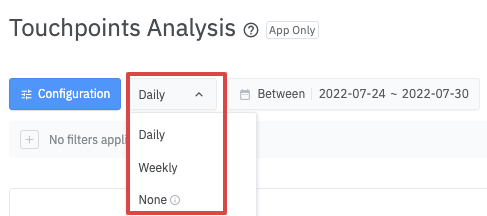
Example 1: Viewing the report based on the number of touchpoints for conversions during the selected period. (Interval -> Select “None”)
The number of touchpoints from 0 to 19 are shown separately, while 20 or more touchpoints are combined. By doing this, you are able to view the overall multi-touch ratio and distribution of the selected period.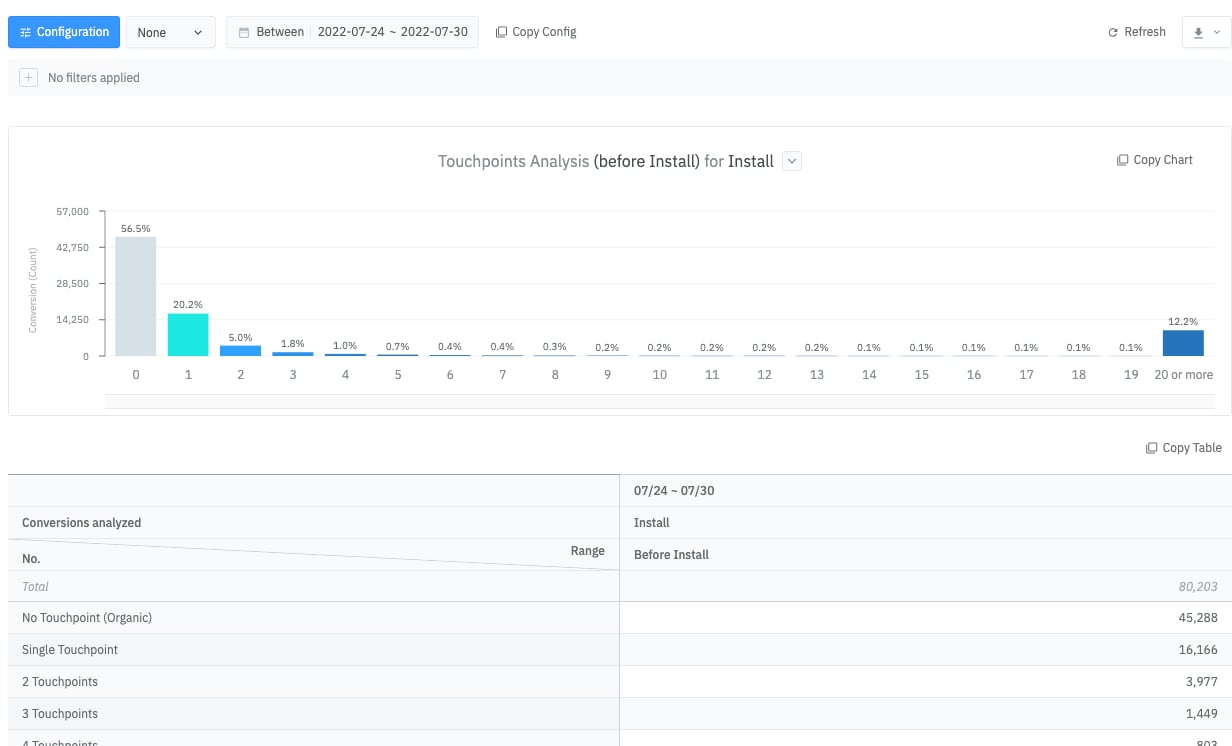
Filter
You can use the “Filter” option to drill down a specific touchpoint type (impression/click) or by device information in the [Configuration] menu.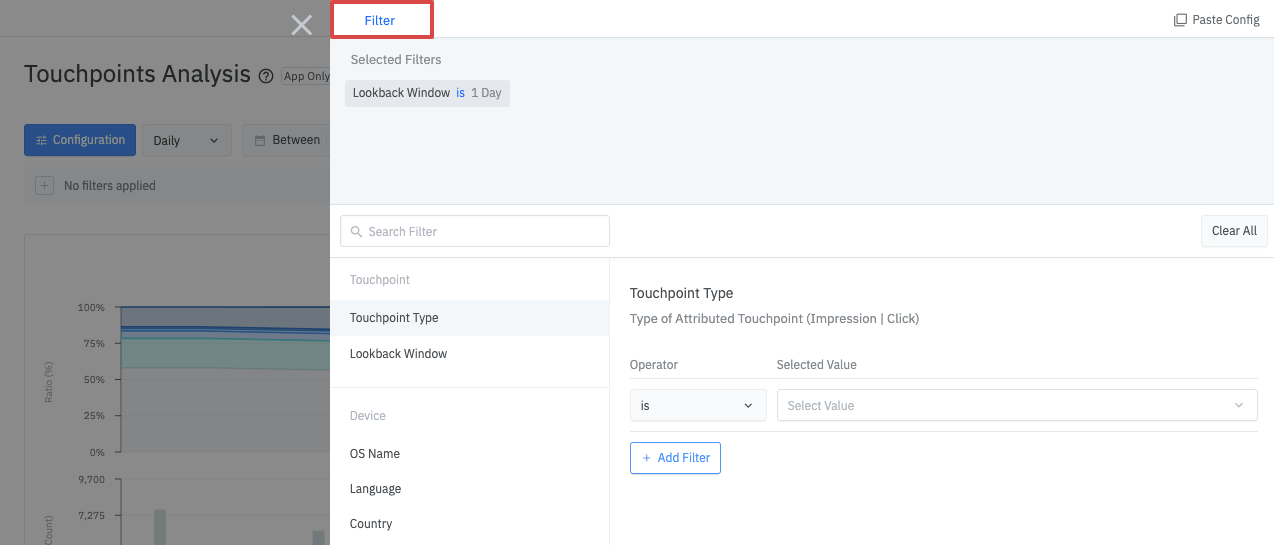
How to Read the Table
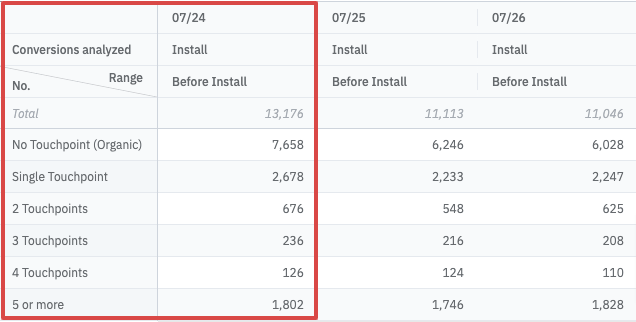
- No Touchpoint (Organic): When there are no valid touchpoints before “Install”
- Single Touchpoint: When there is 1 valid touchpoint before “Install”
- [N] Touchpoints: When there are N valid touchpoints before “Install”
- 5 or More: When there are 5 or more valid touchpoints before “Install”
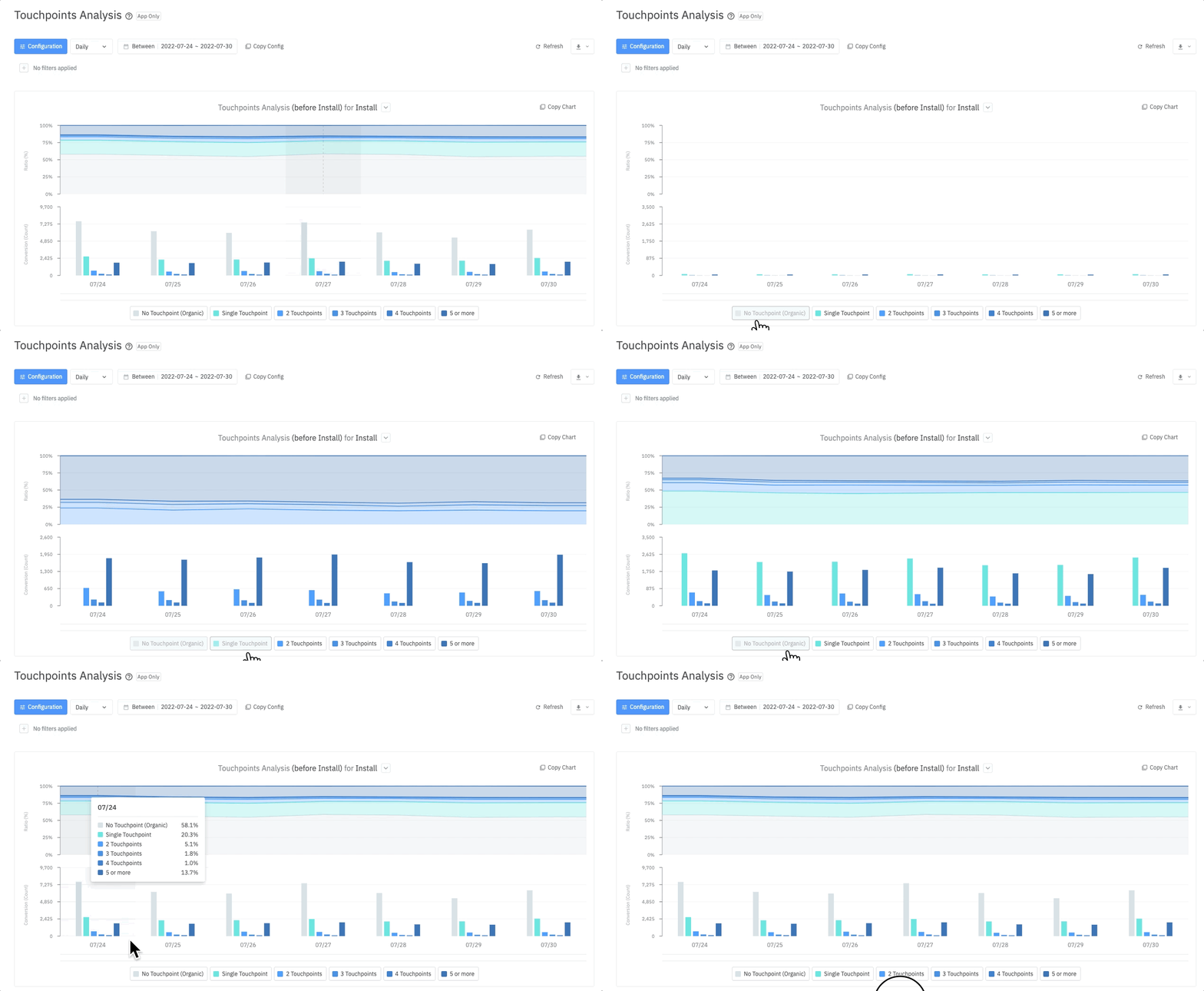
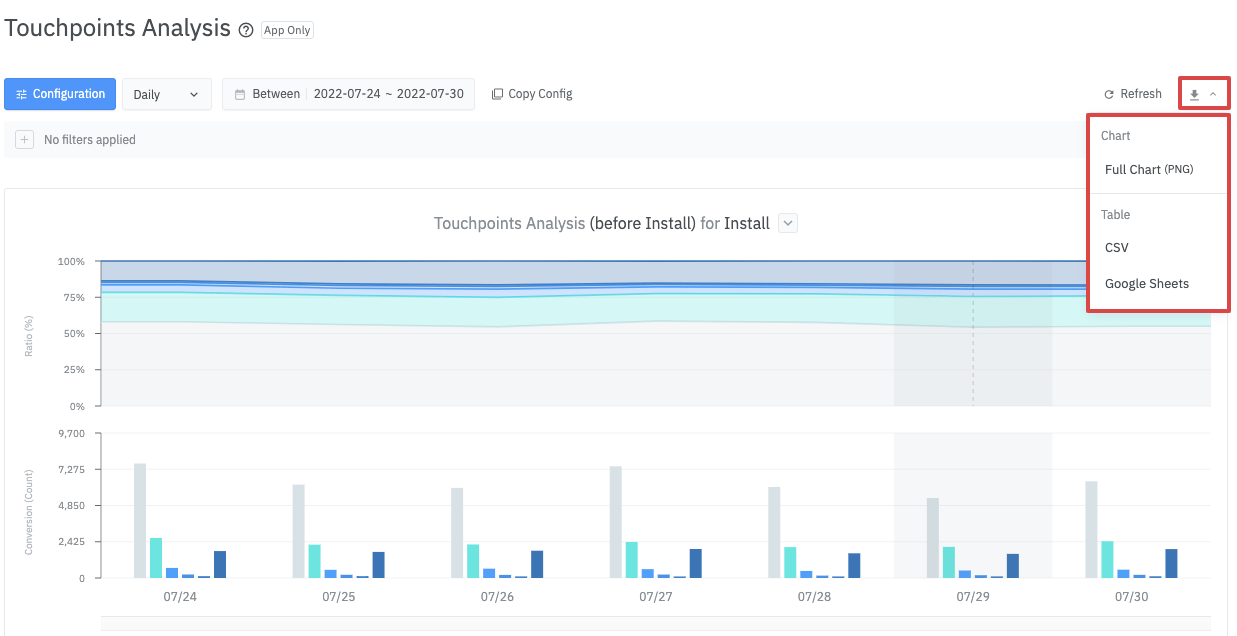
Other Functionalities
Note(s)
- Even if multiple touchpoints occur on the same channel, the data will be added as [N] Touchpoints and reflected accordingly on the report.