Sharing Airbridge Reports within Airbridge
There are several ways to share the Airbridge reports with other Airbridge users to view the same data within Airbridge.Using Report Library
Reports can be saved and accessed in the [Report Library] menu on each report page, which also supports search.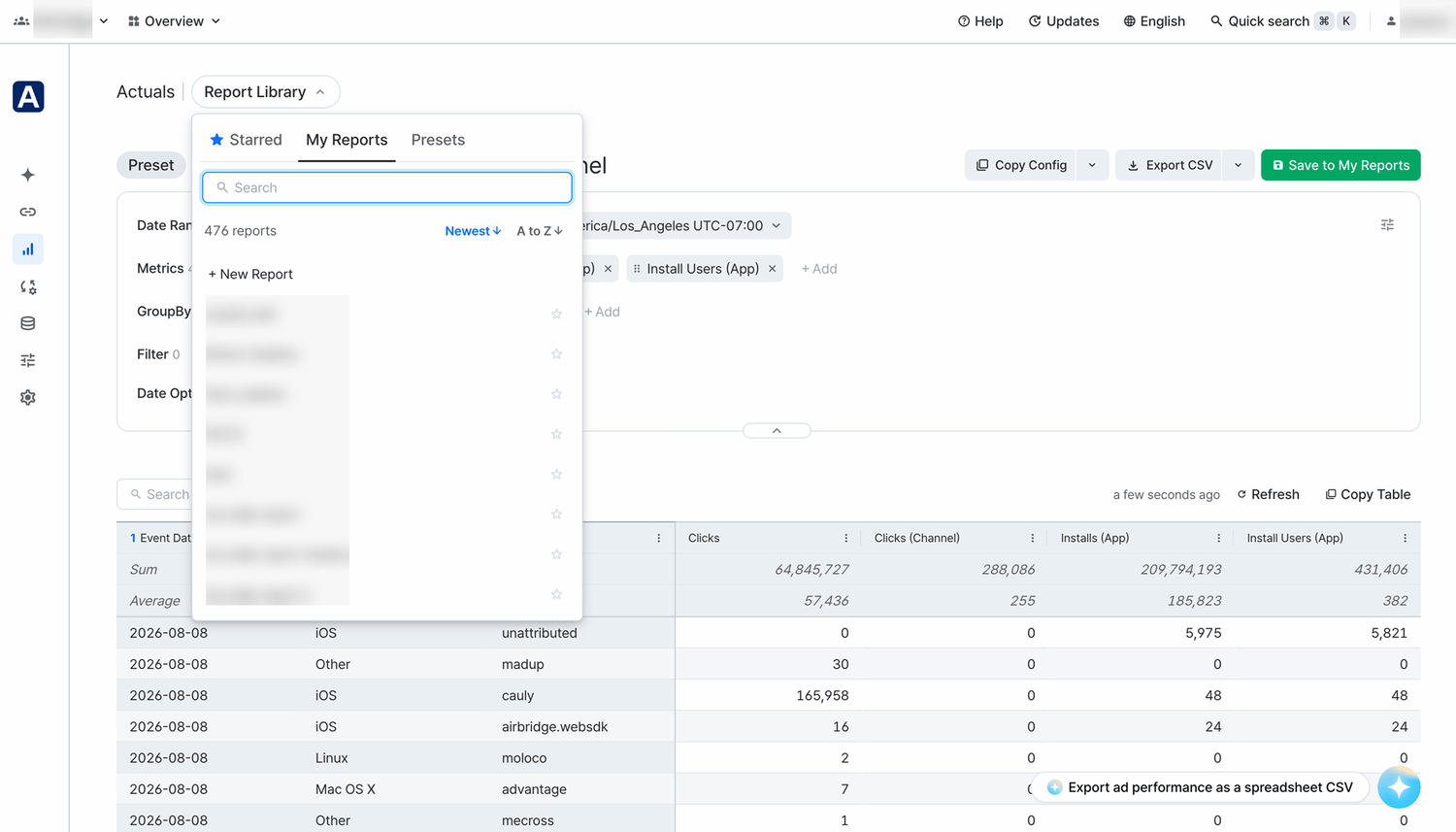
Using Copy Config
When using the copy config, the report configuration settings can be shared with other Airbridge users.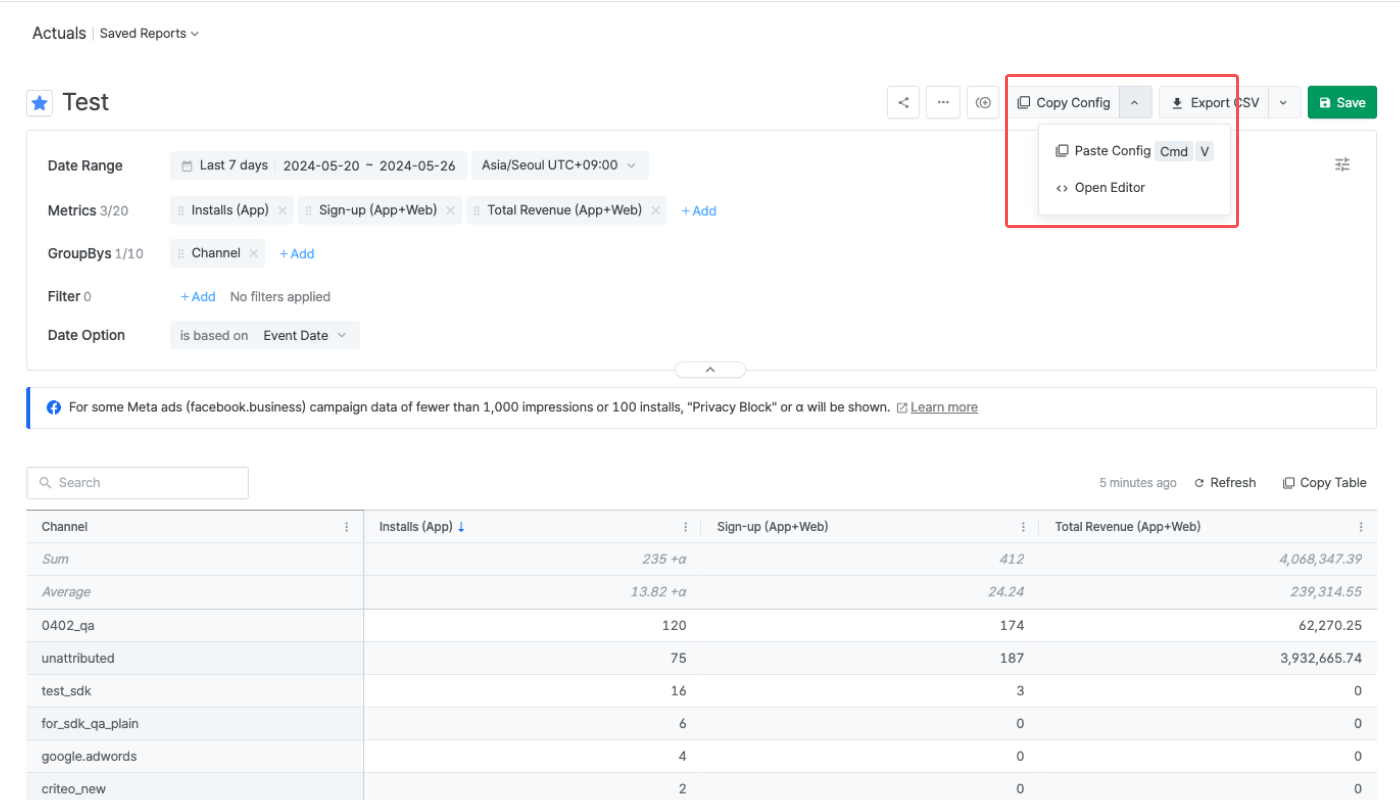
Although the report configuration settings of the Actuals Report and the Trend Report are interoperable, the number of metrics and GroupBy options available in the Actuals Report is larger than in the Trend Report. Therefore, depending on the report configuration settings, the Actuals Report’s configuration settings cannot be pasted into the Trend Report.
Using report URLs
Share the URL of the Airbridge report page to share your report view with an Airbridge user who has access to the Airbridge App.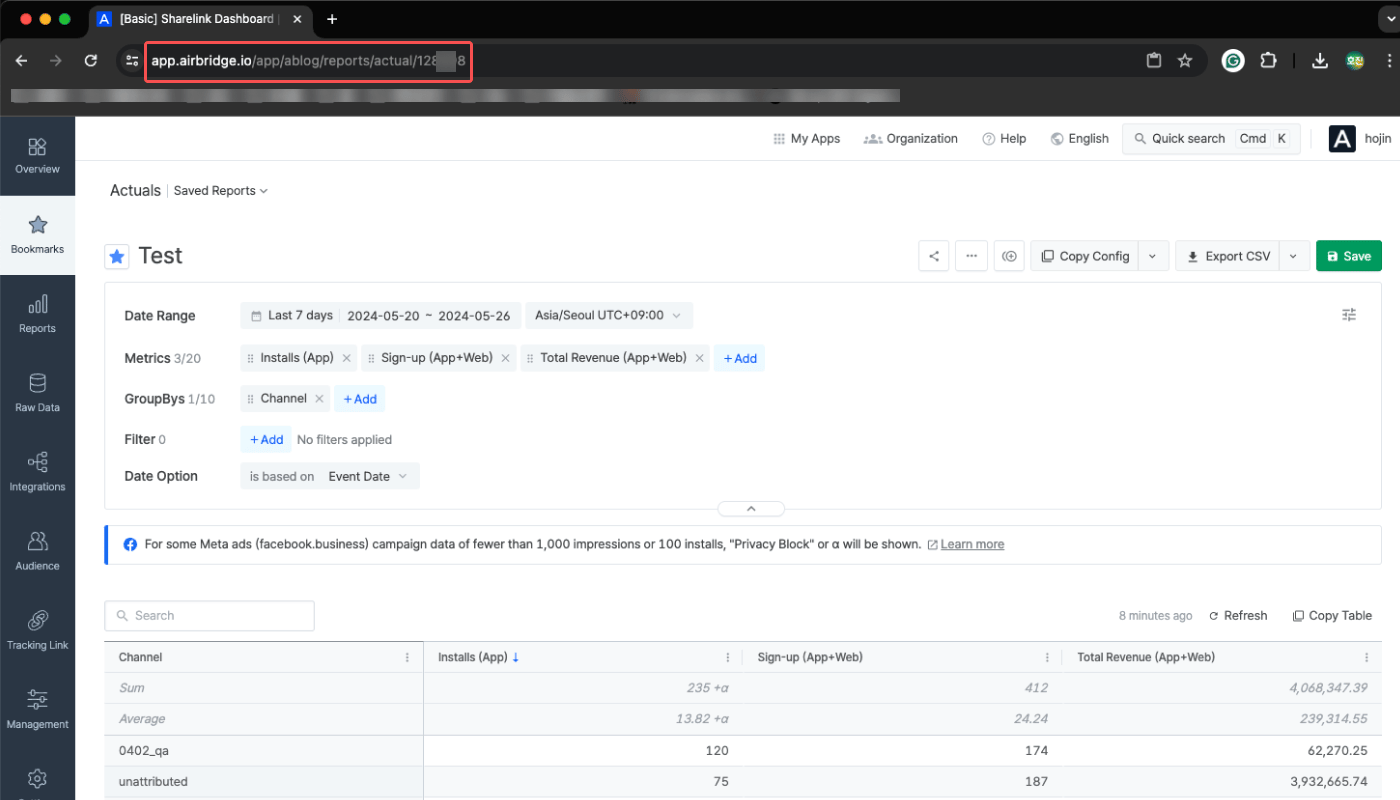
Sharing Airbridge Reports Externally
When sharing the Airbridge reports externally, anyone can see the data regardless of their access level within Airbridge. Be careful when sharing reports externally to avoid exposing sensitive data.Using Copy Table and Copy Chart
Click Copy Table or Copy Chart and paste the copied table or chart into an Excel sheet or Google Sheet file to share externally. You can also paste the copied chart into a messenger or a collaboration tool to share it as a PNG file.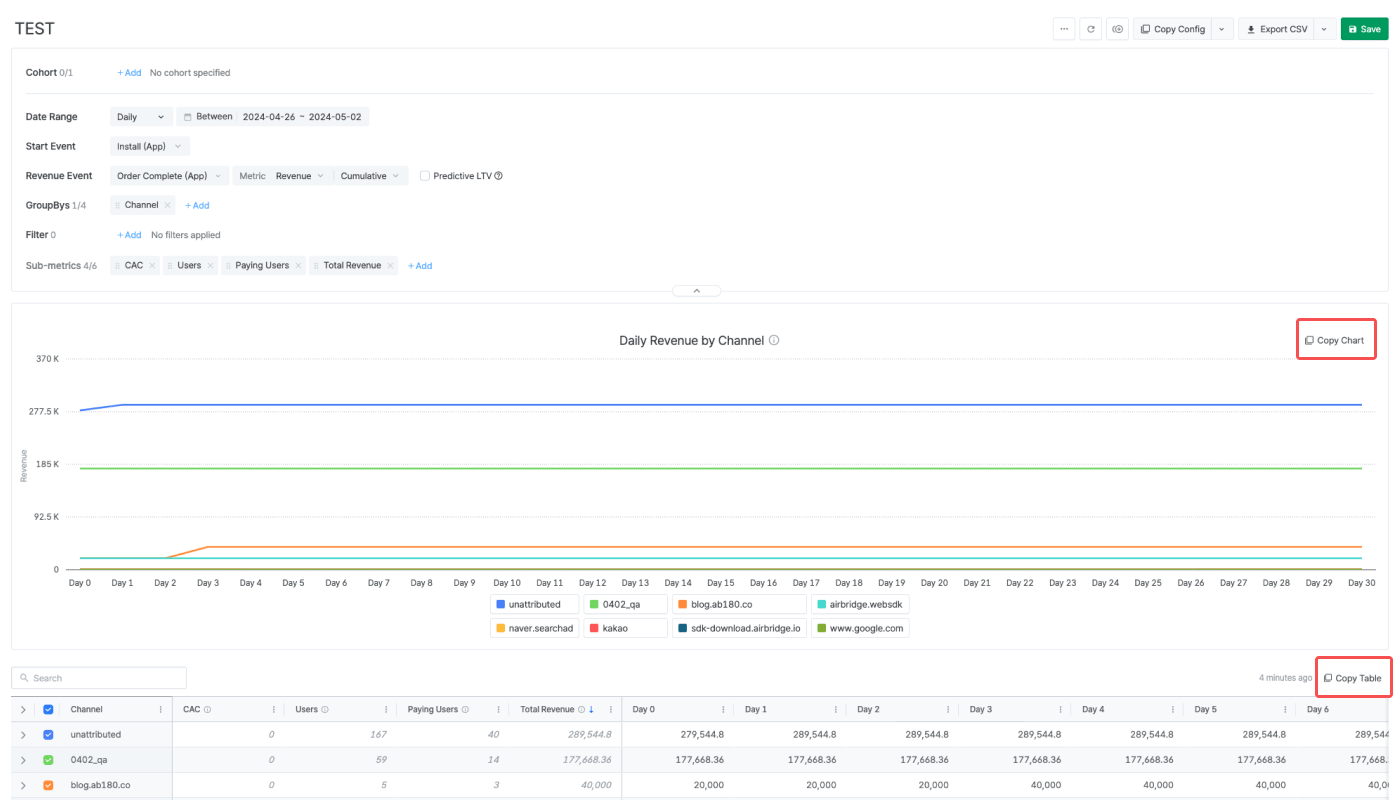
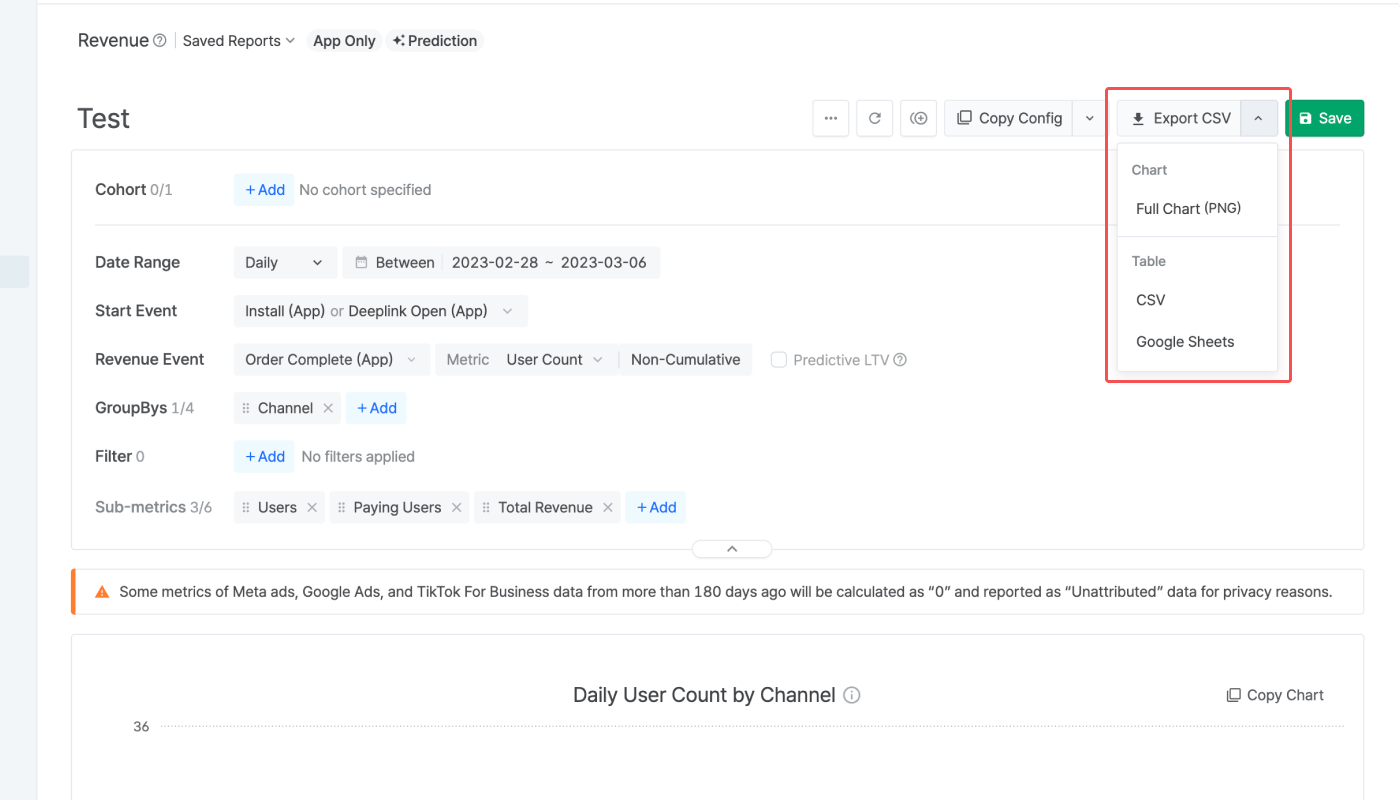
Sharing report data as CSV files
You can share your report with anyone by downloading it as a CSV file and sharing the file. The CSV file includes the chart and the table. The CSV Download button is activated after creating a report view. The chart is downloaded as a PNG file, whereas the table can be downloaded as a CSV file or saved as a Google Sheets file in your Google Drive.