NoteUninstall tracking is supported forAirbridge iOS SDK v1.13.0 and later.
Submit Credentials
Submit the credentials from Apple Developer to Airbridge to enable uninstall tracking.Get the credentials from Apple Developer
Follow the instructions below to get the credentials.APNs Authentication Key (p8) and Key ID
APNs Authentication Key (p8) and Key ID
To get the APNs authentication key, you need to turn on the app’s push notification from the Apple Developer Portal.
- Select [Identifiers] in the Apple Developer Portal.
- Find and click on the app you want to track uninstalls. Then, check “Push Notification.”
- Select [Keys]. Click + to generate a new key. Then, download the APNs authentication key (p8). The APNs authentication key can be downloaded only when creating the key for the first time and cannot be downloaded again. If lost, the key must be regenerated. Up to 2 APNs authentication keys can be generated at once.
- The Key ID can be found when clicking on the newly generated key in [Keys].
Bundle ID
Bundle ID
Navigate to [Certificates, Identifiers & Profiles]>[Identifiers] in the Apple Developer Portal. Click on the app you want to track uninstalls to find the Bundle ID.
Team ID (App ID Prefix)
Team ID (App ID Prefix)
Navigate to [Account]>[Membership details] in the Apple Developer Center to find the Team ID (App ID Prefix).
Submit the credentials to Airbridge
Navigate to [Settings]>[Uninstall Tracking], select the [iOS] tab, and enter the credentials.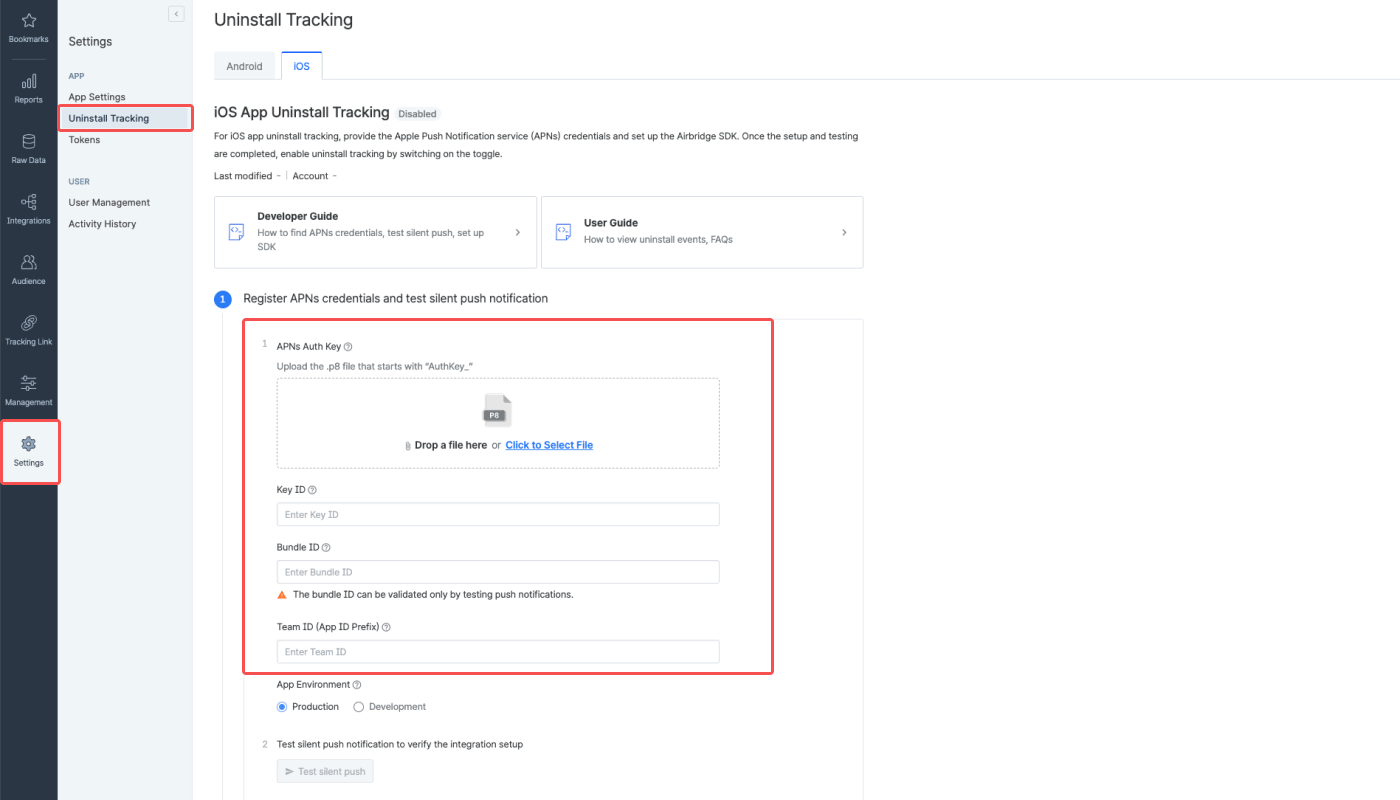
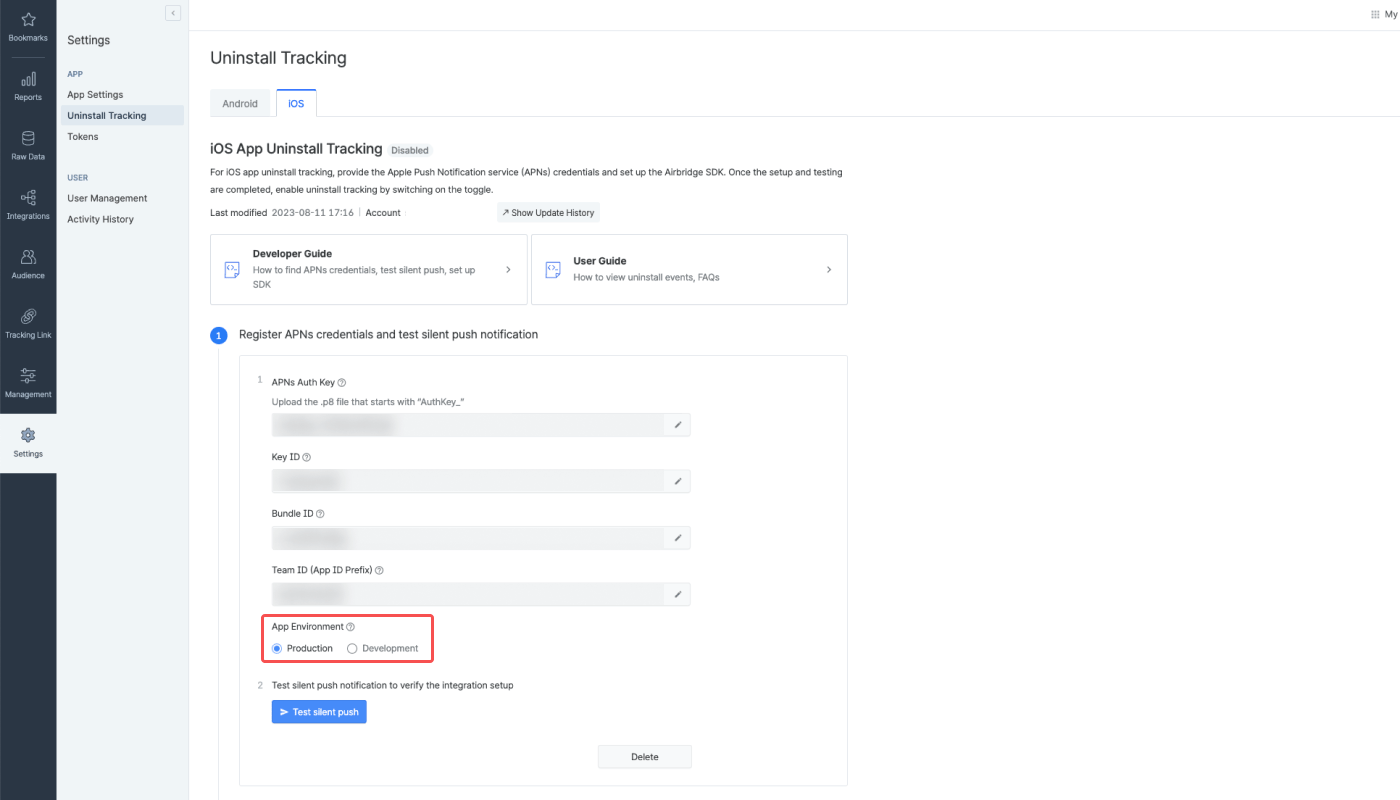
Select app environment
Different push tokens are collected depending on the app environment you choose. For example, push tokens collected in the production environment cannot be used in the development environment.Production
Production
- Supported apps: Apps downloaded from the Apple App Store or test apps released via TestFlight, Ad Hoc, or Enterprise
- Push tokens collected: The actual push tokens used for uninstall tracking
Development
Development
- Supported app: Development apps for testing purposes that are not supported in the production environment
- Push token collected: Push token used in the development environment
Test silent push notifications
Test silent push notifications to make sure the notifications are successfully sent to the devices. To proceed with the test, click Test silent push. The silent push test does not measure or generate uninstall events; therefore, uninstalls cannot be confirmed in the Airbridge dashboard. Conducting the silent push test is recommended as the Bundle ID, which is one of the required credentials for uninstall tracking, can only be validated through the silent push test.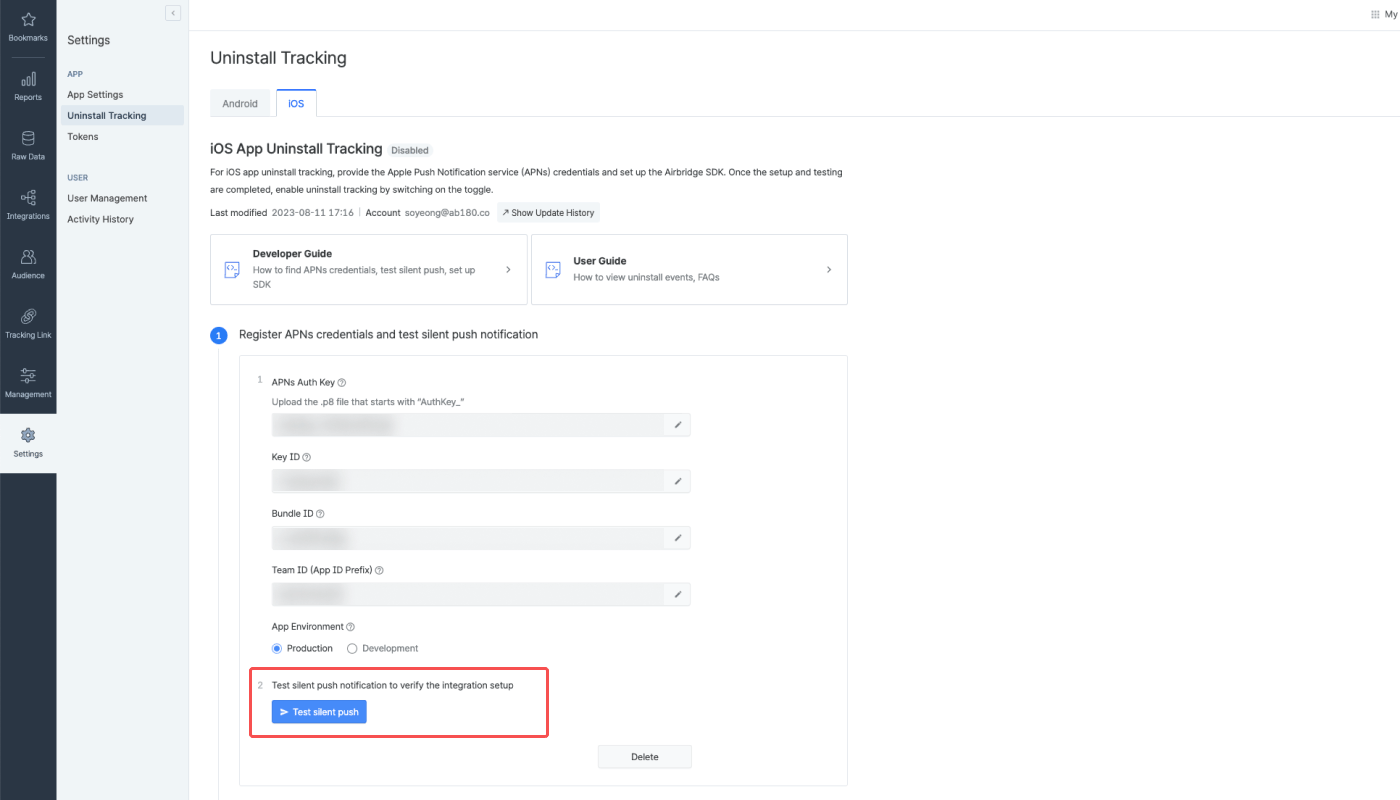
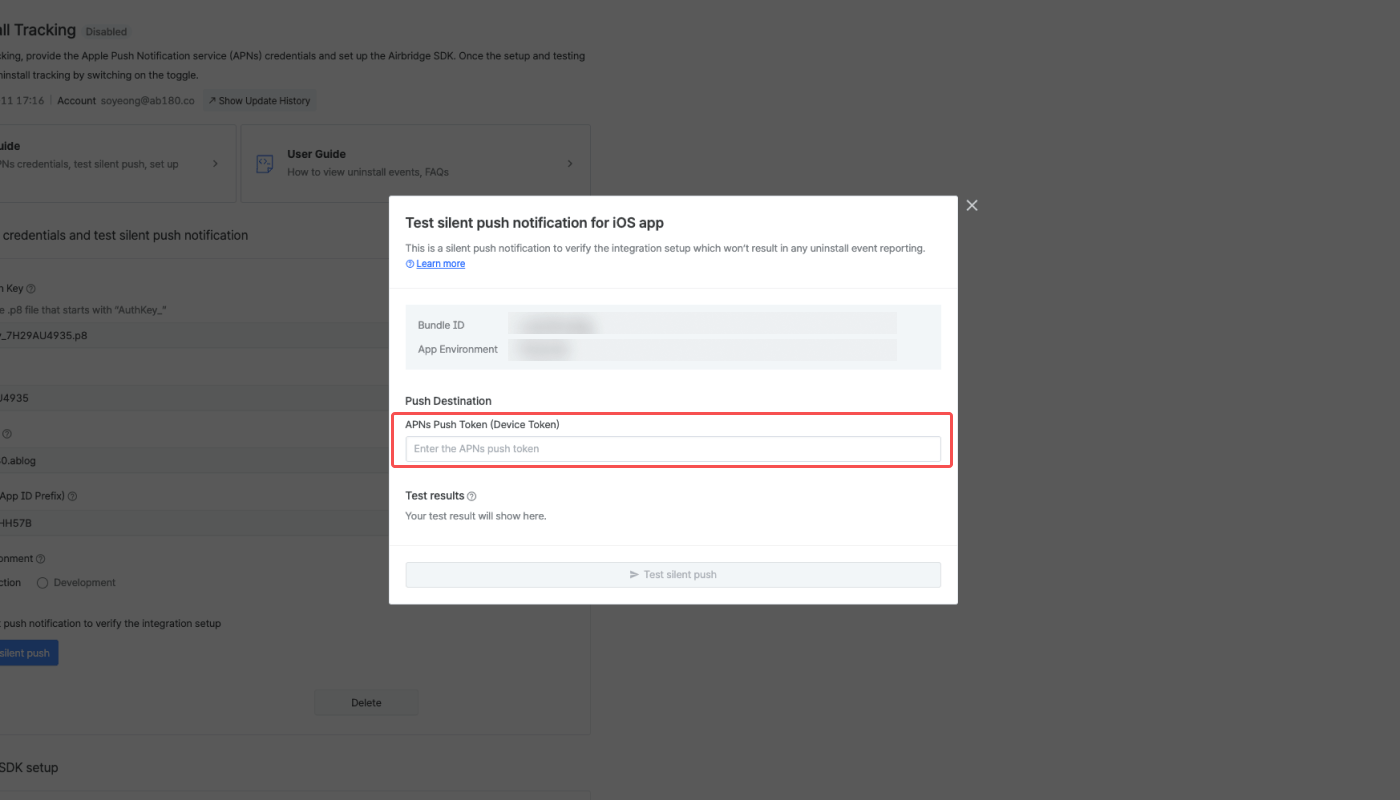
Error codes - Silent push test
Error codes - Silent push test
Some error codes that indicate that the app has been deleted could show as a result of the silent push test. Regardless, be reminded that the purpose of the silent push test is to verify whether silent push notifications are being sent successfully using the submitted credentials.Test the silent push notification on a device for testing purposes where the app has been installed recently and retained for the last 10 days.
AttentionYou can’t conduct silent push tests on iOS Simulators.
Set Up the Airbridge SDK
To track uninstalls on iOS devices, you need to set up identifiers to allow silent push notifications in the app and add capabilities. Also, you need to add code to ignore silent push notifications that are aimed at tracking uninstalls.Add capabilities
- Navigate to [Project File]>[Signing & Capabilities] in Xcode.
- Click + Capability and select Push Notifications. Then select Background Modes and check “Remote Notification.”
Enable push notifications
You can enable push notifications using theregisterForRemoteNotifications function. If you have not used push notifications before, call this function.
application(_:didFinishLaunchingWithOptions:) function is called every time a push notification, including silent push notifications, is sent. When a silent push notification is sent, this function is called after the app is backgrounded. Even if the app is foregrounded afterward, the function will not be called again.
You can check whether the application(_:didFinishLaunchingWithOptions:) function was called using launchOptions. Refer to the code below.
Send the APNs push token
When the APNs Push Token is generated, call theregisterPushToken function to pass it to the SDK.
Silence push notifications
The silent push notifications Airbridge sends for uninstall tracking should not be displayed in the user’s app. By adding the exception handling code as below, the silent push will not be exposed to the user.Enable Uninstall Tracking
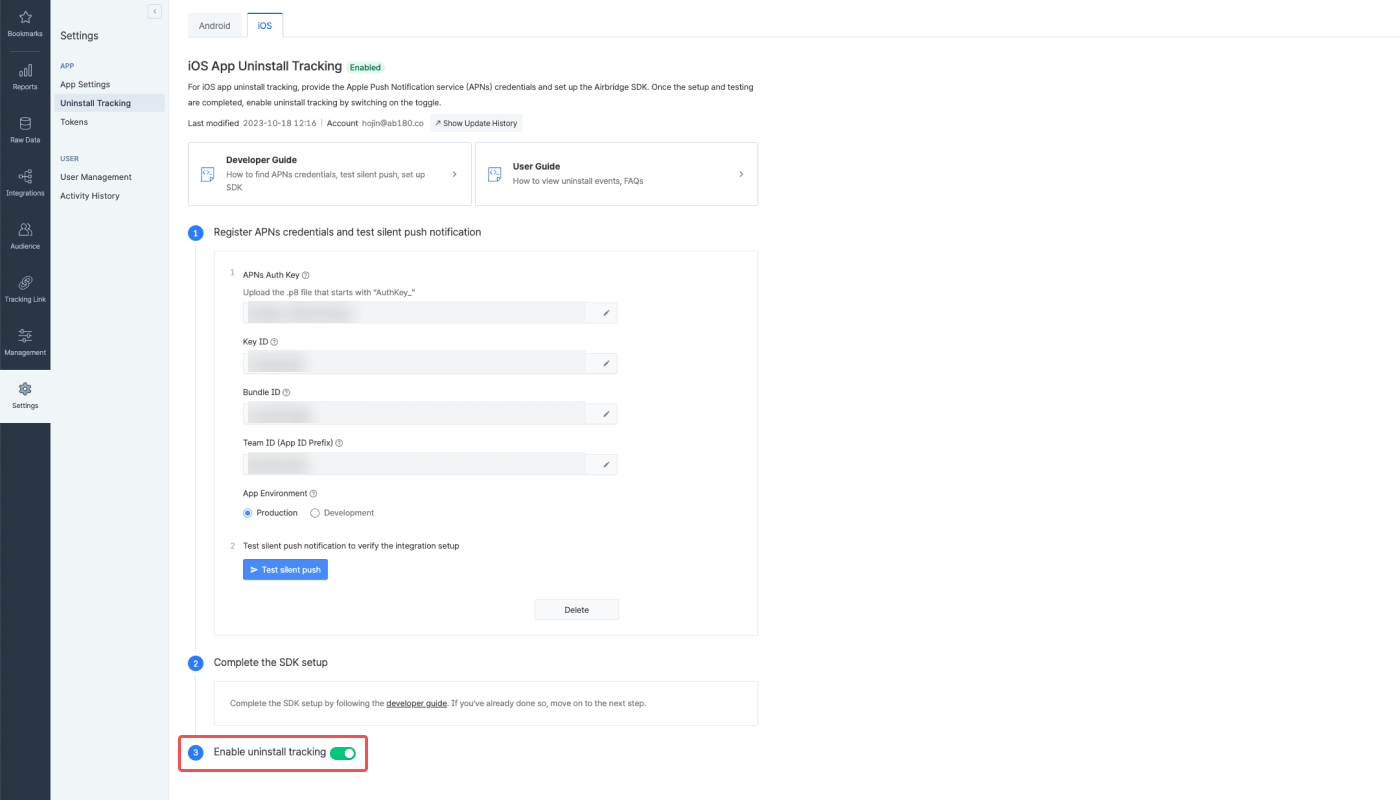
After submitting the credentials to Airbridge and completing the SDK setup, the [Enable uninstall tracking] toggle will be activated. Switch on the toggle to start tracking uninstall events. For more details about uninstall tracking, refer to this article.