
How the user path will look like
For users who don’t have your app
When users click the tracking link set as a deep link, they are initially redirected to the app store page where they can install your app. When a user installs and opens the app: The user is redirected to the in-app page set as the deep link destination. If this user drops off from the app, the browser from which the user clicked the tracking link will show the same product page as the in-app page, keeping the user engaged once again. When the user doesn’t install the app and drops off from the app store page: The browser from which the user clicked the tracking link will show the same product page as the in-app page, keeping the user engaged once again.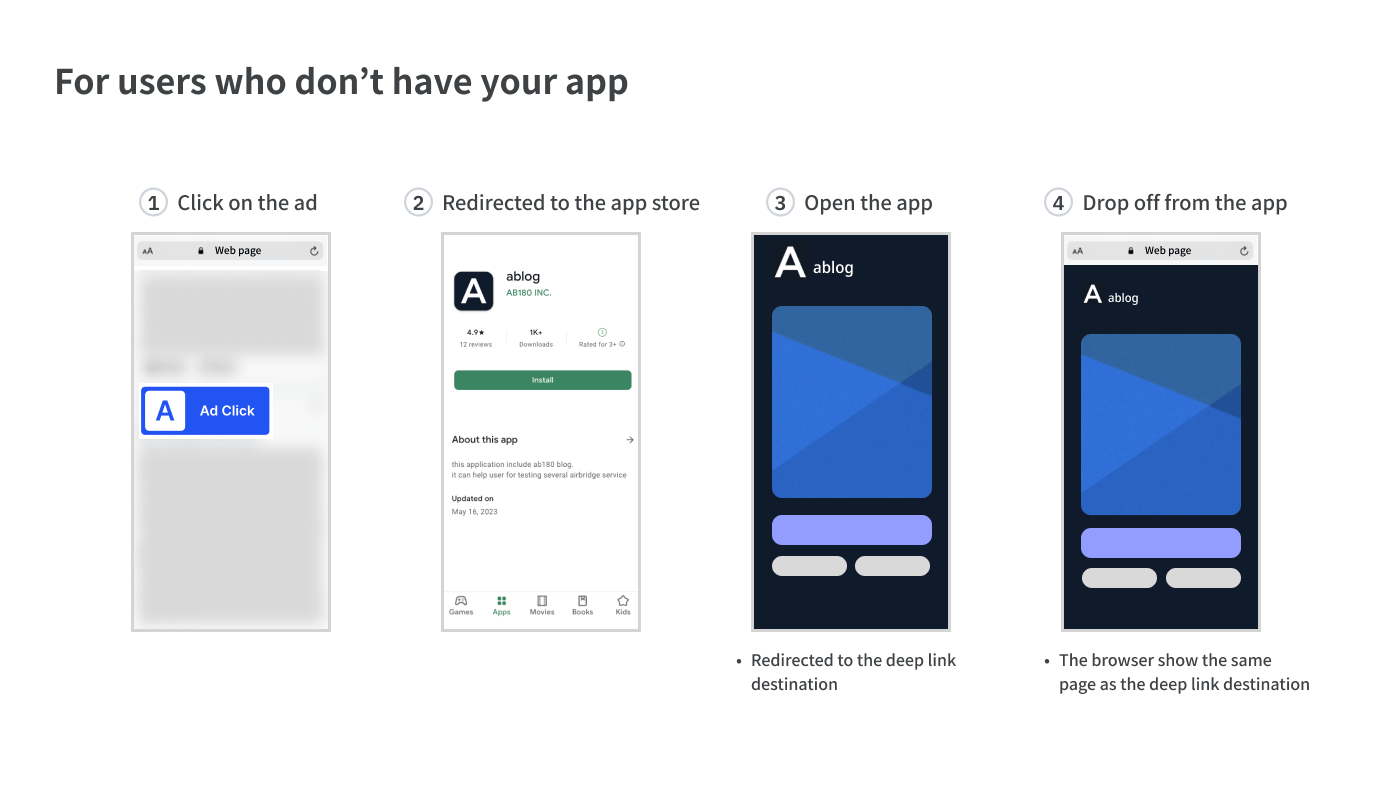
For users who already have your app
When users click the tracking link set as a deep link, they are redirected to the in-app page set as the deep link destination. When a user drops off from the app, the browser from which the user clicked the tracking link will show the same product page as the in-app page, keeping the user engaged once again.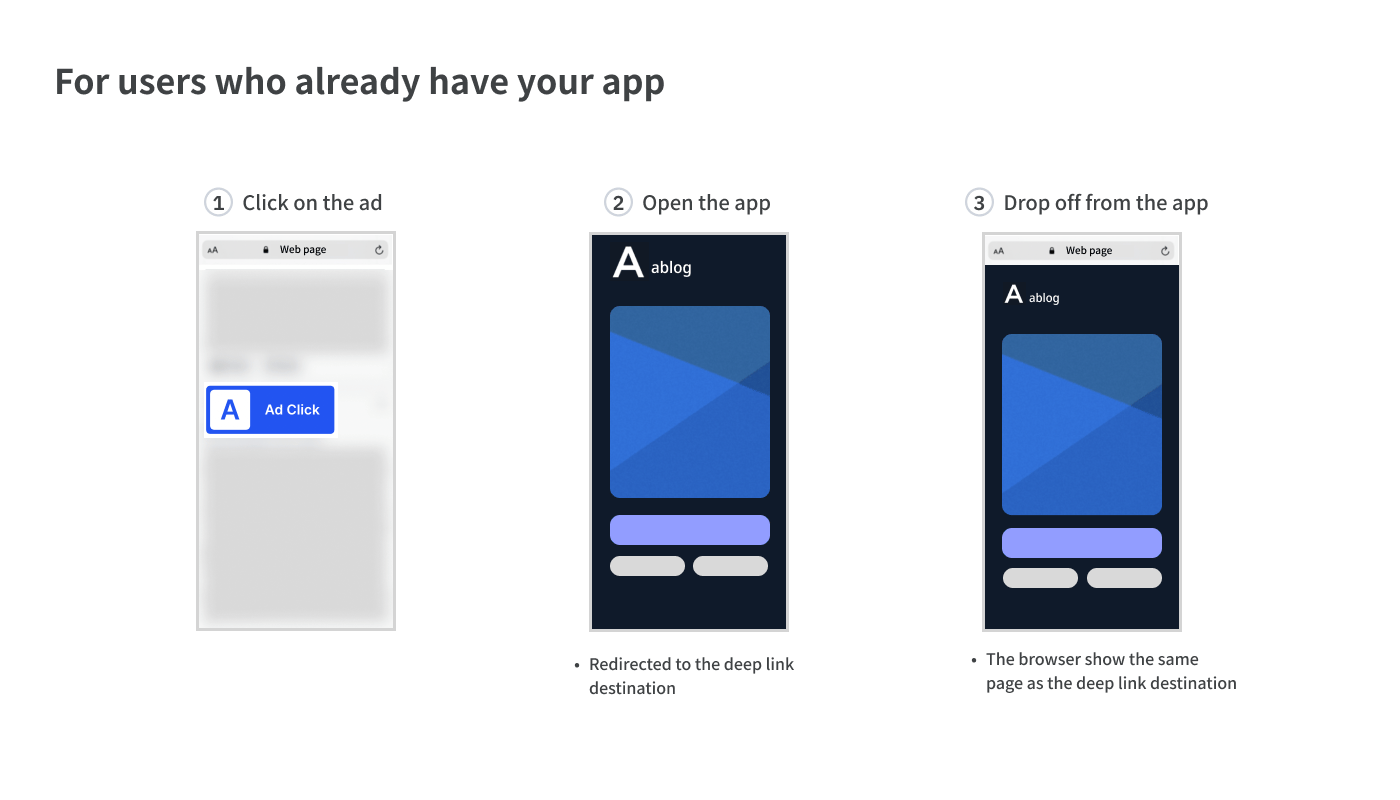
How to set the tracking link
- When creating the tracking link, select “App (Deep Link)” as the destination.
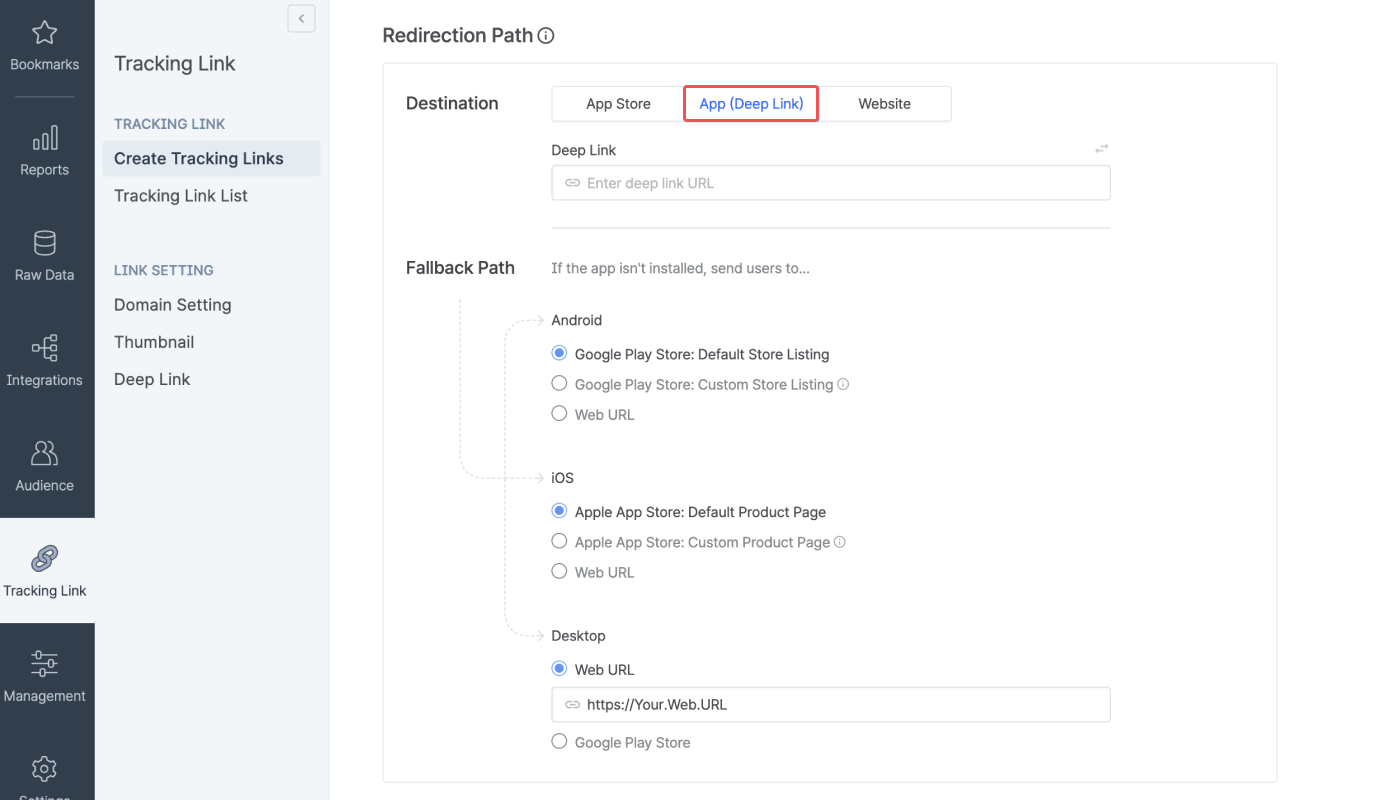
- Enter the same product web page in the “Deep Link” URL field and the “Web URL” field for the desktop fallback path. The “Web URL” you enter for the desktop fallback path will be the web redirection landing page.
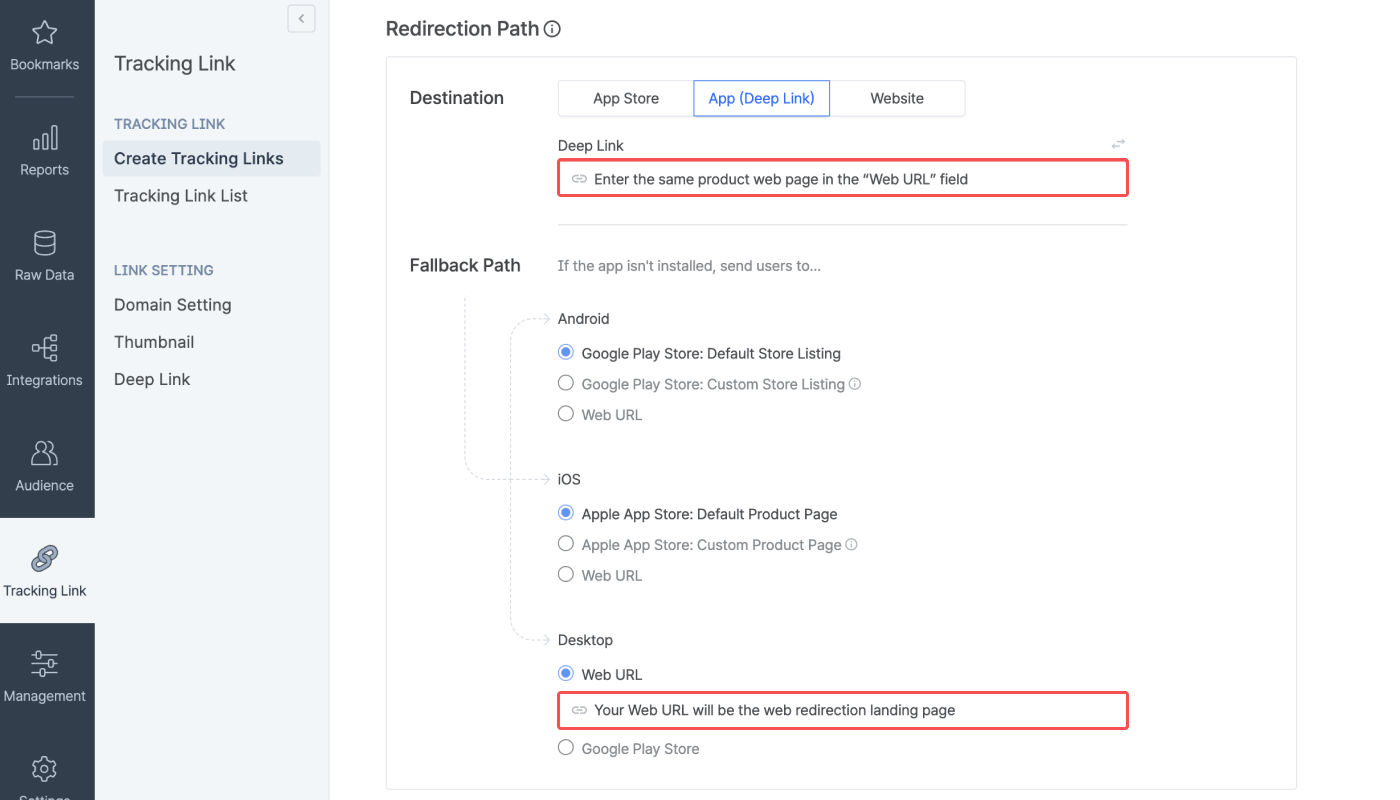
- Select “Google Play Store” for the Android fallback path and “Apple App Store” for the iOS fallback path, and create the tracking link.
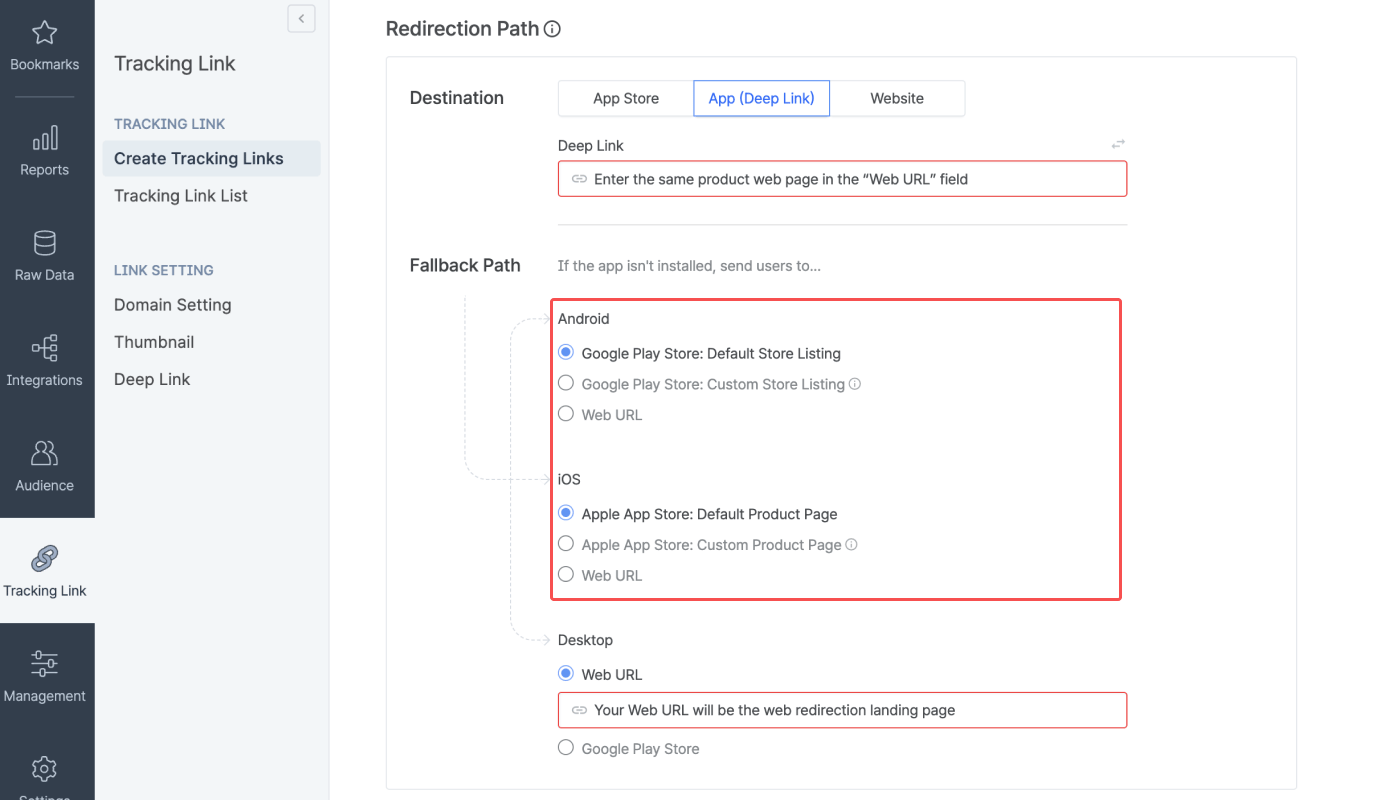
- Once you have created the tracking link, add the
remain_page=1parameter to the tracking link.
Example)
Example)
Your tracking link:
https://abr.ge/@app_name/channel?click_id={click_id}&sub_id={sub_id}&gaid_raw={adid}&ifa_raw={idfa}&tracking_template_id=e08703393962e4ec231d2ff1ff85ef68&routing_short_id=owgq4&ad_type=clickYour tracking link after adding the remain_page=1 parameter:https://abr.ge/@app_name/channel?click_id={click_id}&sub_id={sub_id}&gaid_raw={adid}&ifa_raw={idfa}&tracking_template_id=e08703393962e4ec231d2ff1ff85ef68&routing_short_id=owgq4&ad_type=click&remain_page=1Limitation
Depending on the browser, the user must click the “Open” button in the “Open Page” before landing on the in-app product page, which may undermine the user experience as a whole.Example)
Example)
When an Android user clicks the tracking link using Chrome as web browser
- If the
remain_page=1parameter is added:- User clicks on the tracking link.
- User is redirected to the temporary landing page and the user must click “Open”.
- User is redirected to the in-app page.
- When dropping off from the app, the user is redirected to the web page same as the in-app page.
- If the
remain_page=1parameter is not added:- User clicks on the tracking link.
- User is redirected to the in-app page.
- When dropping off from the app, the user is redirected to the past web page.