This webpage is exclusively for selected customers and should not be shared with others.
Build Reports in the MMM Dashboard
Performance Tracker
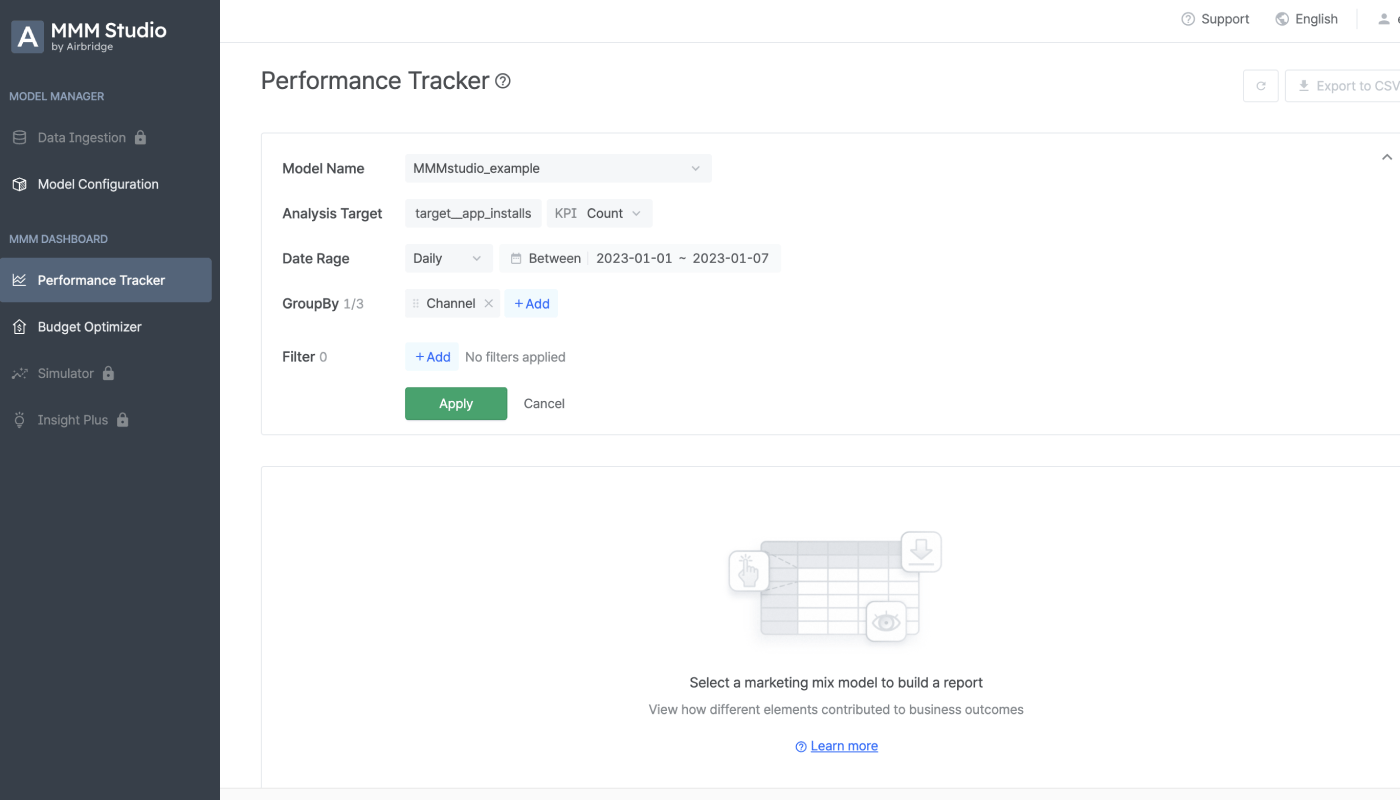
- Select the marketing mix model you want to use for building your report. The analysis target will be auto-filled depending on the model you select. The date range must be set on the time period covered by your training. Select the GroupBy option you want to apply to your report and click the “Apply” button when you are done with the configuration.
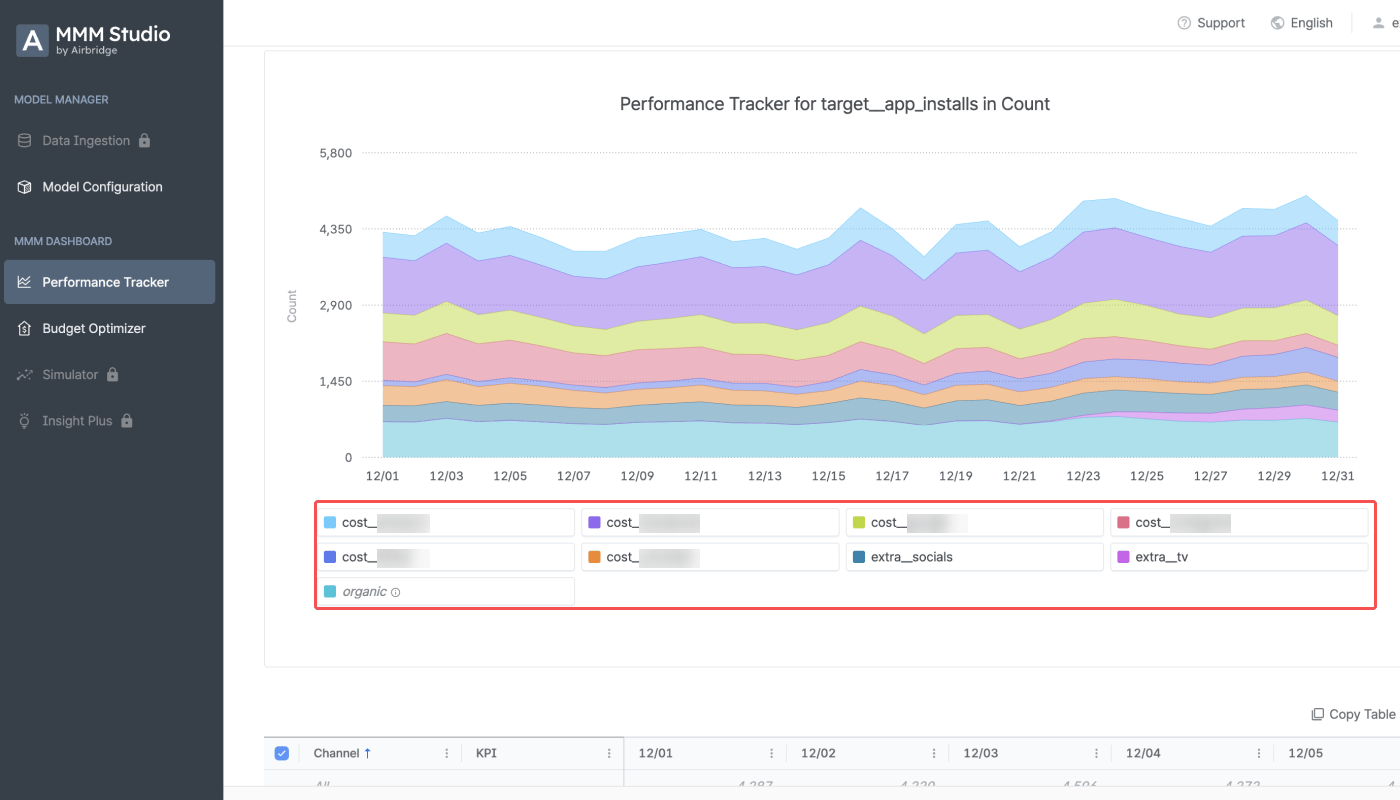
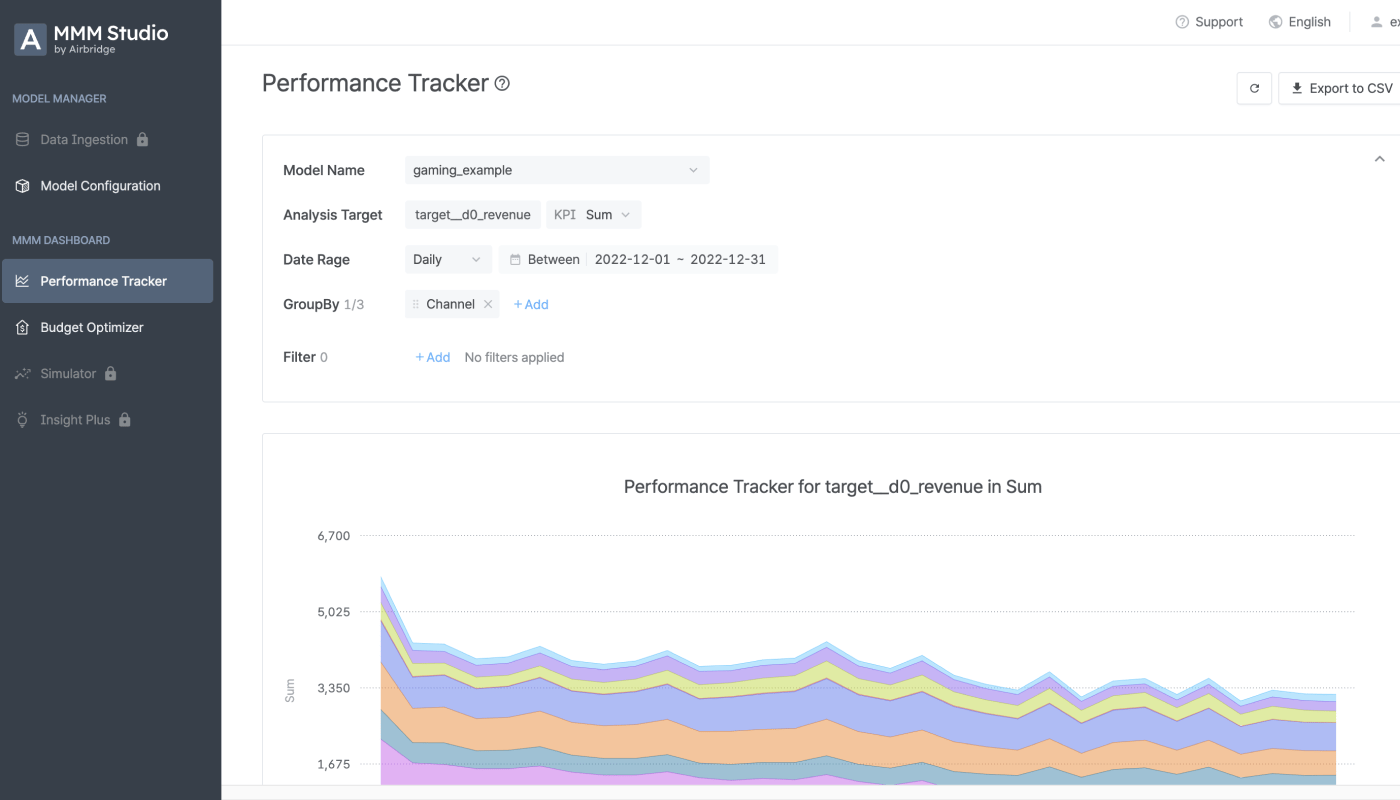
- From the report, you can view the performance of your marketing activities assessed by the marketing mix model you selected. When selecting “Channel” as the GroupBy option, you can view the performance of all channels.
- If there are contextual variables you want to add to the modeling, go to the [Model Configuration] page, click the [Action] icon, and select “File download”. Add the contextual variable data to the file, and create a new model using that file. Then, go to the [Performance Tracker] page and build your report.
Budget Optimizer
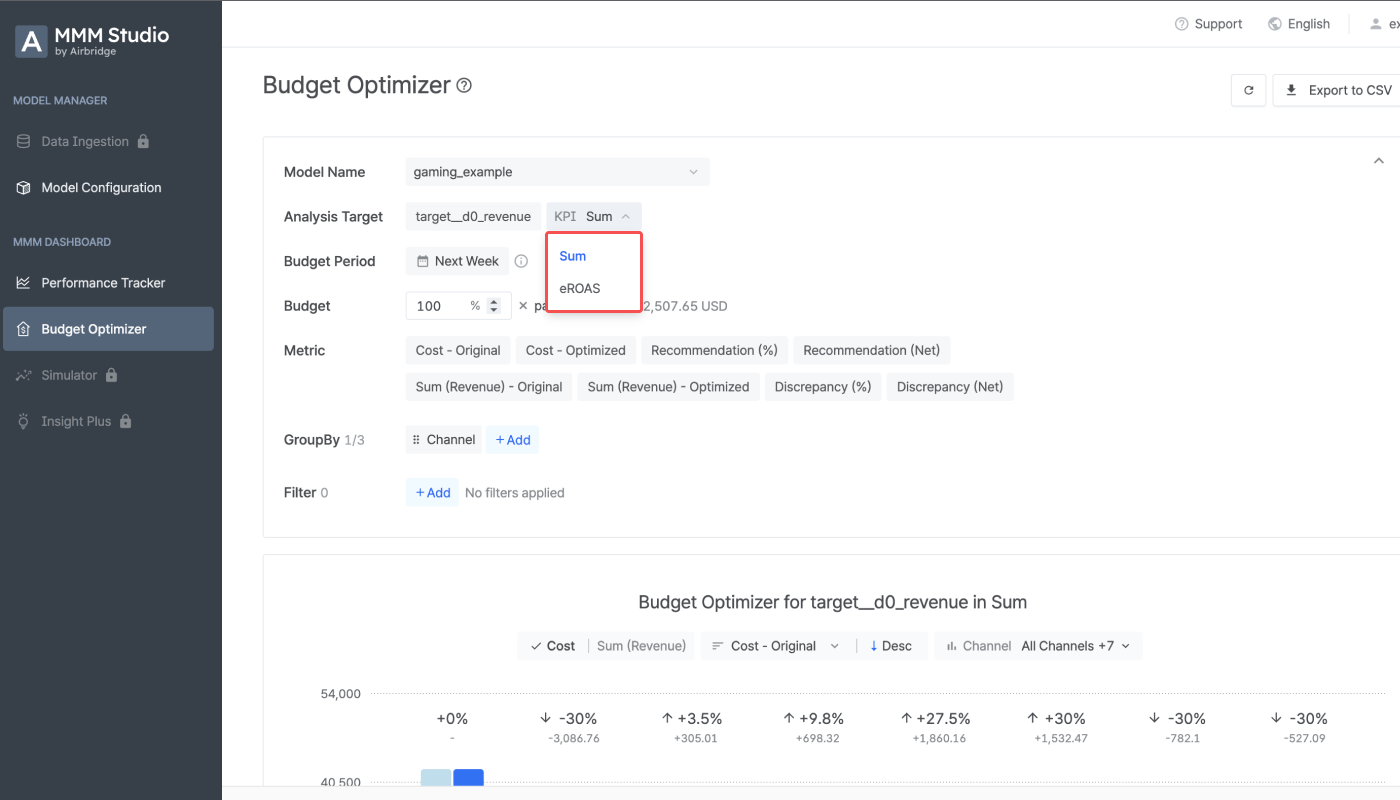
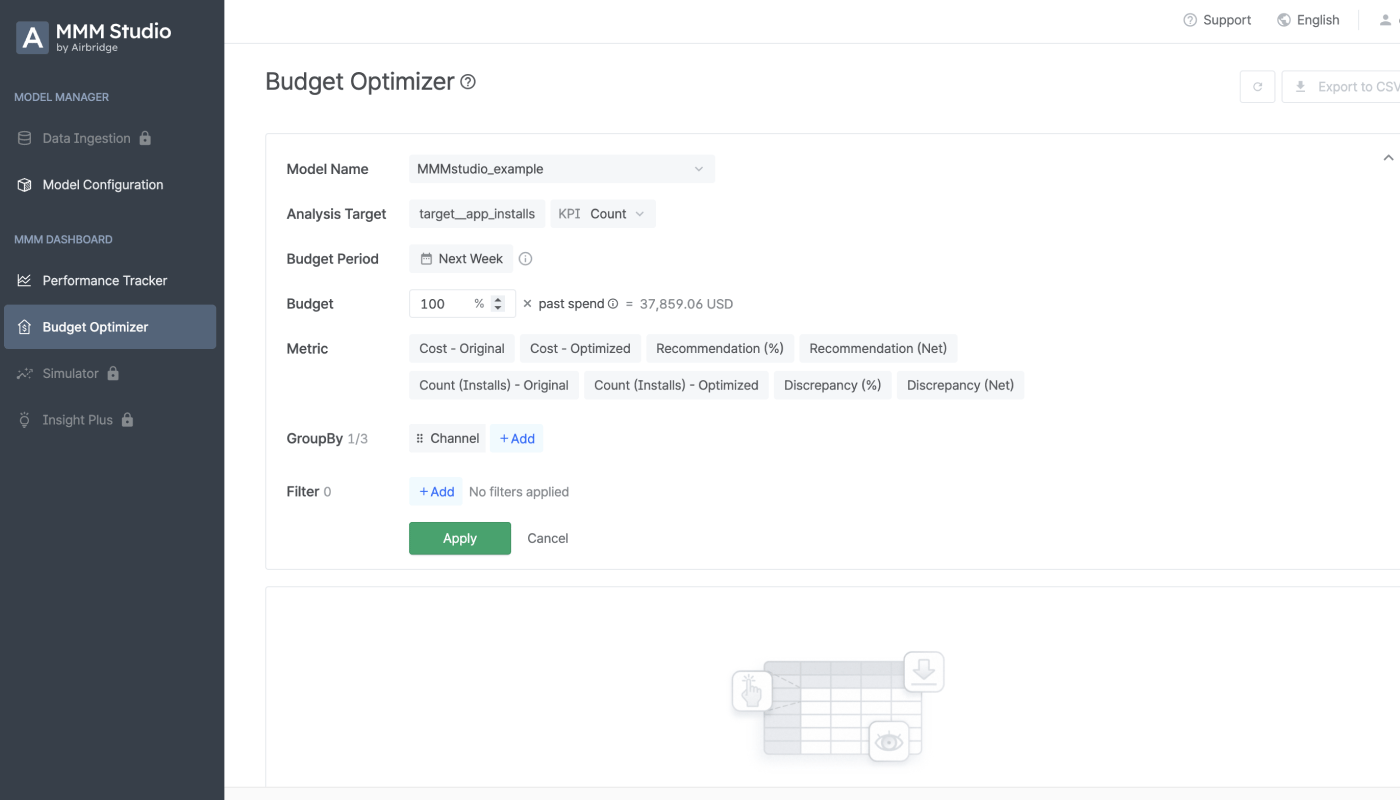
- Select the marketing mix model you want to use for building your report. The analysis target will be auto-filled depending on the model you select. The budget period can be set as “Next week” or “Next month”. The budget can be set from 70% to 130% of the past spend, which is the average ad spend over the past four weeks. Select the GroupBy option you want to apply to your report and click the “Apply” button when you are done with the configuration.
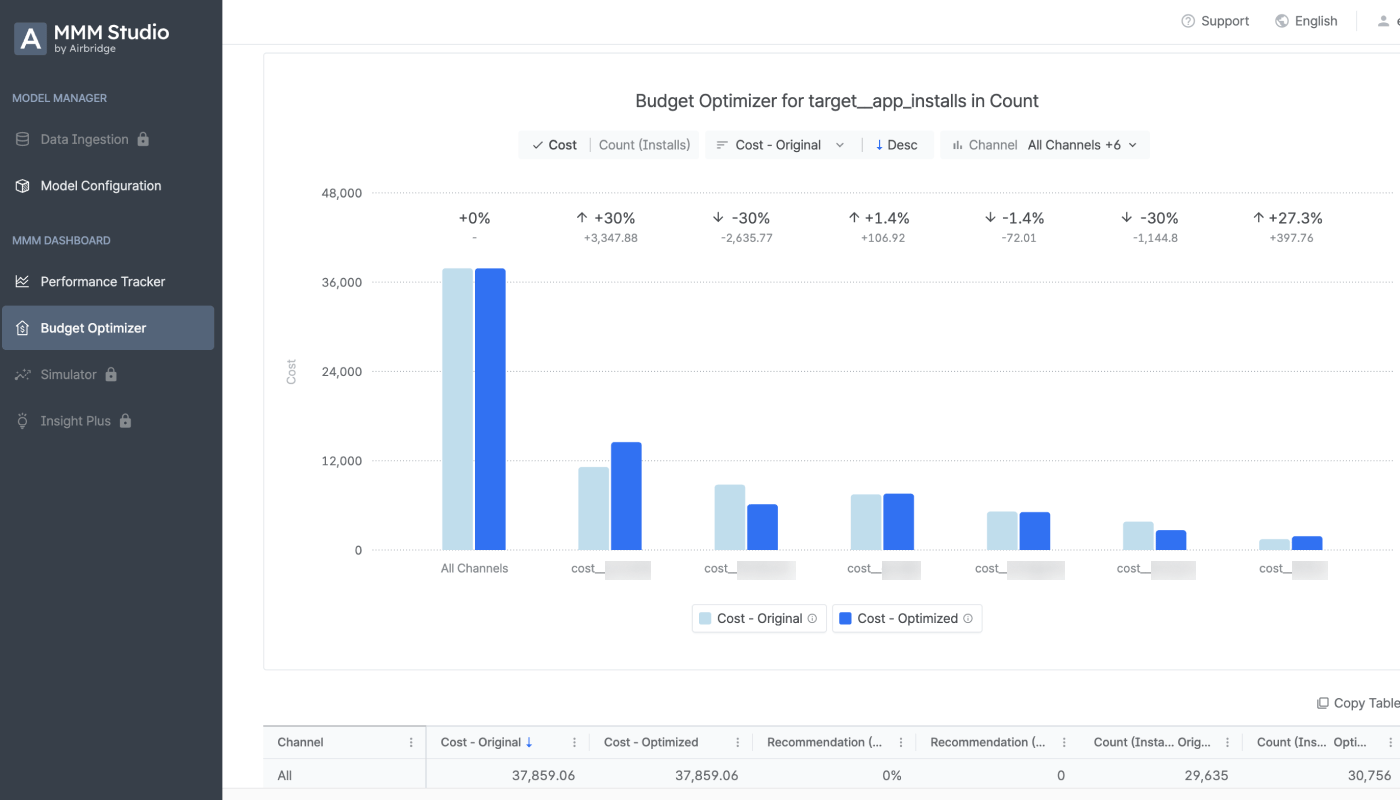
- From the report you can view the optimized budget plan and the estimated performance of your marketing activities suggested by the marketing mix model.
Case Study 1: Campaign Performance Analysis for a Commerce App
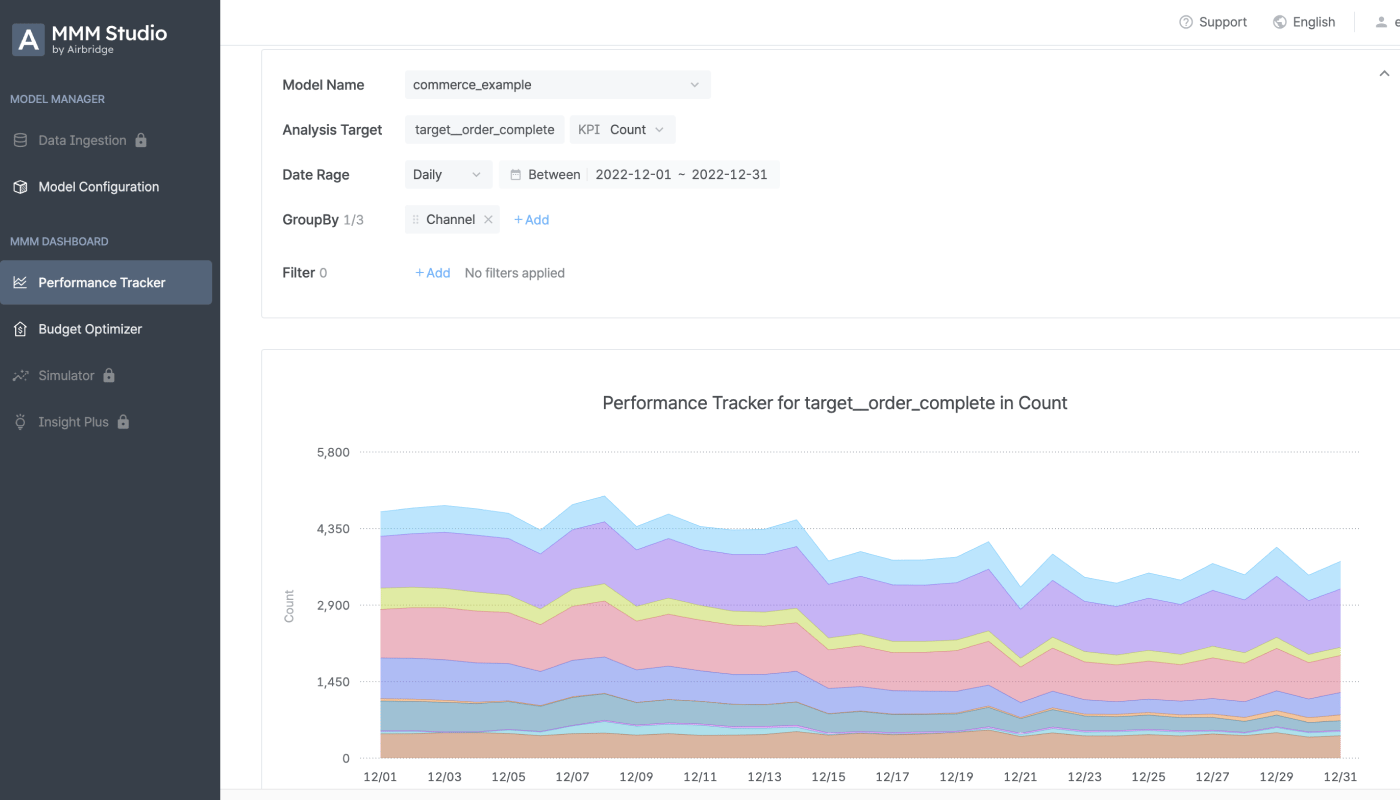
Let’s say you operate campaigns for a commerce app and want to analyze the performance of the recent campaign where discount coupons were offered using the MMM Studio. Create a model from the [Model Configuration] page. To view the data used for the training of the model, go to [Model Configuration], click the [Action] icon, and select “View details”.- Go to [Performance Tracker] and select the marketing mix model you created in the above step. The analysis target will be auto-filled.The date range must be set on the time period covered by your trained. Select the GroupBy option you want to apply to your report and click the “Apply” button when you are done with the configuration. Select “Channel” as GroupBy.
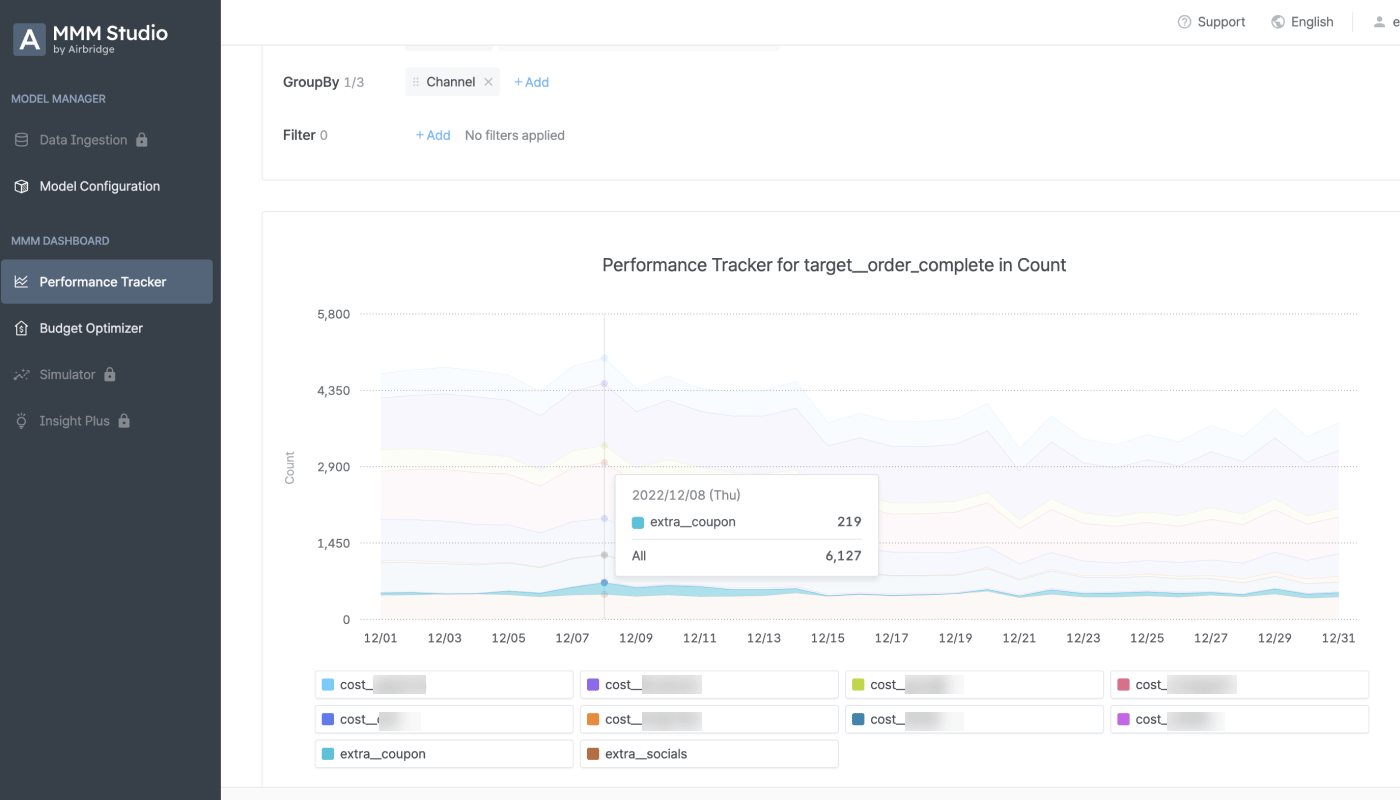
- The channels you select from the legend are visible in the chart. Select “extra_coupon” from the legend to view the performance of the discount coupon campaign.
Case Study 2: Campaign Performance Analysis for an iOS Gaming App
Let’s say you want to analyze the campaign performance of your iOS gaming app. Since the implementation of Apple’s ATT policy, there has been a noticeable increase in the portion of unattributed installs due to the difficulty in the collection of user-level data such as ADID. Using the MMM Studio, however, you can still get a clearer picture of how effective your marketing efforts were in driving business outcomes without the need for user-level data. Create a model from the [Model Configuration] page. To view the data used for the training of the model, go to [Model Configuration], click the [Action] icon, and select “View details”.- Go to [Performance Tracker] and select the marketing mix model you created in the above step. The analysis target will be auto-filled. The date range must be set on the time period covered by your trained. Select the GroupBy option you want to apply to your report and click the “Apply” button when you are done with the configuration. Select “Channel” as GroupBy.
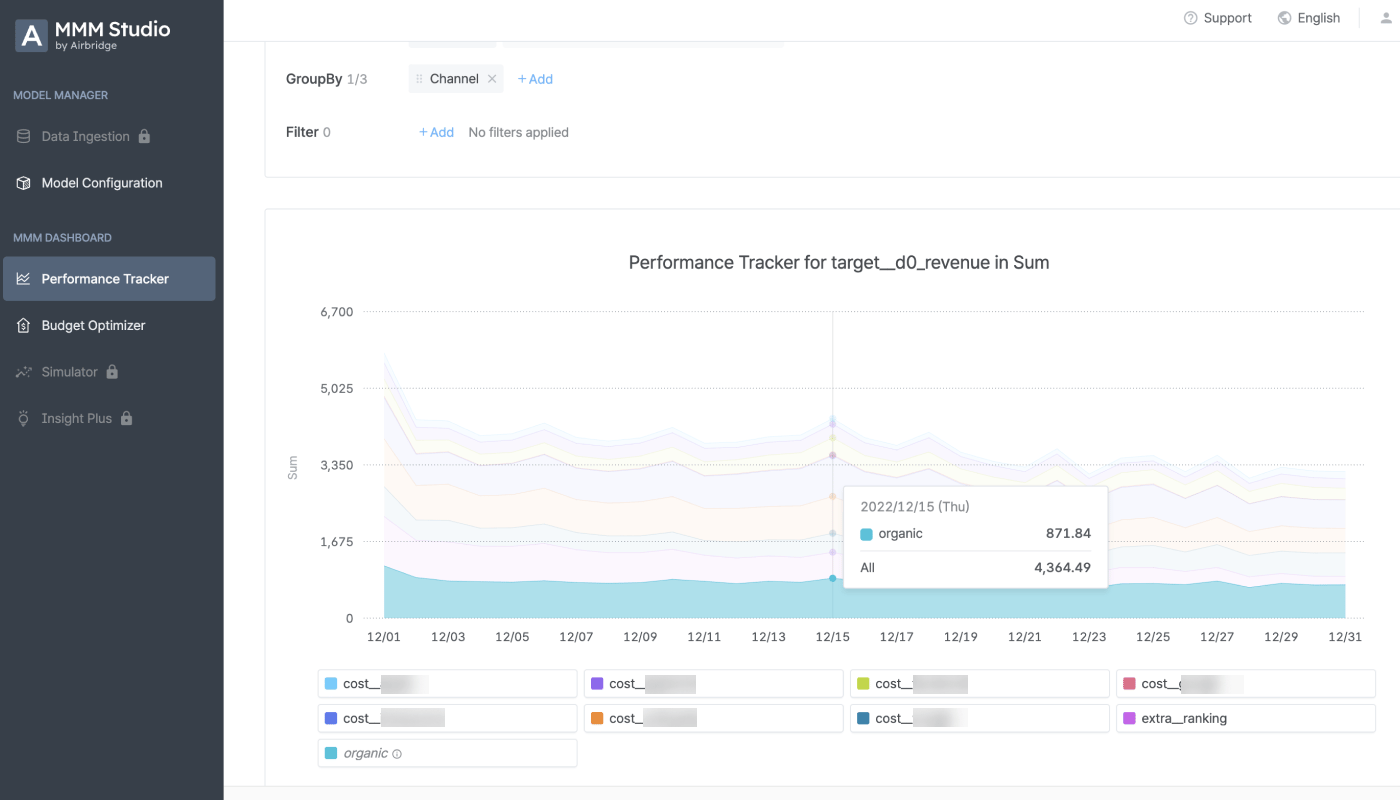
- From the report, you can also view the business outcome that was driven organically.
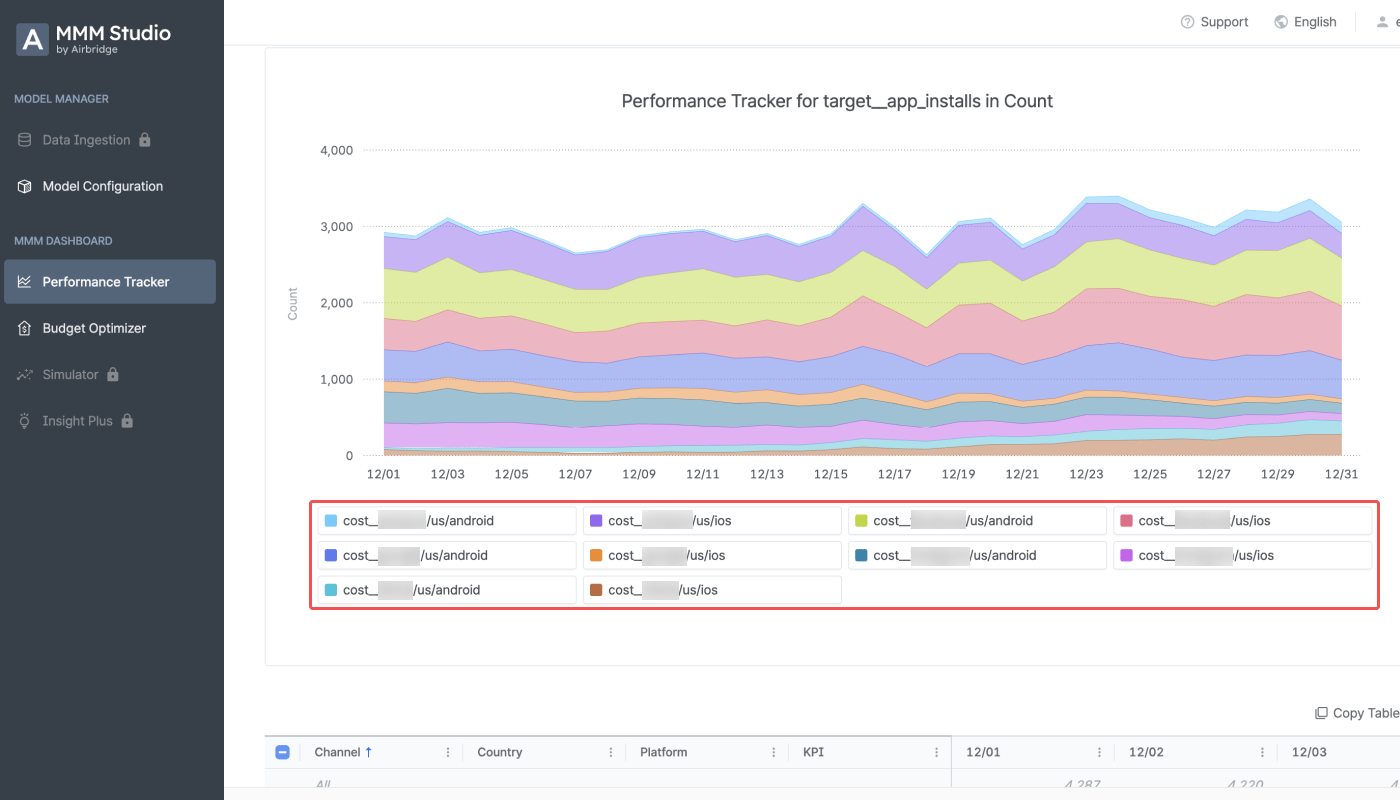
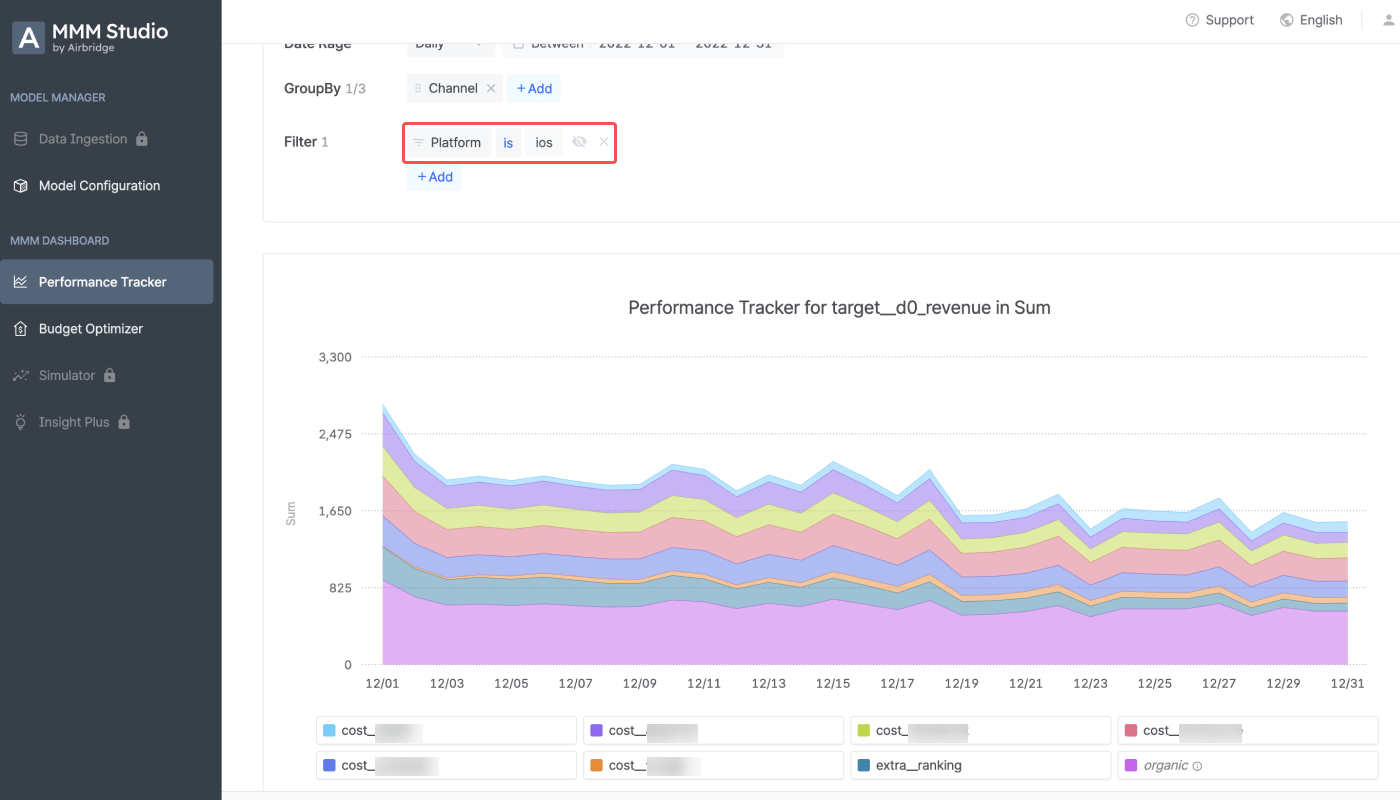
- To view the campaign performance of the iOS app, add “Platform” as a filter option and select “iOS”.
- On the [Budget Optimizer] page, you can view the optimized budget plan suggested by the marketing mix model.
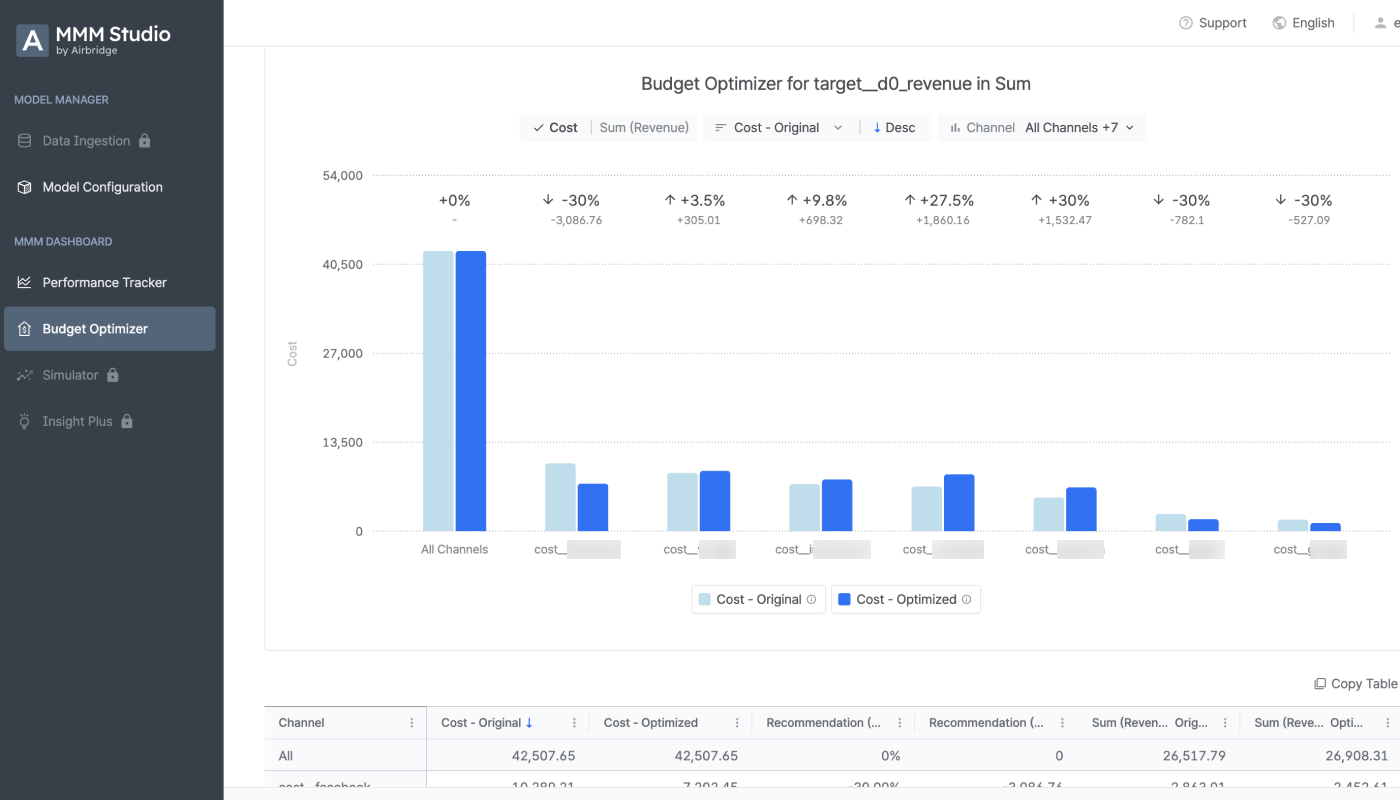
- Select the KPI of the analysis target from “sum” to “eROAS” to view the estimated return on ad spend based on the optimized budget plan.