> ## Documentation Index
> Fetch the complete documentation index at: https://help.airbridge.io/llms.txt
> Use this file to discover all available pages before exploring further.
# 리텐션 측정하기
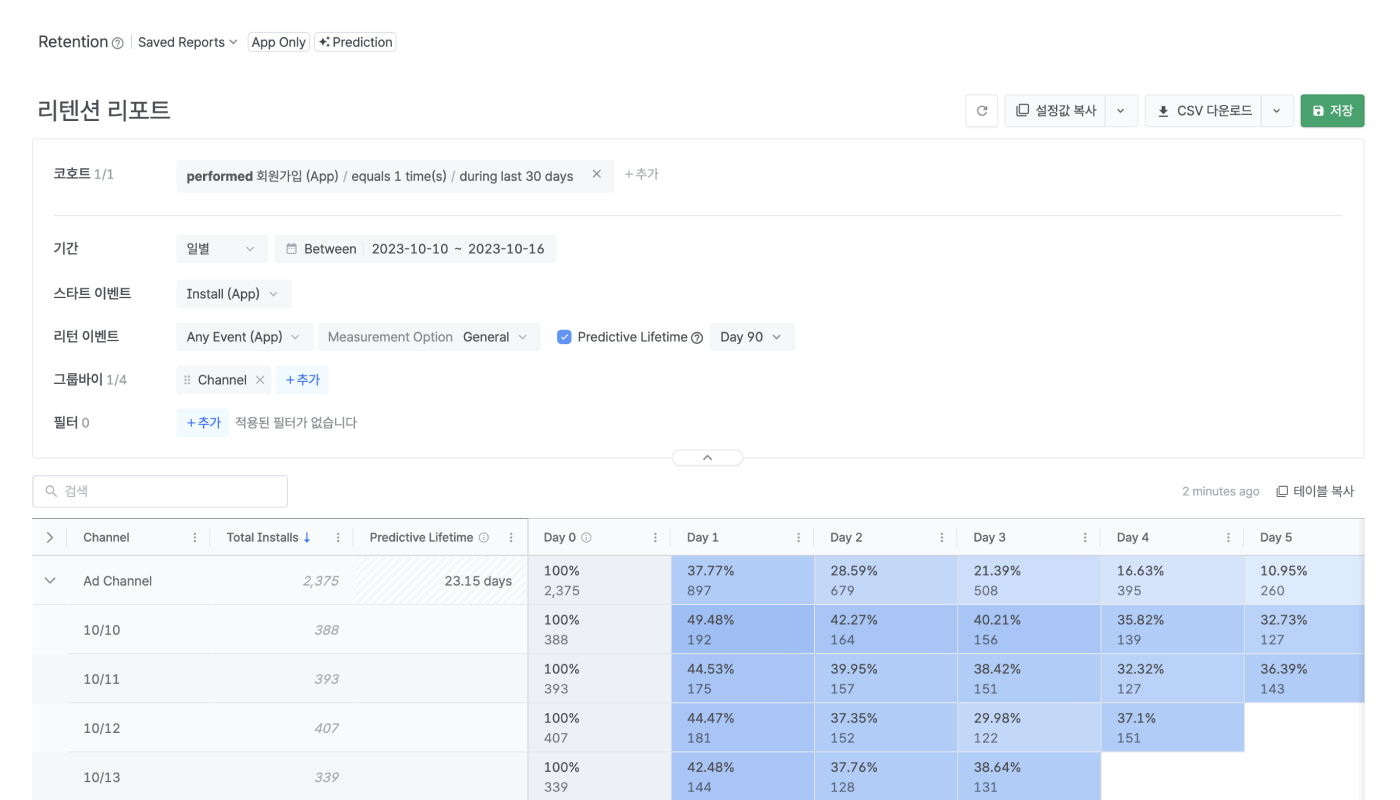
리텐션 리포트(Retention Report)에서는 잔존율, 잔존 수치, 예측 잔존일(Predictive Lifetime) 같은 지표로 유저가 서비스에 얼마나 재방문하는지 확인할 수 있습니다.
## 리텐션 리포트 조회하기
리텐션 리포트(Retention Report)를 조회하기 위해서는 기본적인 설정을 알아야 합니다. 기본적인 설정을 이해하고 리텐션 리포트에서 구간별(Minute, Hour, Day, Week, Month N) 잔존율과 잔존 수치를 확인해 보세요.
* [리텐션 리포트 조회하기](/ko/guides/retention-report-viewing)
* [리텐션 리포트 데이터 계산 방식](/ko/guides/retention-report-calculation-method)
* [자주 묻는 질문 - 리텐션 리포트](/ko/guides/retention-report-faq)
### 예측 기능 활용하기
리텐션 리포트에서 예측 기능을 사용하면 예측 잔존일(Predictive Lifetime)을 확인할 수 있습니다. 예측 잔존일을 통해서 계산한 예측 LTV(pLTV)로 마케팅 전략을 준비해 보세요.
* [리텐션 리포트에서 예측 잔존일 확인하기](/ko/guides/predictive-lifetime)
 ## 리텐션 리포트 조회하기
리텐션 리포트(Retention Report)를 조회하기 위해서는 기본적인 설정을 알아야 합니다. 기본적인 설정을 이해하고 리텐션 리포트에서 구간별(Minute, Hour, Day, Week, Month N) 잔존율과 잔존 수치를 확인해 보세요.
* [리텐션 리포트 조회하기](/ko/guides/retention-report-viewing)
* [리텐션 리포트 데이터 계산 방식](/ko/guides/retention-report-calculation-method)
* [자주 묻는 질문 - 리텐션 리포트](/ko/guides/retention-report-faq)
### 예측 기능 활용하기
리텐션 리포트에서 예측 기능을 사용하면 예측 잔존일(Predictive Lifetime)을 확인할 수 있습니다. 예측 잔존일을 통해서 계산한 예측 LTV(pLTV)로 마케팅 전략을 준비해 보세요.
* [리텐션 리포트에서 예측 잔존일 확인하기](/ko/guides/predictive-lifetime)
## 리텐션 리포트 조회하기
리텐션 리포트(Retention Report)를 조회하기 위해서는 기본적인 설정을 알아야 합니다. 기본적인 설정을 이해하고 리텐션 리포트에서 구간별(Minute, Hour, Day, Week, Month N) 잔존율과 잔존 수치를 확인해 보세요.
* [리텐션 리포트 조회하기](/ko/guides/retention-report-viewing)
* [리텐션 리포트 데이터 계산 방식](/ko/guides/retention-report-calculation-method)
* [자주 묻는 질문 - 리텐션 리포트](/ko/guides/retention-report-faq)
### 예측 기능 활용하기
리텐션 리포트에서 예측 기능을 사용하면 예측 잔존일(Predictive Lifetime)을 확인할 수 있습니다. 예측 잔존일을 통해서 계산한 예측 LTV(pLTV)로 마케팅 전략을 준비해 보세요.
* [리텐션 리포트에서 예측 잔존일 확인하기](/ko/guides/predictive-lifetime)