> ## Documentation Index
> Fetch the complete documentation index at: https://help.airbridge.io/llms.txt
> Use this file to discover all available pages before exploring further.
# Revenue Analysis
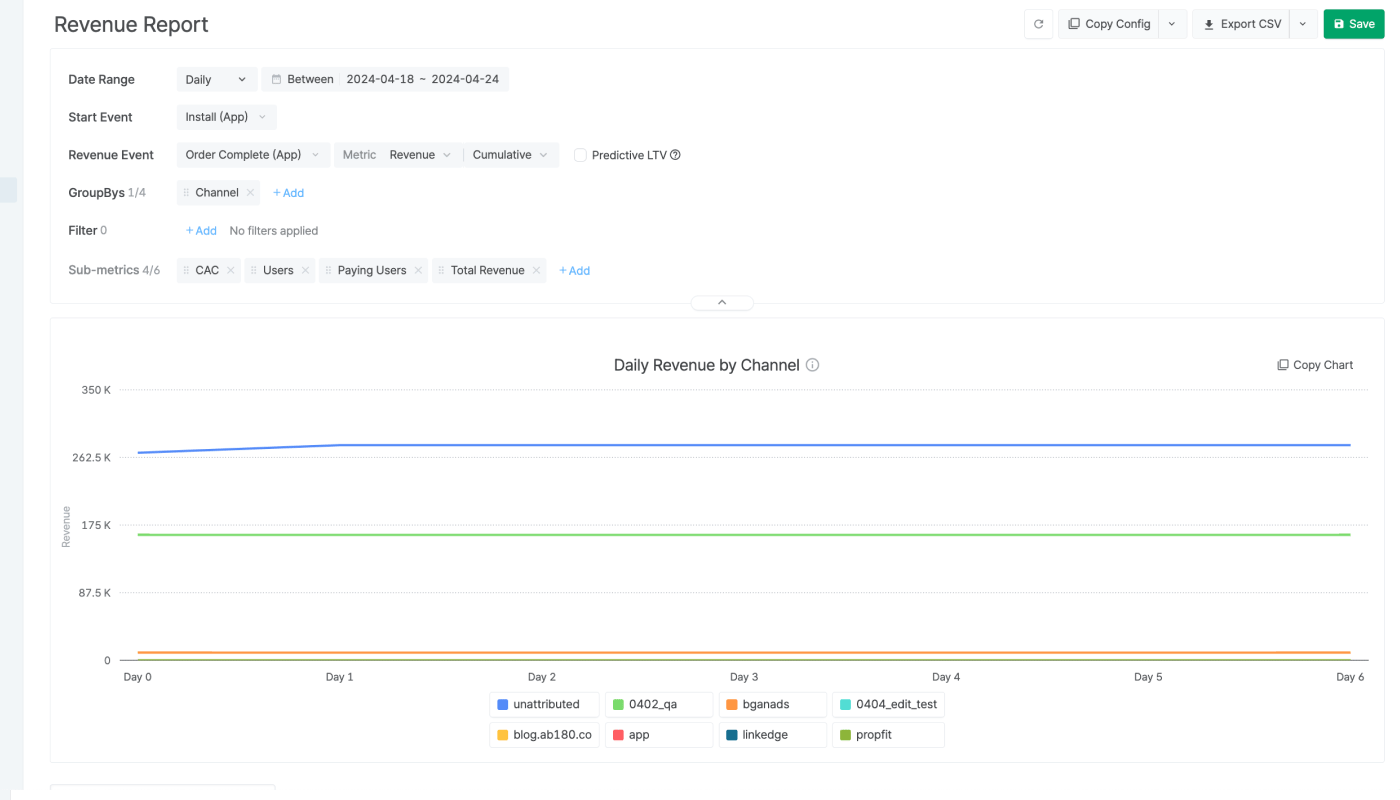
The Revenue Report allows you to monitor key revenue metrics such as ROAS and ARPU to analyze your revenue data in depth.
## Understanding the Revenue Report
Refer to the articles below to learn how to configure and read the Revenue Report and monitor revenue metrics at the granularity you need.
* [Creating a Revenue Report](/en/guides/understanding-the-revenue-report)
* [Calculation Method Applied in the Revenue Report](/en/guides/revenue-report-calcualtion-method)
* [FAQ - Revenue Report](/en/guides/revenue-report-faq)
### Predictive features
The Revenue Report provides the Predictive Lifetime value (pLTV) feature, which allows marketers to build and optimize campaigns based on the user’s future potential to drive revenue.
* [Predictive Lifetime Value (pLTV)](/en/guides/predictive-ltv)
 ## Understanding the Revenue Report
Refer to the articles below to learn how to configure and read the Revenue Report and monitor revenue metrics at the granularity you need.
* [Creating a Revenue Report](/en/guides/understanding-the-revenue-report)
* [Calculation Method Applied in the Revenue Report](/en/guides/revenue-report-calcualtion-method)
* [FAQ - Revenue Report](/en/guides/revenue-report-faq)
### Predictive features
The Revenue Report provides the Predictive Lifetime value (pLTV) feature, which allows marketers to build and optimize campaigns based on the user’s future potential to drive revenue.
* [Predictive Lifetime Value (pLTV)](/en/guides/predictive-ltv)
## Understanding the Revenue Report
Refer to the articles below to learn how to configure and read the Revenue Report and monitor revenue metrics at the granularity you need.
* [Creating a Revenue Report](/en/guides/understanding-the-revenue-report)
* [Calculation Method Applied in the Revenue Report](/en/guides/revenue-report-calcualtion-method)
* [FAQ - Revenue Report](/en/guides/revenue-report-faq)
### Predictive features
The Revenue Report provides the Predictive Lifetime value (pLTV) feature, which allows marketers to build and optimize campaigns based on the user’s future potential to drive revenue.
* [Predictive Lifetime Value (pLTV)](/en/guides/predictive-ltv)