> ## Documentation Index
> Fetch the complete documentation index at: https://help.airbridge.io/llms.txt
> Use this file to discover all available pages before exploring further.
# SKAN Integration - Google Ads
Airbridge supports SKAN integration with Google Ads. Follow the instructions below for the integration.
## Prerequisites
Refer to the following article and make sure you are ready to measure your iOS app campaigns with SKAN. You can’t implement SKAN for campaign measurement if the requirements are not met.
* [Preparing for iOS App Campaign Measurement with SKAN](/en/guides/preparing-for-skan)
## **SKAdNetwork Integration Setup**
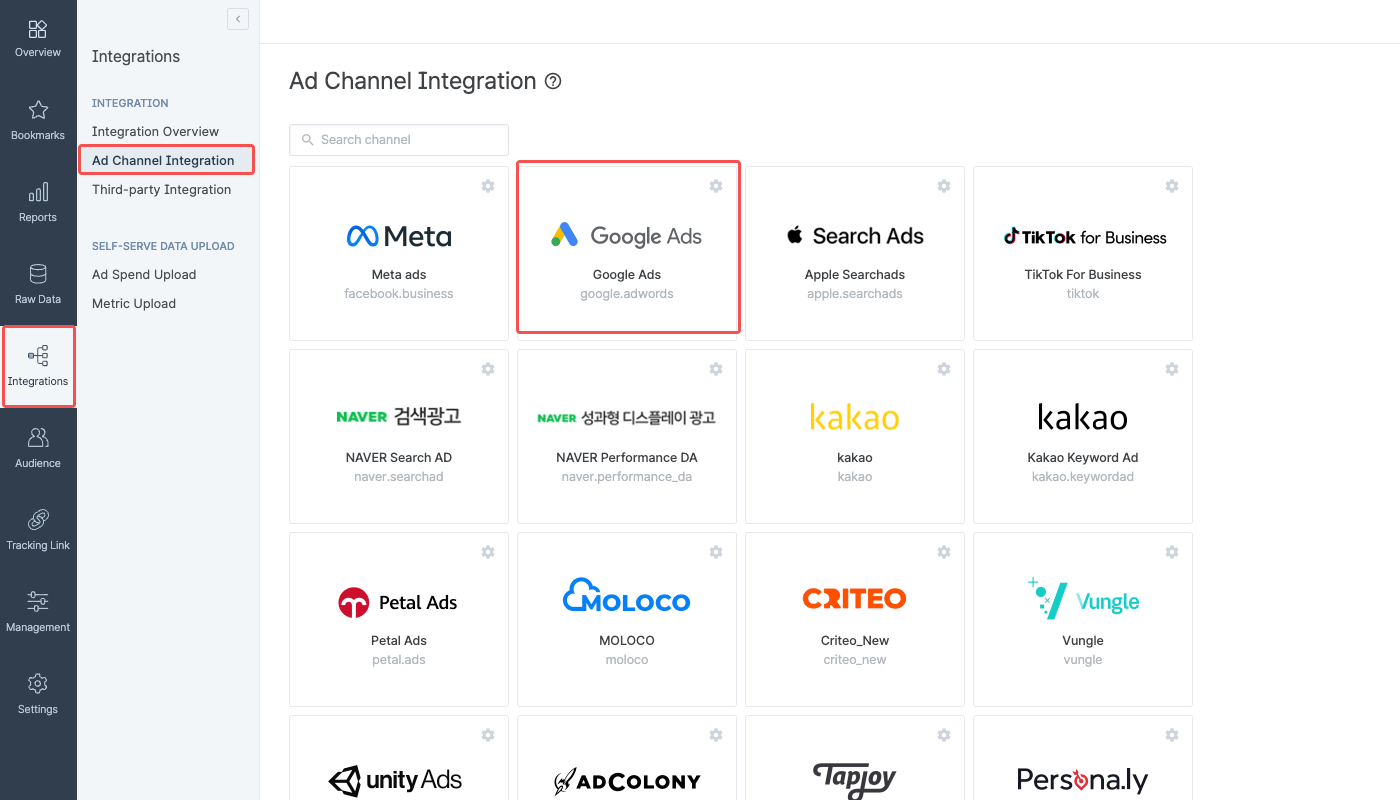
1. Navigate to **\[Integrations]>\[Ad Channel Integration]** and select **Google Ads**.
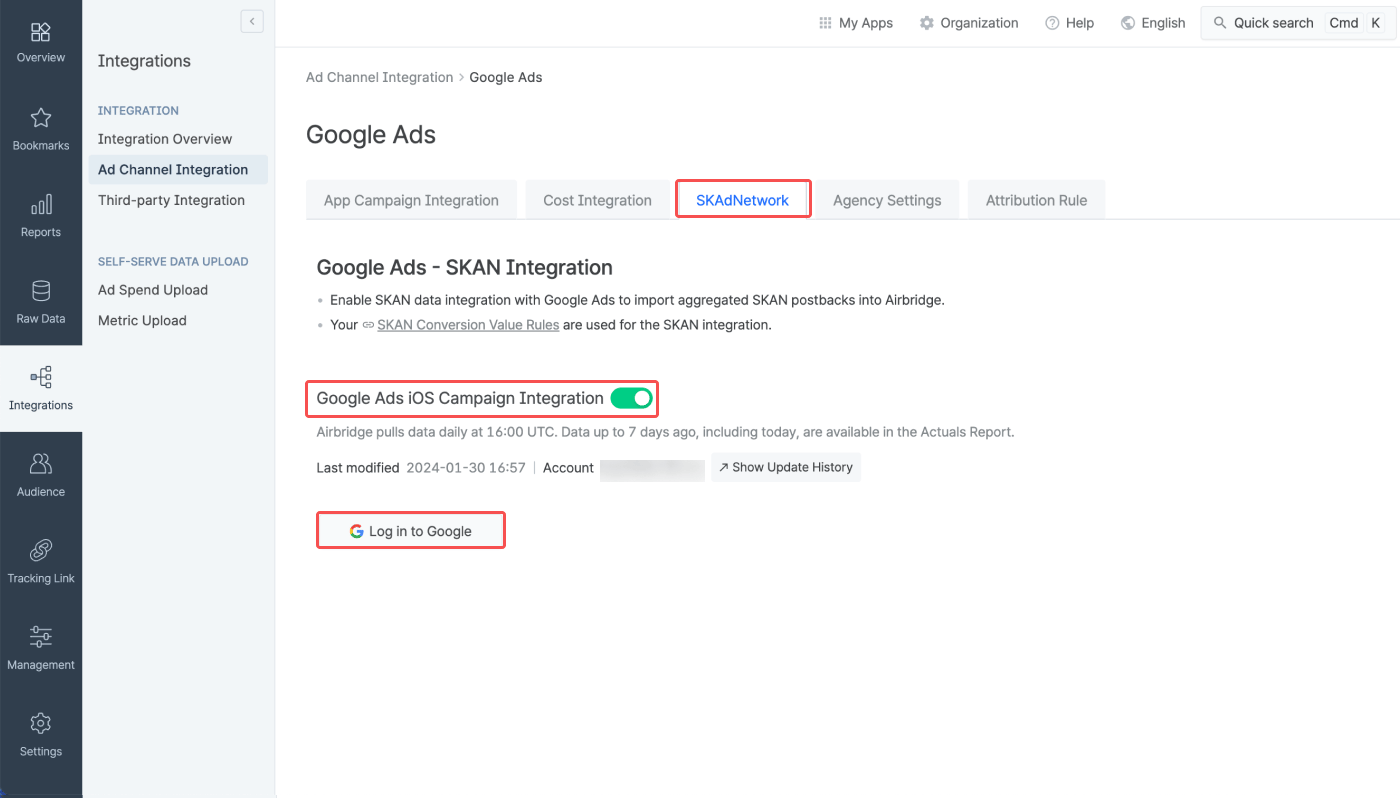
2. In the **\[SKAdNetwork]** tab, switch on the **\[Google Ads iOS Campaign Integration]** toggle and click **Log in to Google.** The toggle is activated when the iOS app authentication and conversion value configuration is complete.
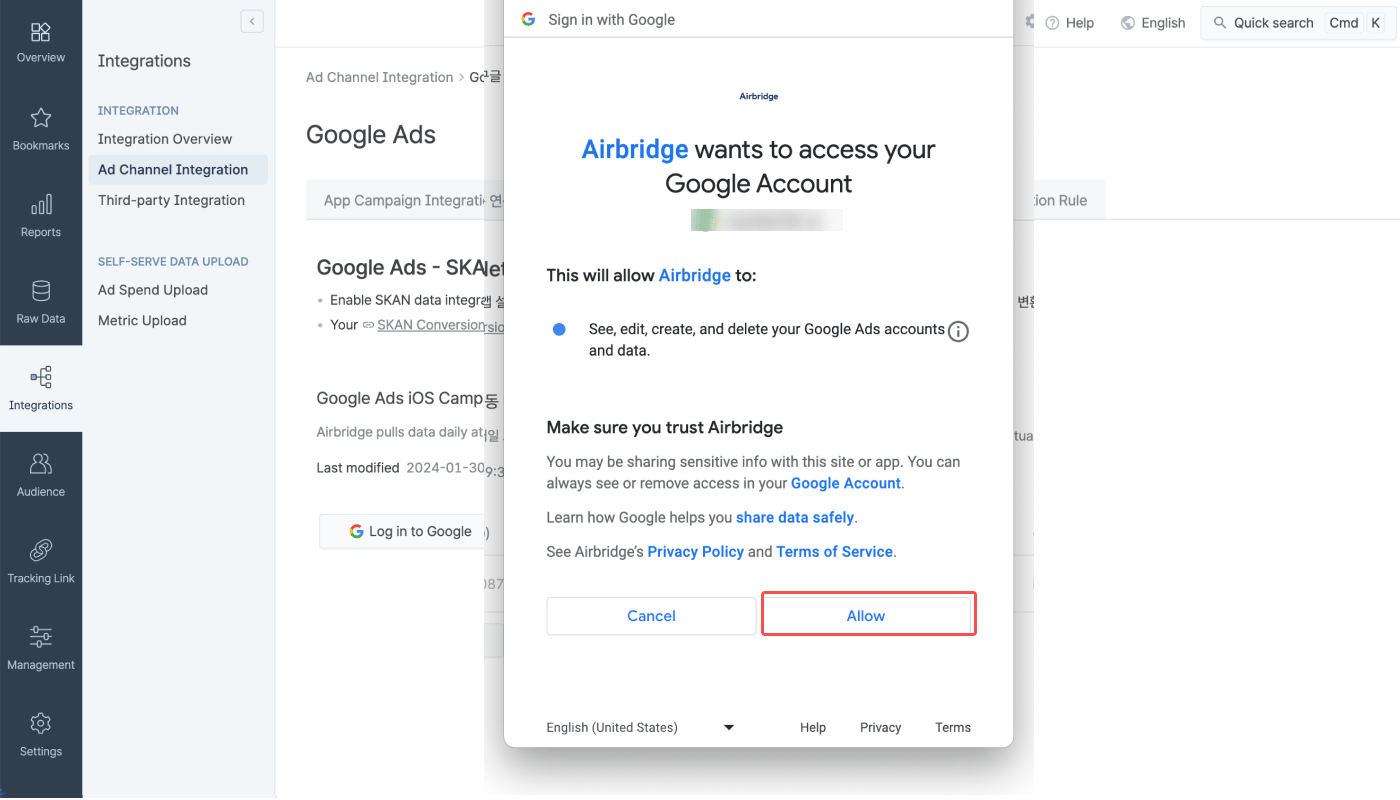
3. Log in to the Google account that has access to the Google Ads account you want to connect with Airbridge.
4. Click **Allow**.
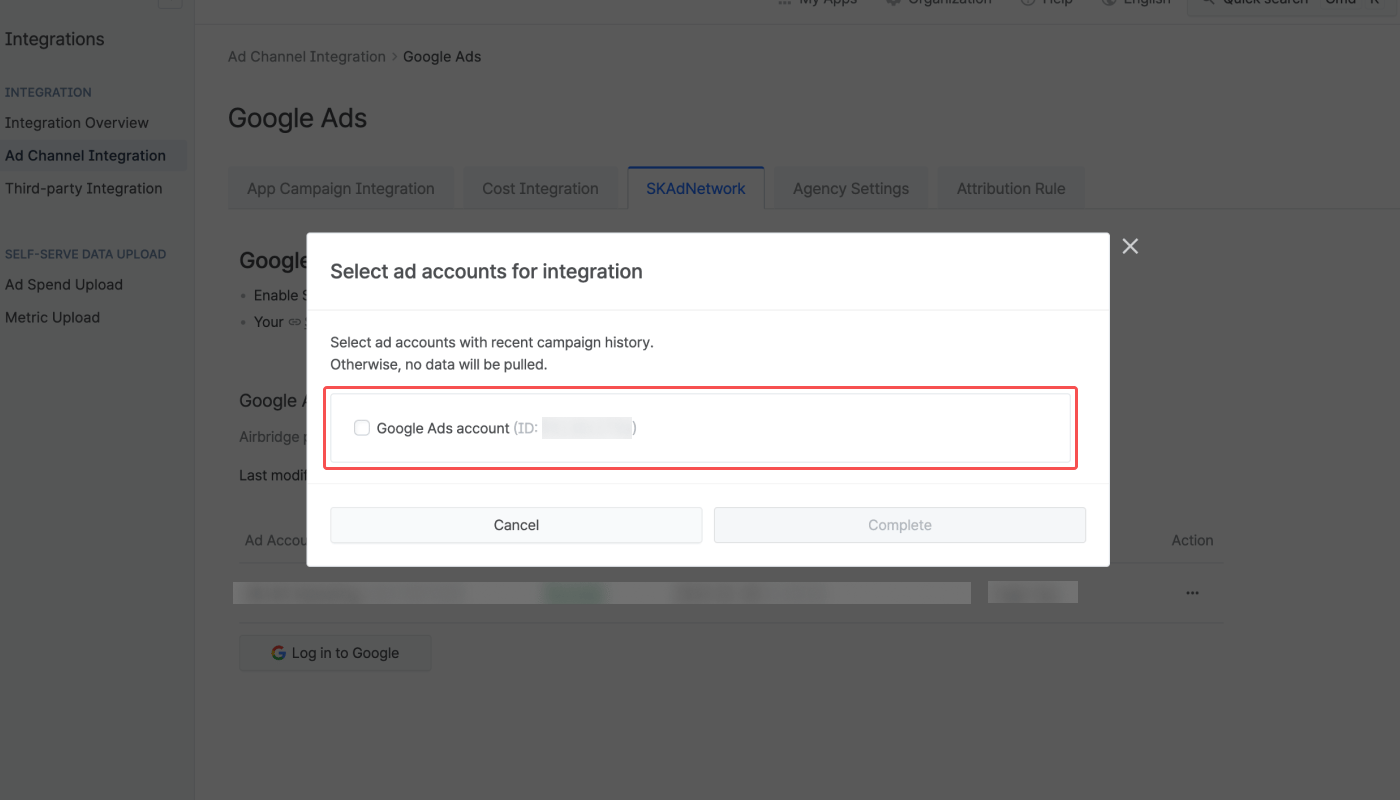
5. Select the Google Ads account you want to connect and click **Complete.**
## Attention
Before proceeding with the SKAN integration, make sure the requirements are met to measure your iOS app campaigns with SKAN. Refer to the following article.
* [Preparing for iOS App Campaign Measurement with SKAN](/en/guides/preparing-for-skan)
Differences in data may occur between SAN dashboards, such as Meta ads and Google Ads dashboards, and the Airbridge dashboard because Airbridge pulls the SKAN data of the past 7 days from the SANs and updates the reports daily at 4:00 PM (UTC).
 2. In the **\[SKAdNetwork]** tab, switch on the **\[Google Ads iOS Campaign Integration]** toggle and click **Log in to Google.** The toggle is activated when the iOS app authentication and conversion value configuration is complete.
 3. Log in to the Google account that has access to the Google Ads account you want to connect with Airbridge.
4. Click **Allow**.
3. Log in to the Google account that has access to the Google Ads account you want to connect with Airbridge.
4. Click **Allow**.
 5. Select the Google Ads account you want to connect and click **Complete.**
 ## Attention