> ## Documentation Index
> Fetch the complete documentation index at: https://help.airbridge.io/llms.txt
> Use this file to discover all available pages before exploring further.
# Using Airbridge Events for Google Ads Campaign Optimization
You can optimize the targeting and bidding for your app promotion campaigns using Airbridge events. Make sure the channel integration with Google Ads is completed and the Airbridge events are set as conversion actions in Google Ads before you proceed with the instructions below. For channel integration with Google Ads, refer to this [article](/en/guides/google-ads-channel-integration).
## **O**ptimizing the targeting and bidding for your app promotion campaigns
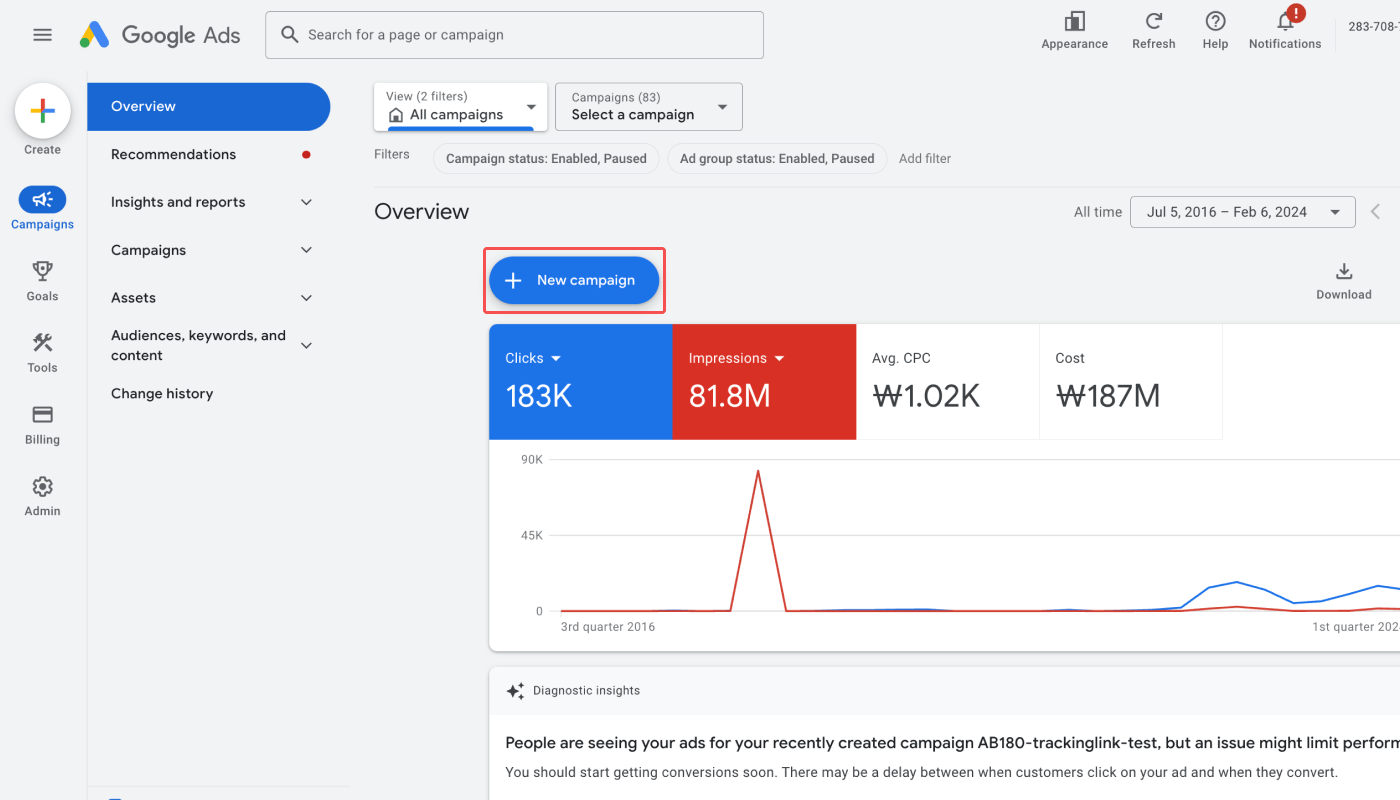
1. Log in to your [Google Ads account](https://ads.google.com/) and click **New Campaign.**
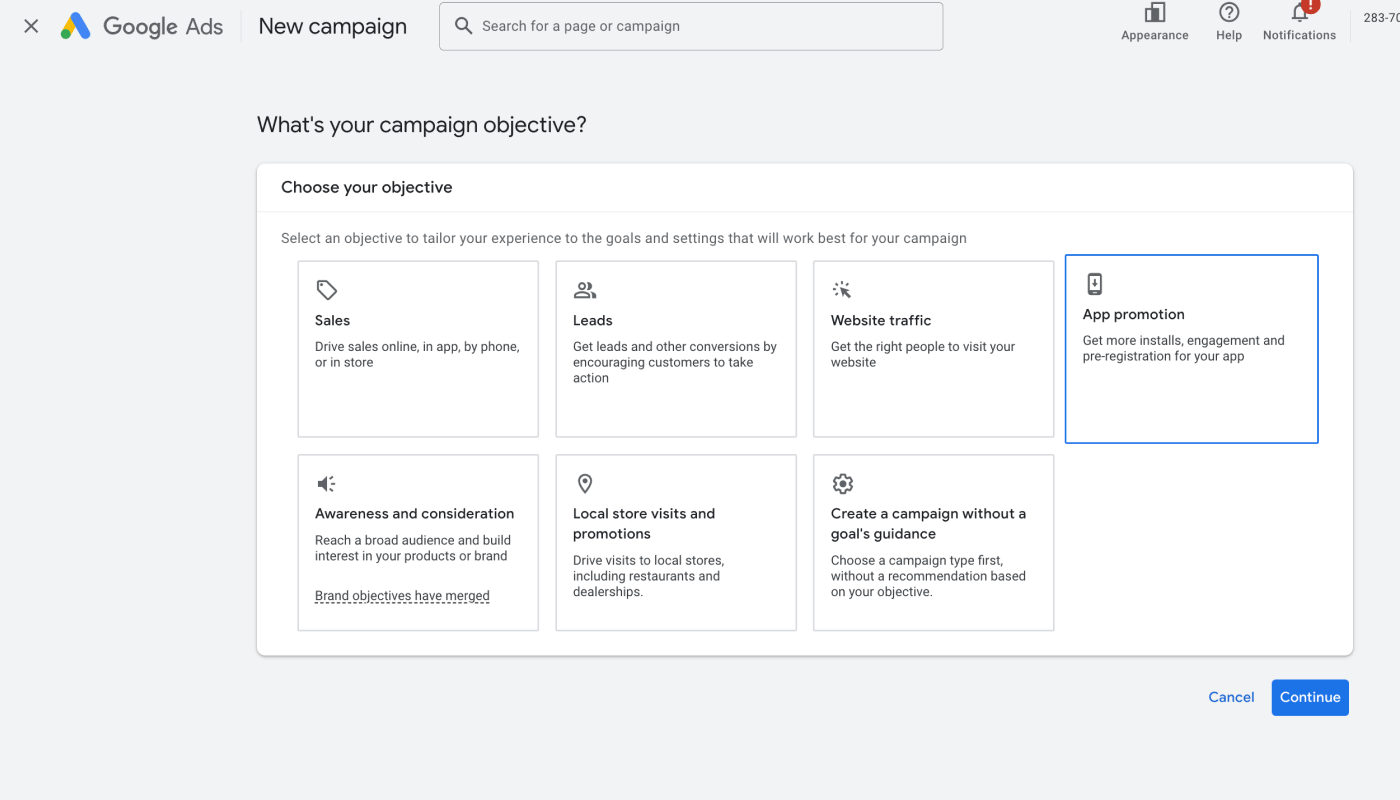
2. Select **App promotion**.
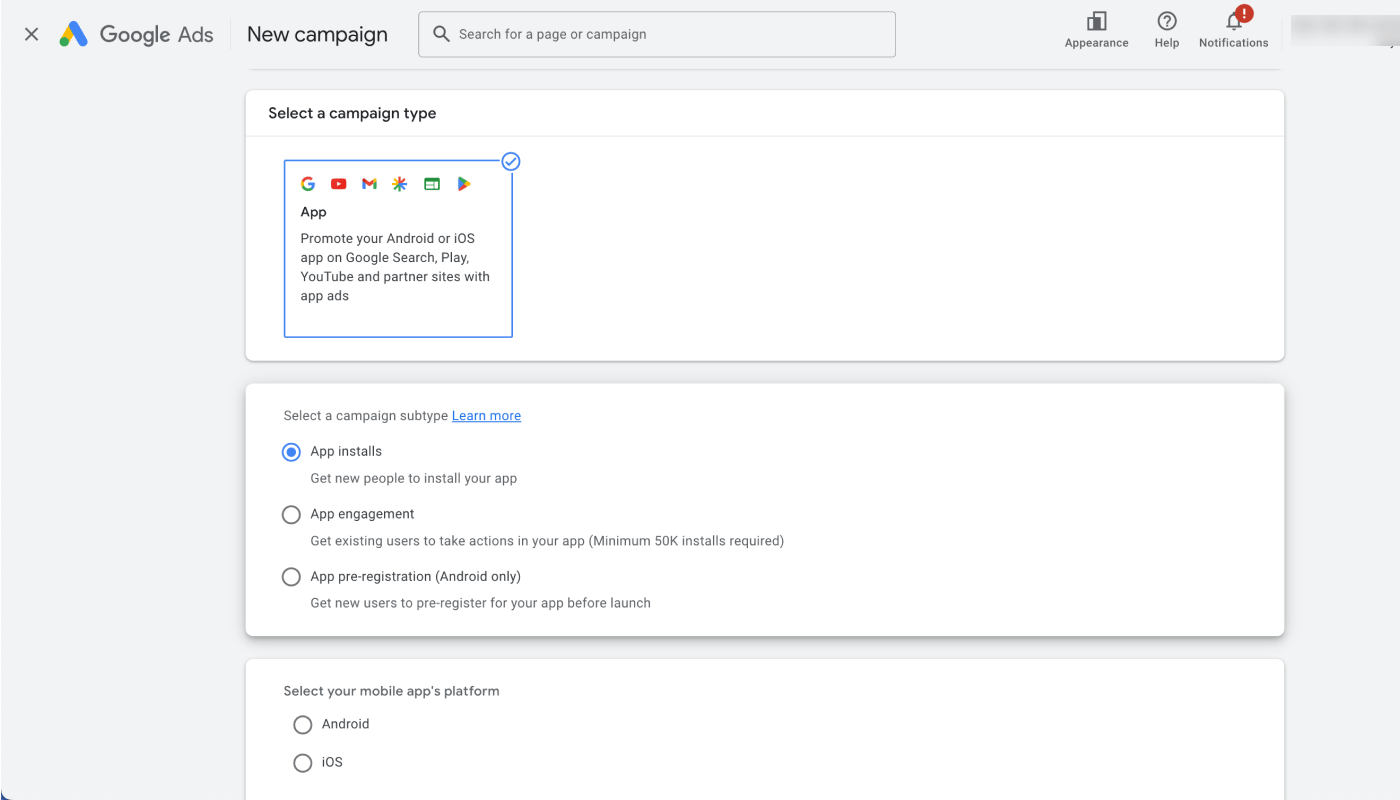
3. Choose **App** as campaign type, select your mobile app’s platform, and click **CONTINUE**.
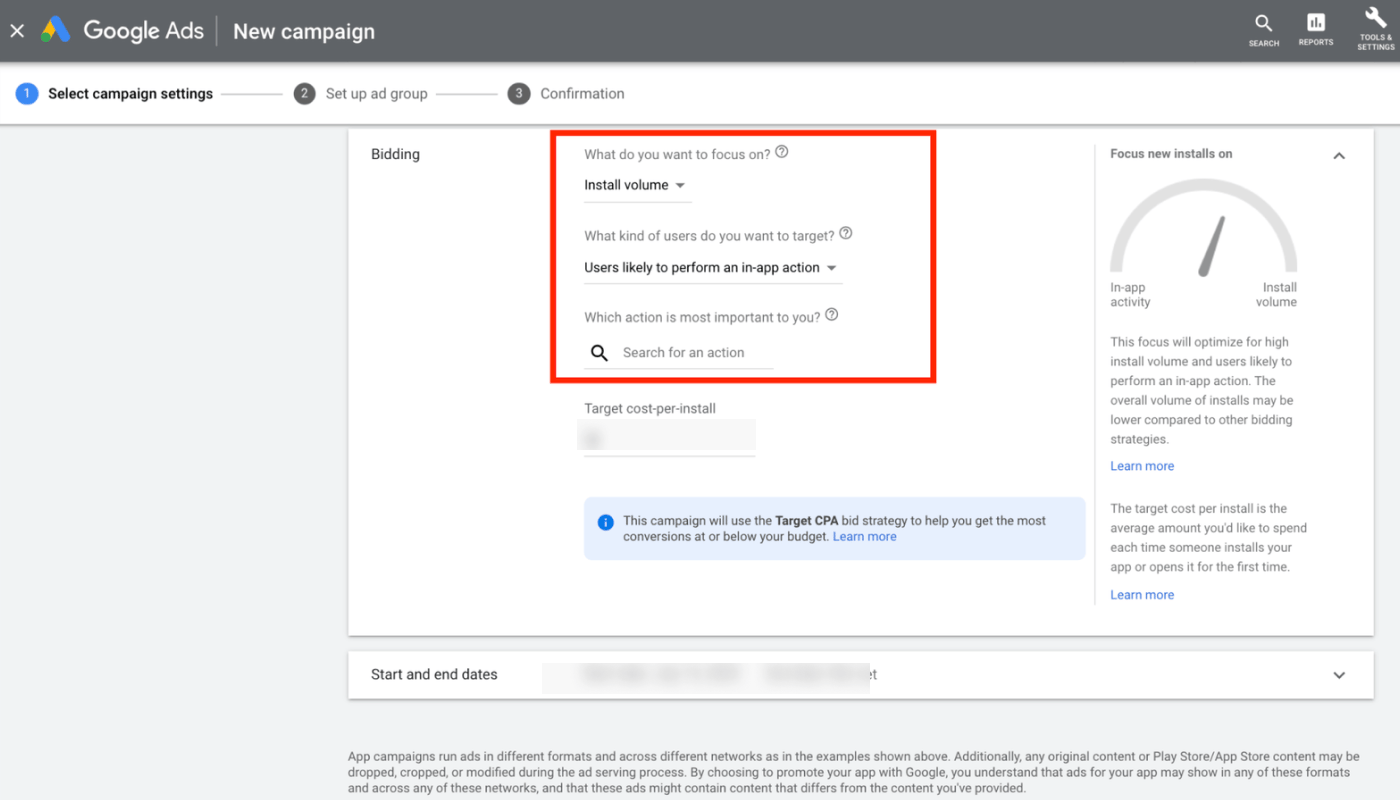
4. In the settings page, scroll down to the “Bidding” section and select **Install volume** and **Users likely to perform an in-app action**. Then, choose an action that is most valuable to your business. Your campaign will be optimized using the conversion actions you select.
If you haven’t defined the conversion actions, you won’t be able to select **Users likely to perform an in-app action**.
 2. Select **App promotion**.
 3. Choose **App** as campaign type, select your mobile app’s platform, and click **CONTINUE**.
 4. In the settings page, scroll down to the “Bidding” section and select **Install volume** and **Users likely to perform an in-app action**. Then, choose an action that is most valuable to your business. Your campaign will be optimized using the conversion actions you select.
If you haven’t defined the conversion actions, you won’t be able to select **Users likely to perform an in-app action**.
4. In the settings page, scroll down to the “Bidding” section and select **Install volume** and **Users likely to perform an in-app action**. Then, choose an action that is most valuable to your business. Your campaign will be optimized using the conversion actions you select.
If you haven’t defined the conversion actions, you won’t be able to select **Users likely to perform an in-app action**.