> ## Documentation Index
> Fetch the complete documentation index at: https://help.airbridge.io/llms.txt
> Use this file to discover all available pages before exploring further.
# GameAnalytics
Airbridge supports integration with GameAnalytics. You can send your Airbridge data to GameAnalytics and garner more insights for improving user engagement.
## Integration Setup
1. Log in to your GameAnalytics account and select the game you want to integrate the data from the \[Game selection] menu.
2. Navigate to \[Settings]>\[General] and find the Game Key. The Game Keys vary by platform.
3. Log in to your Airbridge account, navigate to \[Integration]>\[Third-party Integrations], and select \[GameAnalytics].
4. Paste the copied Android and iOS Game Key to the respective Game Key fields. As soon as the Games Keys are validated, Airbridge will start sending your data to GameAnalytics.
### Event Mapping
Airbridge sends only non-organic install event data to GameAnalytics. See the following table for data mapping.
| **Airbridge** | **GameAnalytics** | **Description** |
| ------------- | ------------------ | ------------------------------------------------------------------- |
| GAID | google\_aid | GAID |
| IDFV | ios\_idfv | IDFV |
| IDFA | ios\_idfa | IDF |
| channel | install\_publisher | The channel that receives the attribution credit for installs |
| sub-publisher | install\_site | The sub-publisher that receives the attribution credit for installs |
| campaign | install\_campaign | The campaign that receives the attribution credit for installs |
| ad group | install\_adgroup | The ad group that receives the attribution credit for installs |
The Airbridge data can be viewed in real-time on the \[Realtime] page in your GameAnalytics account. However, it may take up to 24 hours for the Airbridge data to be available on the \[Dashboards] page. See more details in the [GameAnalytics user guide](https://docs.gameanalytics.com/integrations/api/#event-processing).
## Caution
Every game app has a unique Game Key, and the Game Keys vary by platform. Find the right Game Key on the \[Settings]>\[General] page in GameAnalytics and enter them into the corresponding field in Airbridge.
Airbridge sends data to GameAnalytics in real-time. As GameAnalytics aggregates data every day at 12:00 UTC, it may take up to 24 hours to have the Airbridge data available in GameAnalytics. See more details in the [GameAnalytics user guide](https://docs.gameanalytics.com/integrations/api/#event-processing).
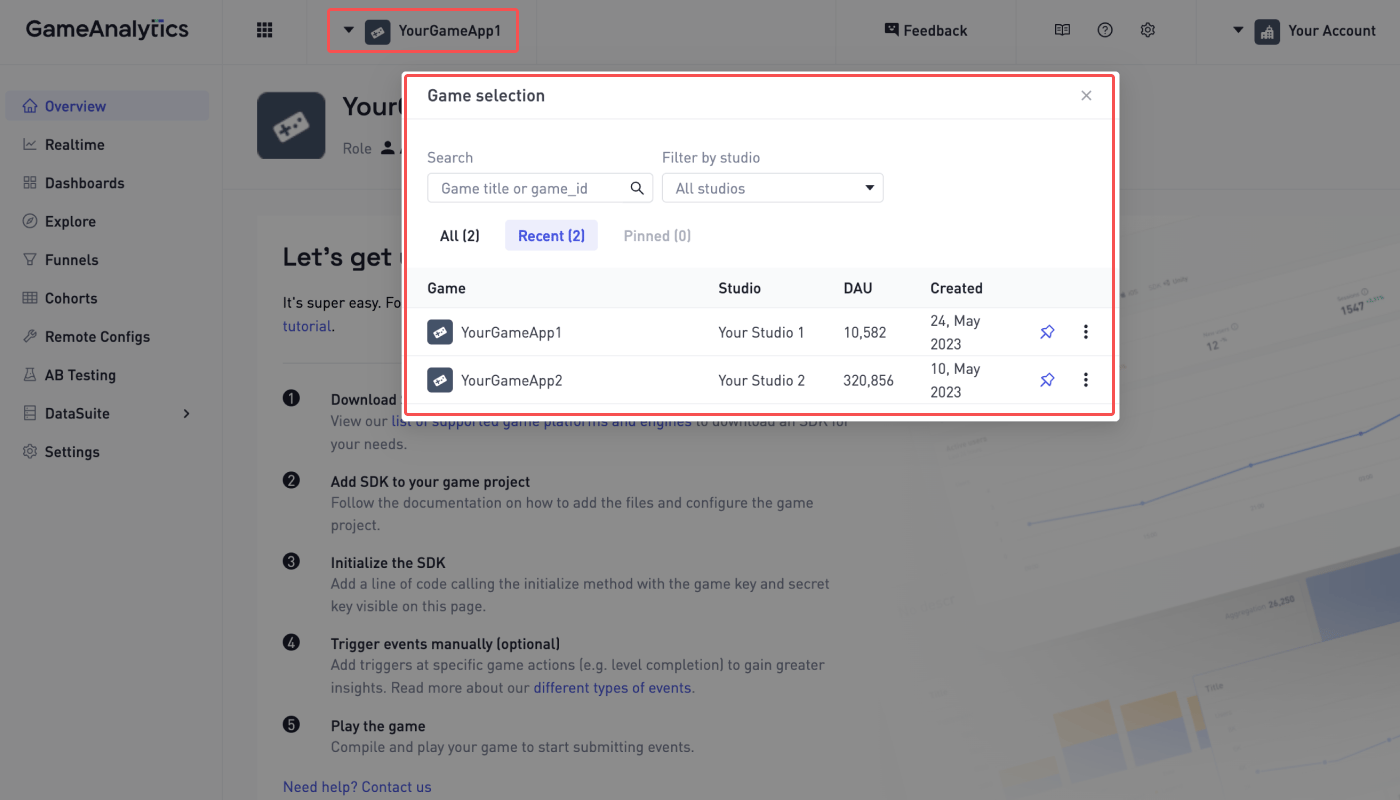 2. Navigate to \[Settings]>\[General] and find the Game Key. The Game Keys vary by platform.
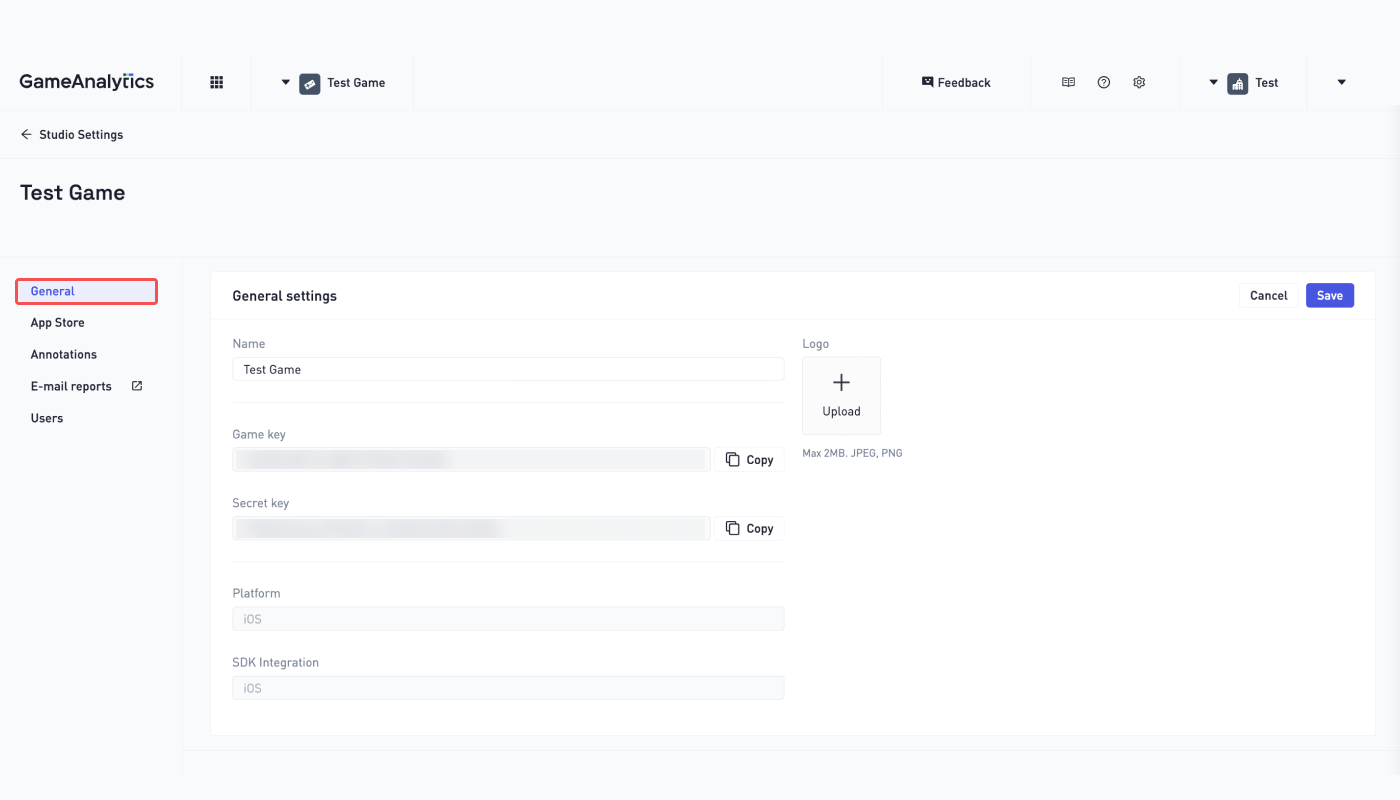 3. Log in to your Airbridge account, navigate to \[Integration]>\[Third-party Integrations], and select \[GameAnalytics].
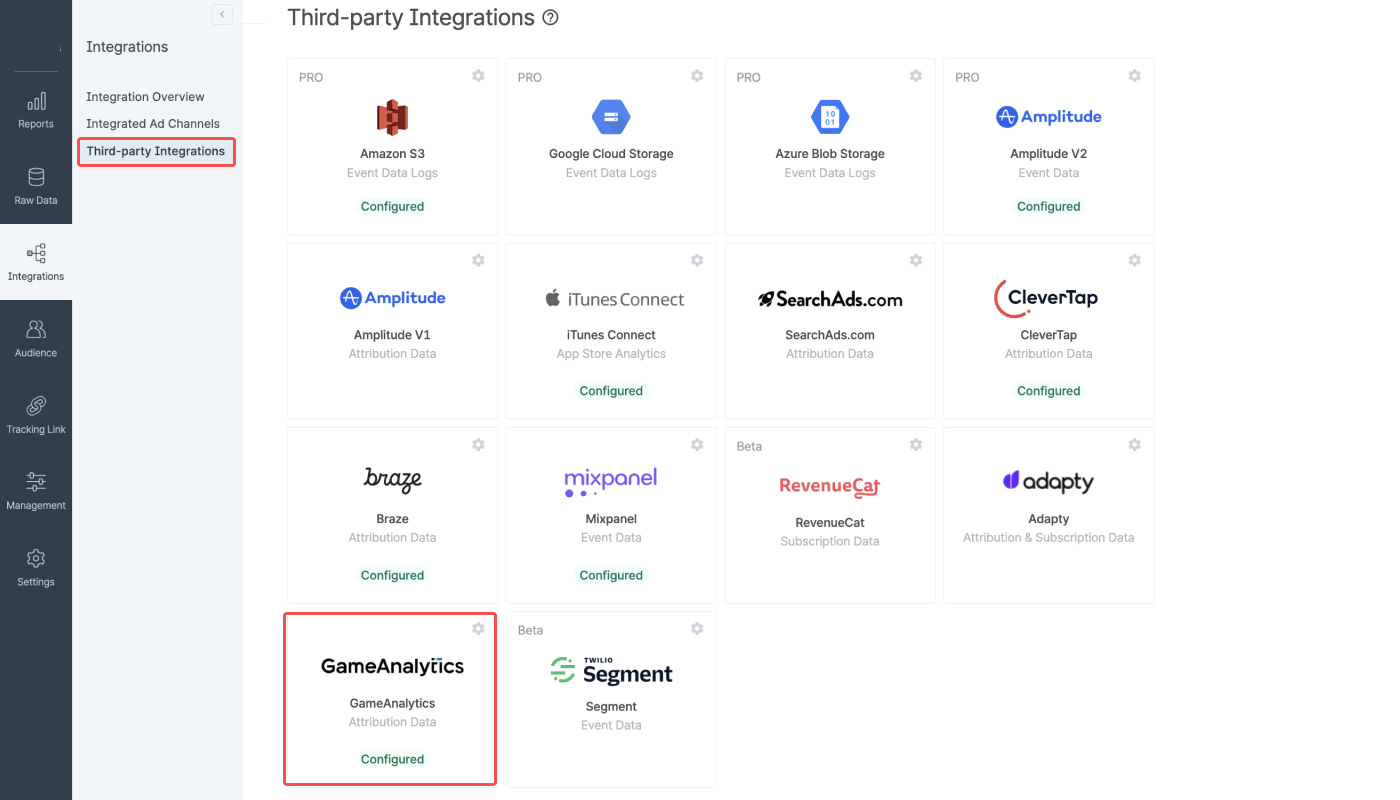 4. Paste the copied Android and iOS Game Key to the respective Game Key fields. As soon as the Games Keys are validated, Airbridge will start sending your data to GameAnalytics.
 ### Event Mapping
Airbridge sends only non-organic install event data to GameAnalytics. See the following table for data mapping.
### Event Mapping
Airbridge sends only non-organic install event data to GameAnalytics. See the following table for data mapping.