> ## Documentation Index
> Fetch the complete documentation index at: https://help.airbridge.io/llms.txt
> Use this file to discover all available pages before exploring further.
# FAQ - Configuring Your App in Airbridge
## General App Settings
This issue may arise if your logo image is crawled from your app’s Google Play store listing.
In cases where a user sends multiple requests within a short period of time, Google’s response may be delayed due to errors such as the 429 error, called the “Too Many Requests” error. While this may temporarily affect specific devices, users on different devices should not encounter any problems.
Yes, you can delete the link by following the steps below.
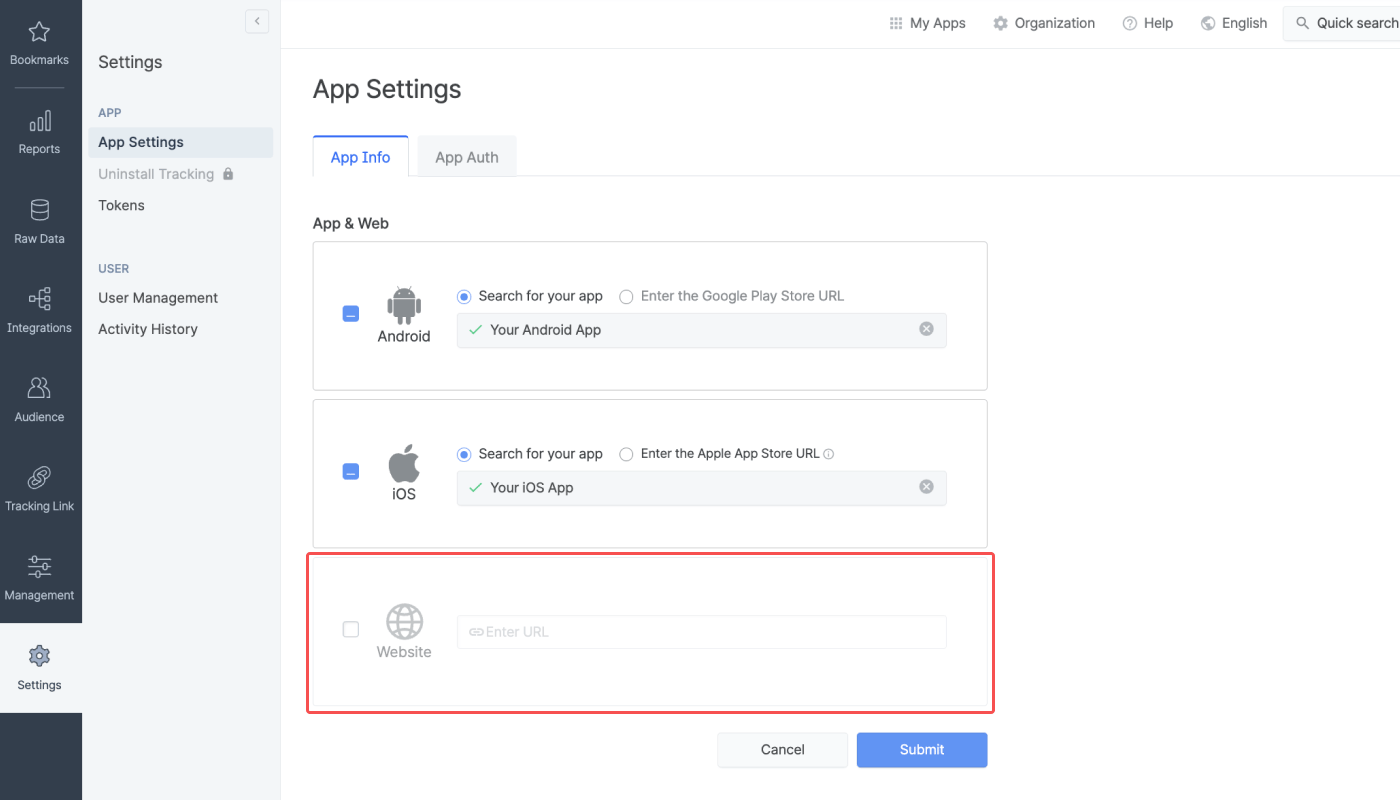
1. Navigate to **\[Settings]>\[App Settings]>\[App Info]** in the Airbridge dashboard.
2. Click **Edit** on the top right corner of the App & Web section.
3. Uncheck the checkbox for **Website** to disable web configurations.
4. Click **Submit**.