> ## Documentation Index
> Fetch the complete documentation index at: https://help.airbridge.io/llms.txt
> Use this file to discover all available pages before exploring further.
# Date Options for Reporting
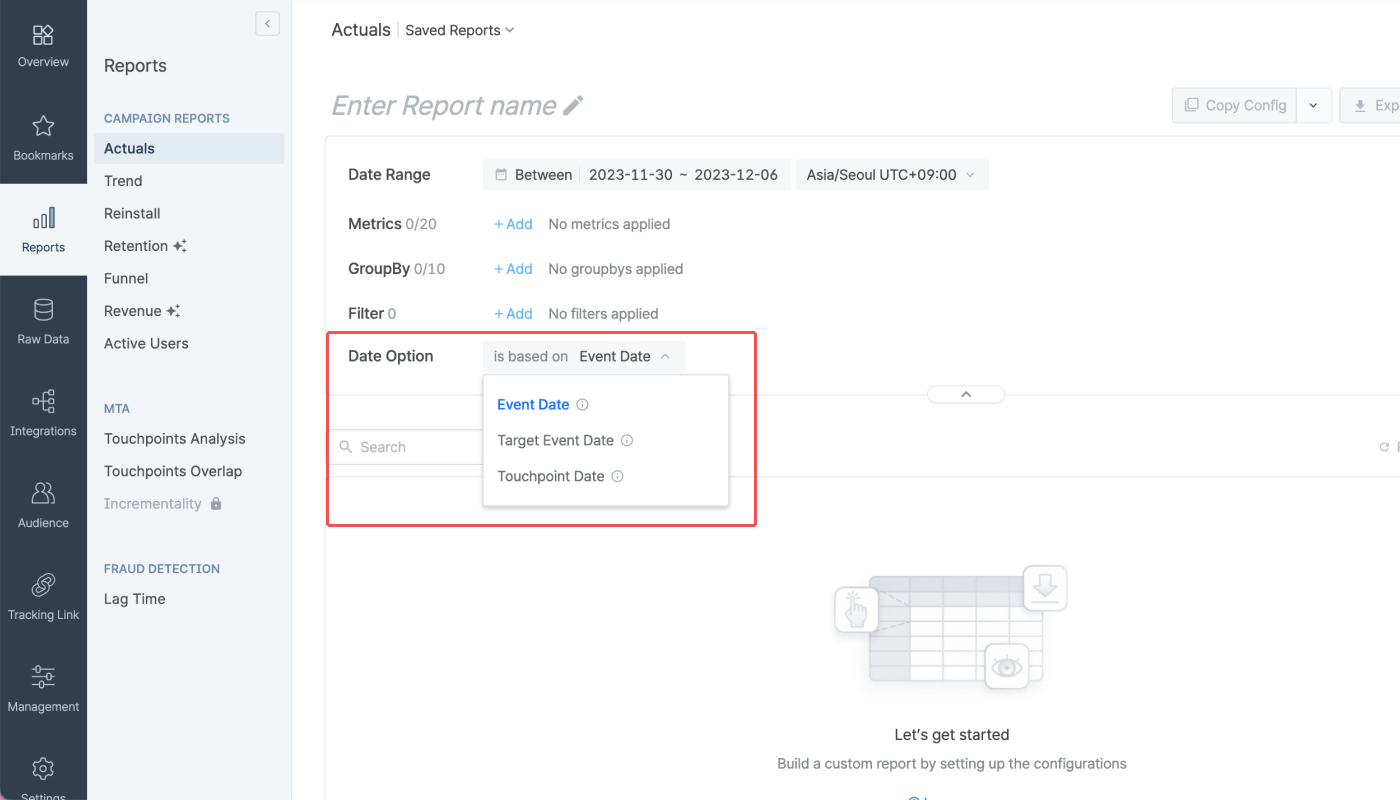
The Actuals Report offers the **Date Option** feature to configure how you want to display the ad performance results in your report. The following options are available.
* is based on Event Date (Default): Your ad performance is reported by the timestamp of the conversion event.
* is based on Target Event Date: Your ad performance is reported by the event timestamp of the Target Event.
* is based on Touchpoint Date: Your ad performance is reported by the timestamp of the winning touchpoint.
## About Ad Performance Reporting
In general, ad channels report ad performance based on the clicks and impressions per daily budget. By default, Airbridge reports ad performance based on the event timestamp. This discrepancy in the ad performance reporting may create data discrepancies, especially for metrics such as Cost per Install (CPI) and Cost per Action (CPA).
The **Date Option** allows you to reduce such unintended data discrepancies and create a report view of the ad performance that suits your marketing context.
## Date Option
The Date Option can be found in the configuration box of the Actuals Report, where you can select from the 3 options for performance reporting.
Suppose we have a user journey that appears as follows.
* **Ad click, which is the winning touchpoint,** occurred on 2023-06-01
* **App install, which is the Target Event,** occurred on 2023-06-02
* **In-app purchase, which is the conversion event,** occurred on 2023-06-03, generating 100 USD in revenue
The revenue amount will be reported differently depending on how you configure the **Data Option**.
The 100 USD will be reported as revenue generated on **2023-06-03**, which is the date the **in-app purchase** occurred.
The 100 USD will be reported as revenue generated on **2023-06-02**, which is the date the **app install** occurred.
The 100 USD will be reported as revenue generated on **2023-06-01**, which is the date the **winning touchpoint** occurred.
## Attention
In compliance with the privacy policies of integrated channels, Airbridge does not provide data 180 days prior to today from Meta ads, Google Ads, and TikTok for Business. Therefore, depending on the **Date Option** selected, some metric data may display as 0.
The default **Date Option** of the Actuals Report and Trend Report is **is based on Event Date.**
 Suppose we have a user journey that appears as follows.
* **Ad click, which is the winning touchpoint,** occurred on 2023-06-01
* **App install, which is the Target Event,** occurred on 2023-06-02
* **In-app purchase, which is the conversion event,** occurred on 2023-06-03, generating 100 USD in revenue
The revenue amount will be reported differently depending on how you configure the **Data Option**.
Suppose we have a user journey that appears as follows.
* **Ad click, which is the winning touchpoint,** occurred on 2023-06-01
* **App install, which is the Target Event,** occurred on 2023-06-02
* **In-app purchase, which is the conversion event,** occurred on 2023-06-03, generating 100 USD in revenue
The revenue amount will be reported differently depending on how you configure the **Data Option**.