> ## Documentation Index
> Fetch the complete documentation index at: https://help.airbridge.io/llms.txt
> Use this file to discover all available pages before exploring further.
# A4G
Airbridge supports integration with A4G.
## Collecting Data with Tracking Links
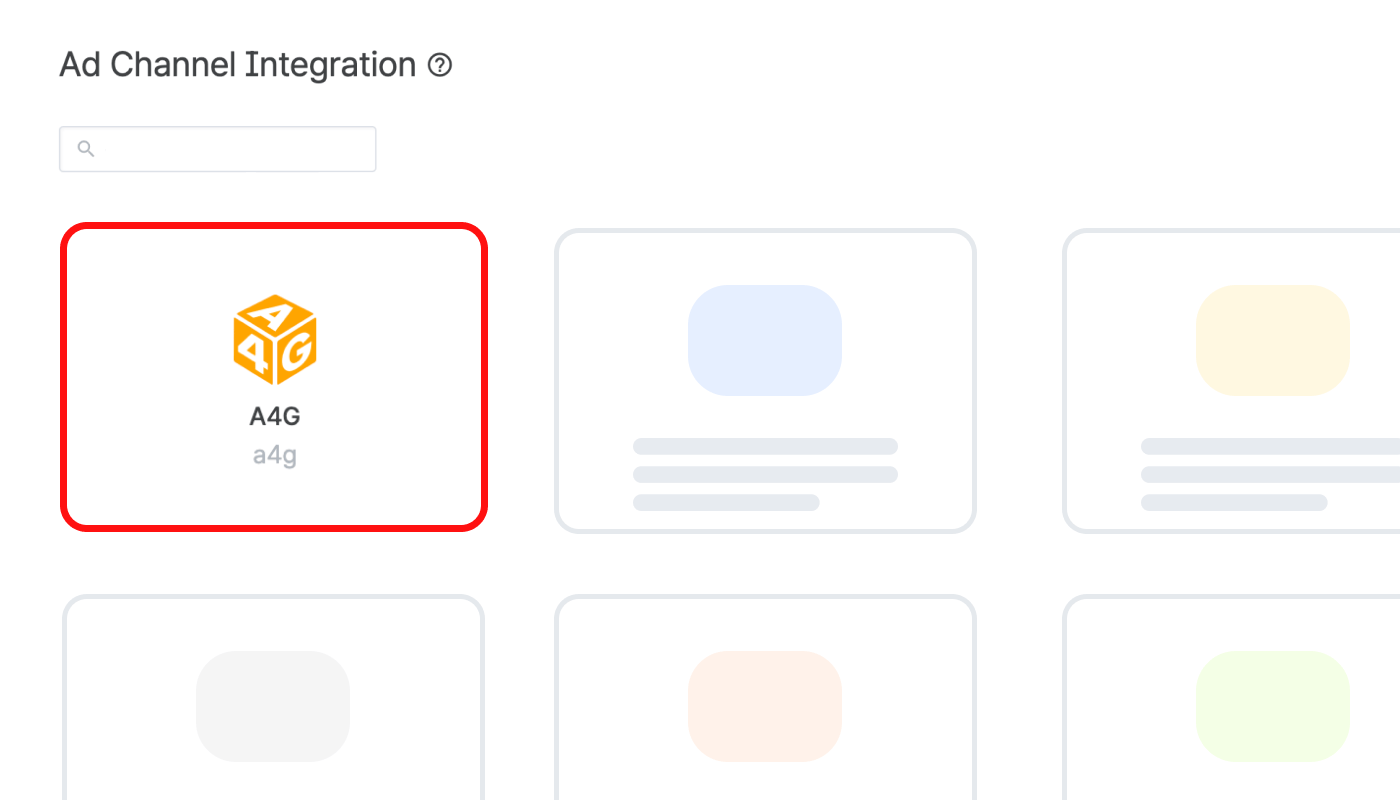
Navigate to **\[Integrations]>\[Ad Channel Integration]** in your Airbridge dashboard and select “A4G.” In the **\[Tracking Link]** tab, you can create and manage tracking links to measure the performance of your A4G campaigns.
For detailed instructions on creating and managing tracking links in Airbridge, refer to the articles below.
* [Creating Tracking Links](/en/guides/creating-a-new-tracking-link)
* [Tracking Link Management](/en/guides/tracking-link-management)
**Attention**
Set up postback before using tracking links. Postback must be set up before data collection to ensure all collected data is sent to the ad channel. If not, data collected through tracking links will not be sent to the ad channel.
## Attribution rules
In the **\[Attribution Rules]** tab, you can configure the lookback window and attribution window for A4G. Click **Go to edit page** to move to the **\[Management]>\[Attribution Rules]** page, where you can edit attribution rules.
Refer to this [article](/en/guides/setting-attribution-window) for detailed instructions on configuring the lookback window and attribution window.
## Postback Settings
**Attention**
The event identifier for Install (App), provided by A4G, is unique to each advertiser. Request your event identifier from A4G to send as postbacks.
In the **\[Postback]** tab, you can configure postbacks and determine which in-app events and attribution results to send as postbacks. The data collected with the Airbridge SDK and tracking links enables you to optimize campaigns and make strategic decisions about budget allocation.
For more details on postback settings, refer to this [article](/en/guides/postback-settings).
### **Submit e**vent identifier **to Airbridge**
Submit your event identifier for the Install (App) event to Airbridge. The event identifier for Install (App), provided by A4G, is unique to each advertiser. The event identifier is the same as the `trackerid` value in the postback.
1. Request your event identifier from A4G.
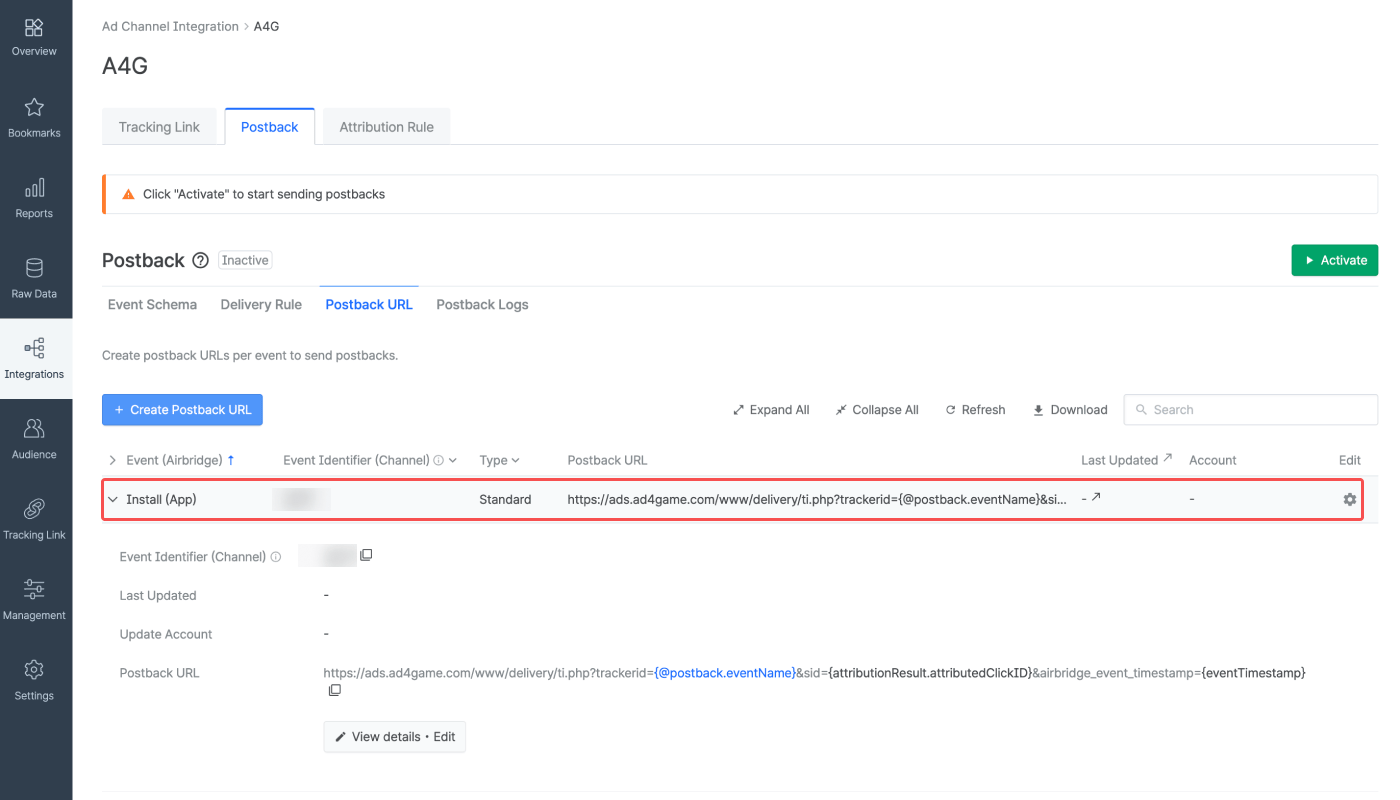
2. Submit your event identifier. Navigate to **\[Integrations]>\[Ad Channel Integration]>\[Postback]** in the Airbridge dashboard and select the **\[Postback URL]** tab\*\*.\*\*
3. Click the **\[gear]** icon for Install (App).
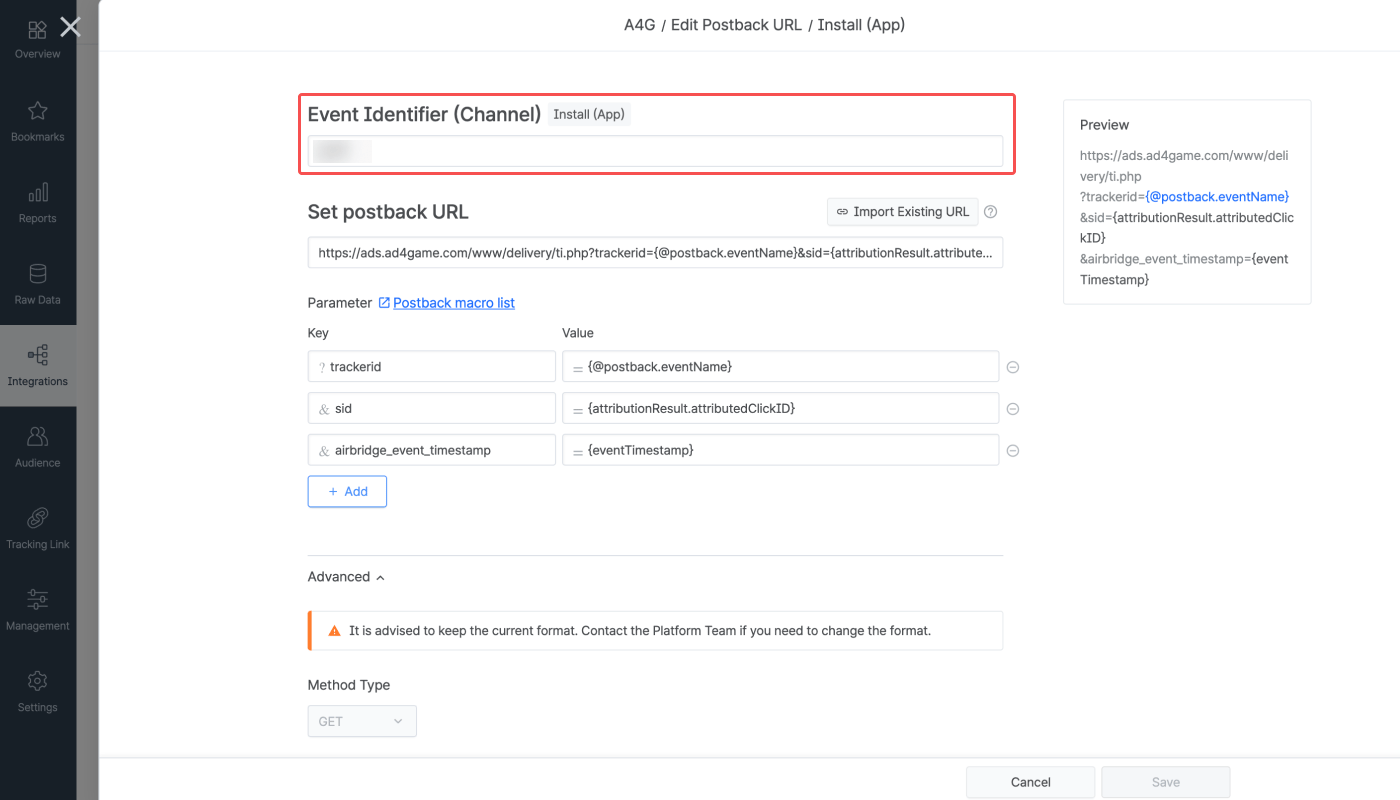
4. Enter your event identifier. Click **Save**.
5. Click **Activate**. You must click it to make sure the changes are reflected in the postback.
## Agency Settings
Manage the access permissions of the agencies and have control over which agency has access to your campaign data.
* [Agency Settings](/en/guides/agency-setting)
## Attention
Each advertiser has a unique event identifier for the Install (App) event. Make sure to request the event identifier from A4G.
 ## Collecting Data with Tracking Links
Navigate to **\[Integrations]>\[Ad Channel Integration]** in your Airbridge dashboard and select “A4G.” In the **\[Tracking Link]** tab, you can create and manage tracking links to measure the performance of your A4G campaigns.
For detailed instructions on creating and managing tracking links in Airbridge, refer to the articles below.
* [Creating Tracking Links](/en/guides/creating-a-new-tracking-link)
* [Tracking Link Management](/en/guides/tracking-link-management)
## Collecting Data with Tracking Links
Navigate to **\[Integrations]>\[Ad Channel Integration]** in your Airbridge dashboard and select “A4G.” In the **\[Tracking Link]** tab, you can create and manage tracking links to measure the performance of your A4G campaigns.
For detailed instructions on creating and managing tracking links in Airbridge, refer to the articles below.
* [Creating Tracking Links](/en/guides/creating-a-new-tracking-link)
* [Tracking Link Management](/en/guides/tracking-link-management)
 4. Enter your event identifier. Click **Save**.
 5. Click **Activate**. You must click it to make sure the changes are reflected in the postback.
## Agency Settings
Manage the access permissions of the agencies and have control over which agency has access to your campaign data.
* [Agency Settings](/en/guides/agency-setting)
## Attention
5. Click **Activate**. You must click it to make sure the changes are reflected in the postback.
## Agency Settings
Manage the access permissions of the agencies and have control over which agency has access to your campaign data.
* [Agency Settings](/en/guides/agency-setting)
## Attention