> ## Documentation Index
> Fetch the complete documentation index at: https://help.airbridge.io/llms.txt
> Use this file to discover all available pages before exploring further.
# DeepLink - Migrating From Other Links
You can continue using your UTM parameters or links for data collection you have created from other solutions to gather campaign data into Airbridge. You don't need to edit your existing links. Read on to learn how to migrate from links other than Airbridge tracking links to measure campaigns using Airbridge.
## **Parsing UTM Parameters**
Through parsing URLs, the UTM parameters embedded in URLs can be automatically converted to Airbridge campaign parameters, allowing you to collect data and measure campaign performance using Airbridge.
The UTM parameter values are automatically collected as the campaign parameter values according to the mapping table below.
| Airbridge Campaign Parameter | UTM Parameter |
| ---------------------------- | ------------- |
| channel | utm\_source |
| campaign | utm\_campaign |
| content | utm\_content |
| keyword | utm\_term |
| sub-publisher | utm\_medium |
The `utm_source` parameter must be collected. If not, Airbridge cannot collect the UTM parameter values.
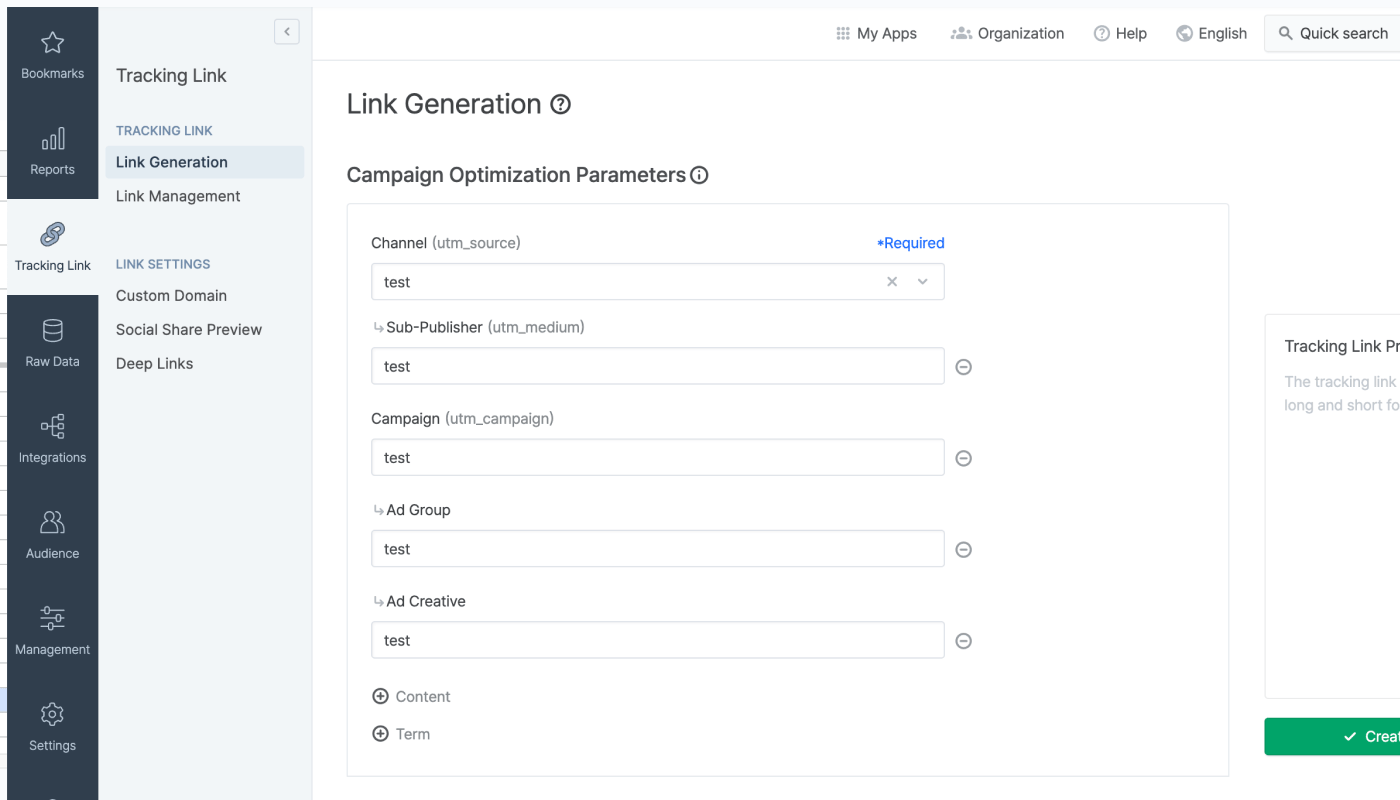
The campaign parameters that are mapped to the UTM parameters can also be found in the **\[Tracking Link]>\[Link Generation]** menu.
### Required settings, parameters, and more
To utilize UTM parsing, the `init` function must be called. When calling the `init` function, you must set the `utmParsing` option to `true`.
The utm\_source parameter is mandatory for UTM parsing. Without it, other UTM parameters will not be parsed. Performance data from campaigns with the same utm\_source value will be aggregated together.
To measure the performance of web-to-web campaigns, additional UTM parameters must be appended to the tracking link. You can use the same format for the additional UTM parameters as the ones you already use. If you want to create additional UTM parameters, refer to the [URL builder](https://support.google.com/analytics/answer/1033867?hl=ko) in the Google Analytics Help Center.
## Mapping URL Query Parameters to Airbridge Campaign Parameters
Through URL query parameter mapping, you can view the data collected by the query parameters of your existing URL in Airbridge reports.
### Required settings, parameters, and more
By using `urlQueryMapping`, you can custom map other parameters to Airbridge campaign parameters to view the data in Airbridge reports. When calling the `airbridge.init` function, add `urlQueryMapping` and input `key (Airbridge parameter) : value (Non-Airbridge parameter)` pairs. The table below lists the Airbridge parameters that can be used as keys.
| Parameter Name | Description |
| ---------------- | ----------------------- |
| channel | Channel |
| campaign | Campaign |
| ad\_group | Advertising group |
| ad\_creative | Advertising creative |
| content | Content |
| term | Keyword |
| sub\_id | Sub publisher |
| sub\_id\_1 | Sub sub publisher 1 |
| sub\_id\_2 | Sub sub publisher 2 |
| sub\_id\_3 | Sub sub publisher 3 |
| campaign\_id | Campaign ID |
| ad\_group\_id | Advertising group ID |
| ad\_creative\_id | Advertising creative ID |
| term\_id | Keyword ID |
Let's say the landing page of your ad looks like the following.
* https://mybrand.com/?utm\_source=google\&utm\_campaign=jan\_ua\_campaign\&internal\_code=ABC
The parameter values can be mapped to Airbridge parameters using `urlQueryMapping` so that the data can be viewed in the Airbridge reports, as shown in the example below.
```javascript lines theme={"theme":{"light":"github-dark-dimmed","dark":"github-dark-dimmed"}}
airbridge.init({
app: '',
webToken: '',
// ...
urlQueryMapping: {
channel: 'utm_source',
campaign: 'utm_campaign',
sub_id_1: 'my_sub_id',
},
})
```
For example, if a conversion happens, the `internal_code` parameter value will be available in the Airbridge report by setting the GRoupBy as "Sub Sub Publisher 1."
 ### Required settings, parameters, and more